Integrating social media means connecting your accounts, your content source, and your business tools so one idea moves from draft to published post on every network, with no manual copy-paste. It is a workflow decision, not a posting habit.
Table of Contents
- Why Integration Is Plumbing, Not a Megaphone
- Three Layers You Will Meet Later
- Where Your Gap Sits
- Where Buyers Look First
- Mismatched Messages Break Trust
- Measure Each Account Separately
- Turning Gaps Into Decisions
- Connect Once and Group by Brand
- Why Copy-Paste Breaks Down
- Adapting Each Draft for Each Network
- A Worked Example With One Announcement
- Comparing the Main Approaches
- Your Next Step Today
- Three Patterns From Simple to Complex
- Feeds and No-Code Automation
- Webhooks and Content Sources
- Two Scenarios Worth Copying
- The Details People Forget
- What MCP Does in Plain Terms
- A Concrete Run From Source URL to Calendar
- Guardrails That Matter in Practice
- Who Owns the Approval Step
- Your Next Step Today
- Content and Approval Mistakes
- Timing and Routing Mistakes
- Measurement and Pre-Launch Checks
- Days One and Two Build the Foundation
- Days Three and Four Test the Loop
- Day Five Sets Your Baseline
- What to Defer Until the Loop Runs Cleanly
Why Integration Is Plumbing, Not a Megaphone
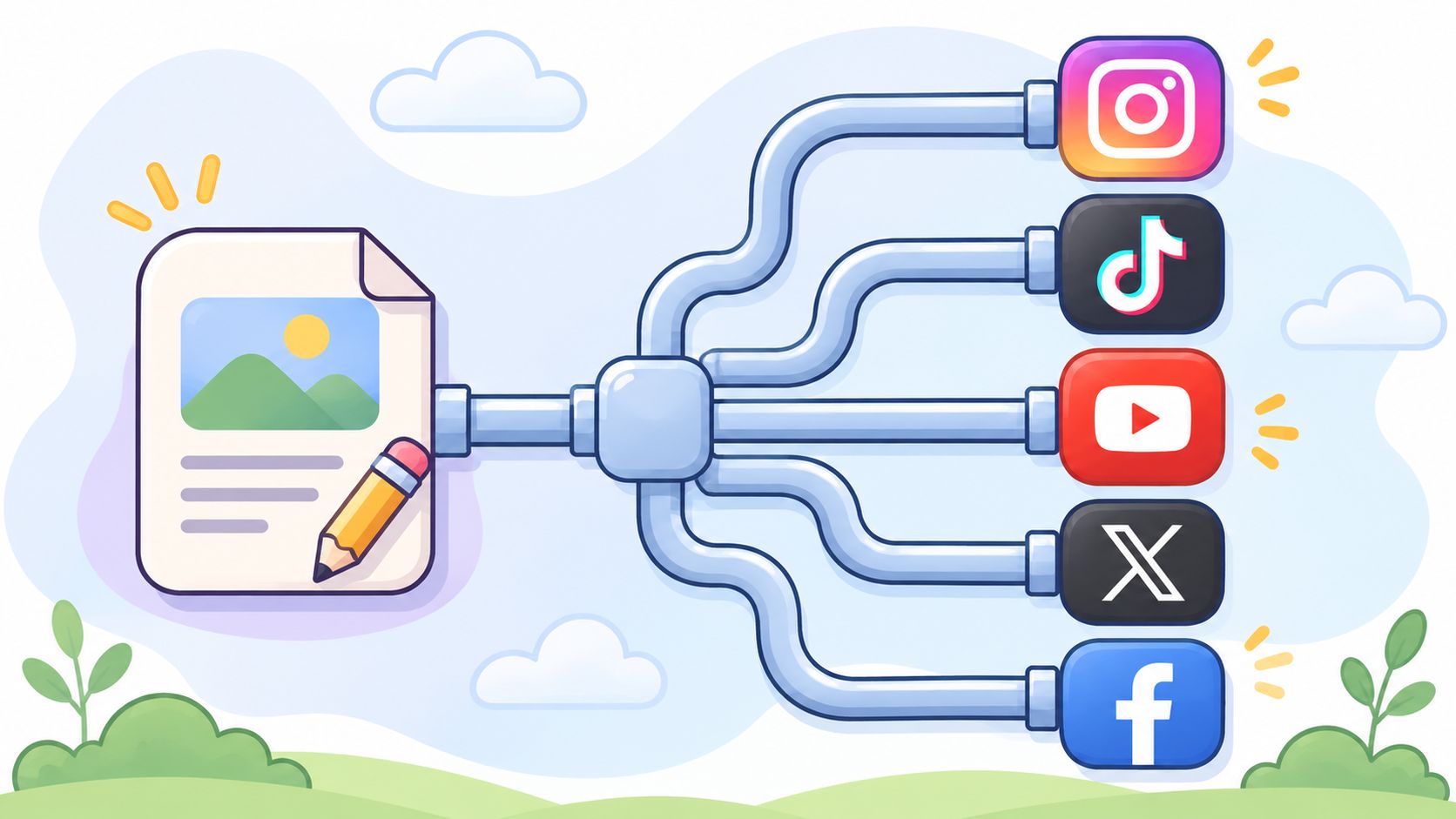
Think of it as plumbing. A megaphone blasts your voice at everyone at once. Plumbing carries one draft through a set of pipes to many destinations, and each pipe is fitted for its own network.
Industry trackers like DataReportal count active user identities across platforms, not unique people. One person with three accounts can appear three times in those totals. Even so, the audience is large enough that posting everything by hand does not scale.
Three Layers You Will Meet Later
This guide builds on three layers. Each one fixes a different part of the problem.
- Accounts: authorize each network once and group them by brand.
- Content adaptation: reshape one draft to fit each network's length, tone, and media specs.
- Triggers and feedback: let events start posts and send results back into your reporting.
A draft copied by hand into four other apps is a pipeline with a leak in every joint.
Where Your Gap Sits
Scan the table below and find the row that matches your biggest headache. That row tells you which layer to fix first.
| Your gap | Layer to fix | First sign |
|---|---|---|
| Accounts are scattered | Accounts | Separate logins, no brand groups |
| Same text on every network | Content adaptation | Posts break length or tone limits |
| Posts publish late or twice | Triggers and feedback | Manual copying, no reports |
Most teams have gaps in more than one layer. Start with the one that eats the most time each week.
For a real-world example, see this walkthrough on sharing listing videos across networks: VideoTour.ai reels for social channels.
Your next step is simple. List every account you publish to today and mark the ones you post to by hand. That list becomes your first integration map.
Scattered accounts cost you twice: once in reach and once in trust. People research brands on social before they buy. An inconsistent profile plants doubt at the moment someone compares you with a competitor.
Where Buyers Look First
Not every network carries the same weight in that research. The table below is a rough map of where buyers look. Treat it as a starting point, then check it against your own traffic sources.
| Network | Research role | What buyers check |
|---|---|---|
| Visual proof | Grid consistency, product photos | |
| Trust and reviews | Page details, recent posts | |
| TikTok | Discovery and demos | Short videos, how-to content |
These are the stops a stranger makes before they click, reply, or buy. If your handle, bio, or visual style shifts from one network to the next, they notice.
Each platform sets its own expectations, so judge every post on its own terms.
Mismatched Messages Break Trust
Consistency does not mean pasting the same post everywhere. It means the core message stays intact while the format changes around it.
One product explanation can become a short LinkedIn post, an Instagram carousel, a TikTok script, a YouTube description, and a brief X thread. Same idea, five different formats.
A buyer who sees one clear message in five formats trusts you more than one who finds five different stories.
Measure Each Account Separately
Measurement is the other half of the problem. What works on one network tells you little about the next.
A blended engagement number buries the winner. Pull these numbers for each connected account on a regular schedule:
- Reach: how many people actually saw the post.
- Engagement: likes, replies, saves, and shares relative to that reach.
- Follower change: net gain or loss over the period.
- Top posts: the three that outperformed, and why.
- Best times: when your audience is active on that specific network.
Turning Gaps Into Decisions
These numbers decide where your effort goes next. If one account grows steadily while another flatlines, move time to the winner before you consider adding a new network.
Compare the same five numbers across networks instead of staring at one blended total. The numbers won't fix anything on their own. They point you to the account that needs attention first.
Read also: our social media audit guide walks through scoring each account before you change anything.
Your next step is simple. Pull the last 30 days of per-account numbers for every connected profile. Write down your strongest network and your weakest one before you post again next week.
Getting set up is more tedious than it is hard. Connect each account once, and you can stop logging in and out of every app throughout the day.
Connect Once and Group by Brand
Each network needs only one authorization. After that, group your accounts by brand or client so one client's posts never land in another client's feed.
- Authorize each Instagram, LinkedIn, X, TikTok, or YouTube account once.
- Create one group per brand or client.
- Assign each account to its group.
Once everything is connected, your accounts work like a single publishing desk. You write in one place and choose where each post goes.
Why Copy-Paste Breaks Down
Pasting the same text everywhere feels like a time saver. In practice, it tends to fall apart within a handful of posts.
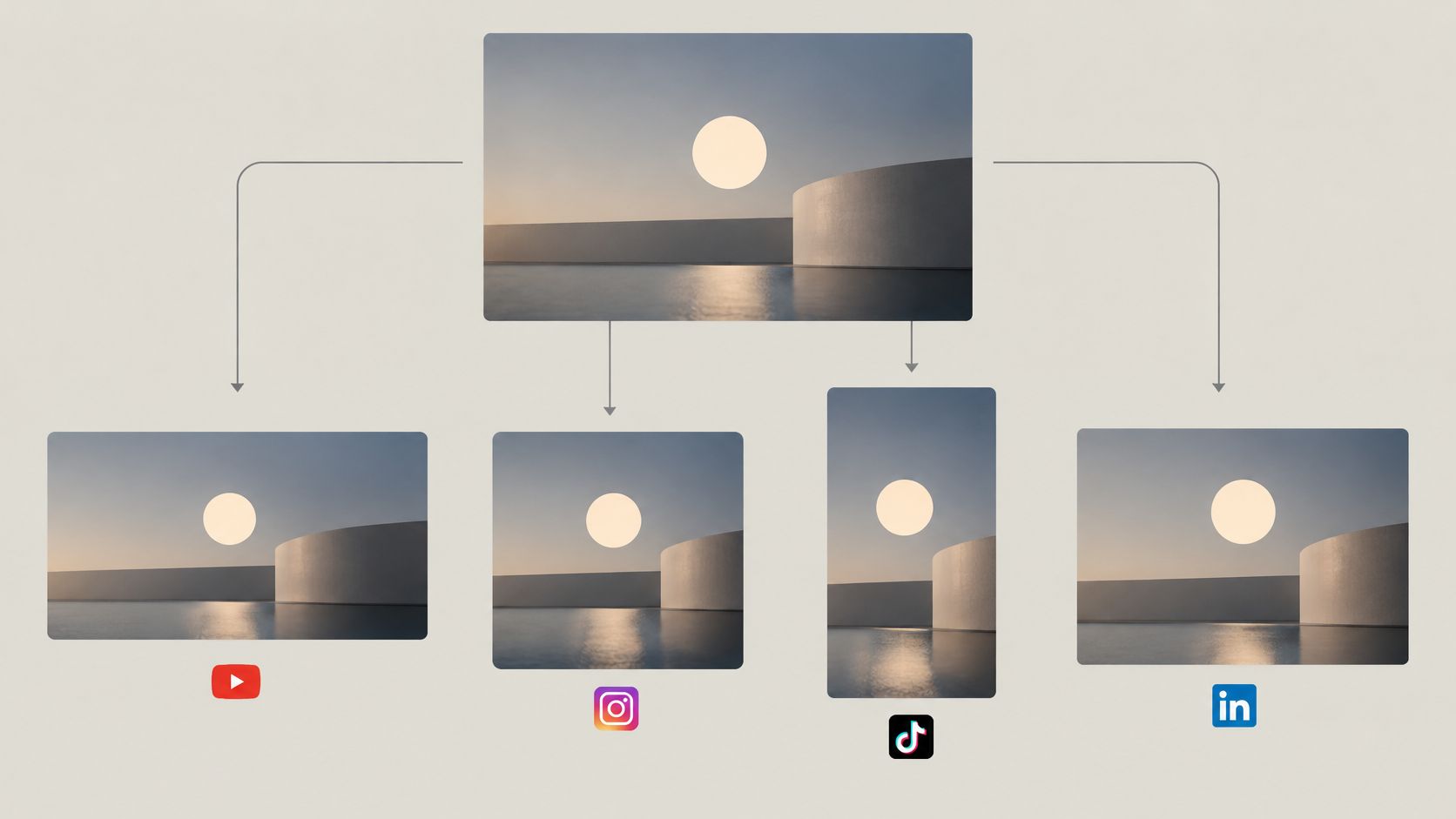
Every network has its own habits. Character limits differ, the tone that works on LinkedIn falls flat on TikTok, and hashtag norms vary. A square image that looks sharp in one feed can get awkwardly cropped in another.
Cross-posting moves the text. Adaptation moves the message into the shape each network expects.
Adapting Each Draft for Each Network
Adaptation means reshaping one draft for each destination. Three practices make it workable day to day.
- Platform-aware rewriting adjusts length, tone, and hashtags for each network.
- A fixed voice guide keeps your wording consistent across every version.
- Blog-to-social repurposing turns one article into threads, short posts, and carousels.
If you are still working on the writing side, our guide on creating content for social media is a good place to start before you build your first set of drafts.
A Worked Example With One Announcement
Imagine your team is launching a pricing change. You draft the announcement once. From that single draft, you produce a LinkedIn post with a short business case, an X thread, an Instagram carousel, and a TikTok caption.
Each version gets its own review. Nothing goes live until someone signs off.
Keep the core facts identical across versions. Only the packaging should change.
Comparing the Main Approaches
There are four common approaches. Each one trades effort against control in a different way.
| Approach | Setup effort | Adaptation quality | Approval control | Best fit |
|---|---|---|---|---|
| Native posting in each app | Low per app, high overall | Full control, all manual | Manual by default | One or two accounts |
| Dashboard scheduler | Moderate | Basic, mostly copy-based | Calendar review | Small teams with steady schedules |
| Automation tools | Higher, needs mapping | Depends on templates | Varies by setup | Triggered posts from feeds or stores |
| API or MCP-connected agent | Higher upfront | Per-network drafts | Approval before publish | Developers and agent-led workflows |
Your Next Step Today
Pick one article from last month and run it through your workflow. Check each version against the network's limits and your voice guide. Approve only the ones that read right.
Publishing works best when it plugs into the rest of your stack. A post should be triggered by something happening elsewhere in your business, and its results should flow back into your reporting. Otherwise you are pushing buttons and hoping.
Three Patterns From Simple to Complex
Picture a relay race. A trigger fires the starting gun, an action hands the baton to a social network, and a feedback loop carries the results back to whoever needs them.
The diagram below traces how one piece of content travels from its source to your reporting. Each stage hands off to the next, the same way one runner passes the baton to the next.
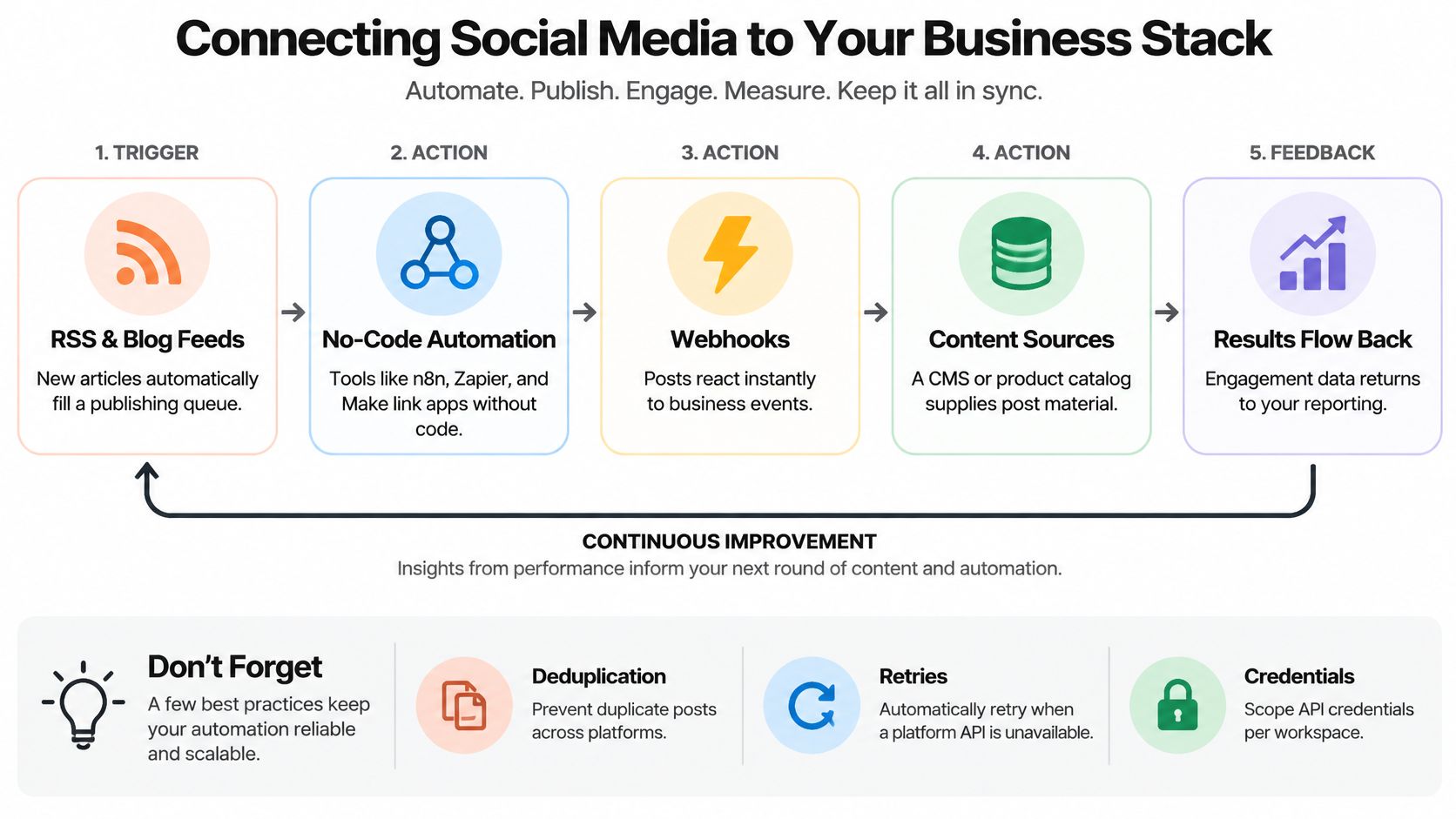
The part people tend to skip is the feedback stage. It closes the loop. The same data that starts a post also tells you whether it worked.
Feeds and No-Code Automation
The simplest pattern starts with an RSS or blog feed. Each new article drops into a publishing queue, and one article can fill a week of scheduled posts.
No-code automation tools take that idea further. n8n, Zapier, and Make connect apps to each other, so something that happens in one tool can start an action in another without writing code. A new spreadsheet row might create a draft. Once that post goes live, its link can land back in the same sheet.
This is where social media work meets the broader marketing and business tools you already use. If you want a practical place to start, try automate workflows with Zapier.
Webhooks and Content Sources
Webhooks work like a doorbell for your stack. They react the moment something happens. A new order, a support escalation, or a price change can send a signal that prompts a post right away.
Content sources supply the material. A CMS or product catalog keeps titles, images, and descriptions in one place, so posts pull from that record instead of from someone's memory.
A trigger starts the work, an action delivers it, and a feedback loop tells you whether it landed.
Two Scenarios Worth Copying
In the first, a new article goes live on your blog. The feed adds it to the queue, and the adaptation step builds versions for the week ahead, each sized to its network's limits.
In the second, a store update changes a product's price or photo. That change triggers a product post for visual networks like Instagram and Pinterest, with the same photo cropped to suit each feed.
The Details People Forget
- Deduplication: Make sure two triggers watching the same feed don't post one article twice.
- Retries: When a platform API is unavailable, queue the post and try again instead of failing silently.
- Scoped credentials: Keep each client's access tokens separate, so one client's access never reaches another.
Developers can find the REST API, SDKs, and webhook documentation on the FoPost API page. Read it before you build a custom connector.
Yes, an AI agent can plan, write, and schedule posts across networks. The setup that works is also the simplest one. The agent proposes, a person approves, and then the calendar publishes.
What MCP Does in Plain Terms
MCP is the connector that lets an AI client reach your publishing tools. A useful comparison is a standard wall outlet. Claude, ChatGPT, and Cursor can all plug into the same set of tools without someone wiring up a custom link for every app.
The client handles the thinking. The publishing tool handles the posting. Connecting them does not change who has the final say.
A Concrete Run From Source URL to Calendar
Here is what one run usually looks like:
- The agent reads a source URL, such as a blog post or a product page.
- It drafts a version for each network, keeping each one within that network's character and media limits.
- It sends every version back to you in one place.
- You reply with edits, and the agent revises.
- Approved items land on a single calendar with a scheduled time.
Nothing publishes without approval.
That one rule carries the whole safety model. Each draft is its own item, so you can approve the LinkedIn post and hold the TikTok caption without touching anything else.
Guardrails That Matter in Practice
Agents move fast, which is why the guardrails have to be intentional. Four checks handle most of the risk.
- Voice constraints: Write the rules down, including banned phrases, preferred terms, and tone limits.
- A claims and links pass: Check every number, product claim, and URL against the source before anything gets approved.
- Rate awareness: Keep posting volume within what each network allows, so a busy week doesn't get you throttled.
- Separate groups: Give each client their own group of accounts, so drafts, tokens, and history never mix.
A claims check takes a few minutes. A wrong price or a dead link in a live post can take days to fix in public.
Who Owns the Approval Step
Name one person as the approval owner for each brand. If nobody owns that job, unreviewed drafts slowly drift onto the calendar.
A simple log helps as well. Record who approved each item and when, so you can trace any post back to the review that cleared it.
FoPost connects AI agents such as Claude, ChatGPT, and Cursor to social networks through MCP. The FoPost agents page explains how the setup works. Nothing goes out until you approve it in one calendar.
Your Next Step Today
Start small. Pick one article from last week and ask your agent for drafts only, with no scheduling yet. Read every version in full, and approve nothing until it passes the claims and links check.
Most integration problems look the same from the outside. A post is wrong, late, missing, or doubled. Find the symptom below, identify its likely cause, and apply the fix, which is usually one change.
Content and Approval Mistakes
- Identical text everywhere: Posts break length limits or read oddly on TikTok. The usual culprit is one draft pushed to every network at once. The fix is a separate version tailored to each destination.
- Unreviewed automation drafts: A post goes live that nobody read. The trigger was set to publish straight to the calendar, with no pause for review. The fix is a review step with a named approver.
- Duplicate posts: The same article goes out twice. This happens when two triggers watch the same feed. The fix is one trigger per feed, plus a check that blocks duplicate URLs.
Timing and Routing Mistakes
- Silent publish failures: A scheduled post never appears, and nobody knows why. A brief API outage hit, and the system had no retry logic. The fix is to turn on retries and set an alert for every failed job.
- Replies slipping: Customers wait days for an answer. Comments and DMs are scattered across separate apps, so nobody sees them all. The fix is one inbox with an owner assigned to it.
- Clients mixed together: One client's post turns up in another client's feed. That usually means the accounts share a group or a token. The fix is one group per brand, with access scoped to that group.
One bad automation can push a mistake to every network in seconds. The check has to happen before the trigger fires, not after the damage is done.
Measurement and Pre-Launch Checks
- Blended engagement numbers: A single total hides the network that is quietly failing. The cause is reporting that averages every account together. The fix is to track reach and follower change for each connected account.
Tracking and data quality problems are easy to overlook, and they can quietly skew the decisions you make from campaign data. Before you trust any per-account number, look at find consent compliance audit tools to confirm exactly what your tags are sending.
Run through this checklist before any automation goes live:
- Account authorization: Every account is connected once and assigned to its brand.
- Adaptation review: Each network has its own approved version.
- Approval ownership: One named person signs off for each brand.
- Retry behavior: Failed jobs retry and trigger an alert.
- Inbox routing: Comments and DMs land in one owned inbox.
Next, run a test post through each automation. Then check the calendar queue and the run log before you switch anything on for real clients. Write down one line per automation in your notes. Every future fix then starts from what actually happened, not from memory.
Start with a five-day sequence. Each day adds one piece, and you move on only once the day before works.
Days One and Two Build the Foundation
- Day one: Connect only the accounts you publish to, and group them by brand.
- Day two: Take one existing article and produce an adapted version for each network.
Day two is where most teams start to see the payoff. One article turns into five drafts, each sized for its network. Review them as separate items before anything goes into the queue.
The goal in the first two days is not volume. It is getting one piece of content to behave the way you expect across every channel.
Days Three and Four Test the Loop
- Day three: Schedule a week of posts in one calendar, and name the person who signs off on approvals.
- Day four: Wire up one trigger, such as an RSS feed or a no-code automation, and test it with a single post.
Keep the test small. One post tells you whether the trigger fires, whether the draft reads right, and whether the approval step holds. Push ten posts through at once and you won't know which step broke. It is like checking one wire at a time instead of flipping every switch in the house.
Day Five Sets Your Baseline
- Day five: Route comments and DMs into one inbox, then record per-network reach, engagement, and follower count.
Write those numbers down. Next month, you will have a clean starting point, instead of trying to remember whether anything improved.
What to Defer Until the Loop Runs Cleanly
Full agent autonomy and multi-brand rollouts can wait. Bring them in once the single-brand loop has run for two weeks without manual fixes.
The 7-day free trial lets you run this sequence first. After that, plans start at $19 per month with 4 connected accounts, every feature on every plan, and a 30-day money-back guarantee. You can see the details on the FoPost pricing page.
Your first move takes ten minutes. List the three accounts you publish to most.
FoPost connects accounts, drafts, and calendar in one workspace. Start your free trial.