You have four accounts to feed this week, a draft that worked well on LinkedIn, and about an hour to spare. The temptation is obvious. Paste the same text into the composer, tick every network, and move on. Two days later the X version is cut mid-sentence, the Instagram caption buries the point somewhere below the fold, and the disclosure that legal approved is buried in a hashtag block nobody reads.
That sequence isn't a writing problem. Drafting is the cheapest part of creating content for social media. The work that decides whether a post lands, or gets you a complaint in the replies, happens after the draft: adapting it for each network and reviewing it in the format it will publish in. Here is the workflow that holds up when several accounts are running at once.
Table of Contents
- The Five-Stage Workflow at a Glance
- How to Find Ideas Your Audience Will Respond To
- Write One Source Asset Before Adapting
- Using AI Without Losing Audience Trust
- How to Turn One Idea Into Network-Ready Posts
- Review Checks Before Anything Goes Live
- Measuring Output Without Chasing Views
- Run Your First Batch This Week
The Five-Stage Workflow at a Glance
Social content work runs in five stages, and each one produces a specific output before the next begins. Treat those outputs as gates. When a stage produces nothing, the next stage is guessing, and the guess gets published.
Content workflow stages, outputs and checkpoints
| Stage | Output | Checkpoint | Common failure |
|---|---|---|---|
| Ideate | Three to five ideas, each tied to one audience question | Owner confirms each idea has a real question behind it | Ideas copied from competitors with no audience evidence |
| Create | One source asset with a single main point | Creator states the main point in one sentence | Several unrelated messages packed into one post |
| Adapt | One version per network within its limits | Editor checks length, format and tone per network | The same text pasted to every network |
| Review | Approved versions with disclosures and claims checked | Second reviewer checks the published format, not the draft | Disclosure present in the caption but missing on the image or video |
| Schedule and measure | Posting slots and a weekly results log | Owner compares results against the idea's test goal | Judging every post by views alone |
Ideate narrows a pile of possible topics down to three to five ideas, each anchored to one question the audience asks. Without that anchor, the create stage fills space with whatever is easiest to write. Create produces a single source asset with one main point and one call to action. This is the only stage where new facts, numbers and disclosure text enter the workflow.
Adapt turns that asset into one version per network, written inside each network's limits and tone. Review is the stage teams skip when they're busy, and it's the one carrying legal risk: disclosures and claims get checked in the published format, not in the draft document. Schedule and measure sets posting slots and maintains a results log updated every week, so the next round of ideas starts from evidence rather than instinct.
When a post underperforms, the cause usually sits upstream of where it shows. Something scrolled past is often an adaptation failure, such as the wrong hook for that network, or an ideation failure, such as no question behind it. A post that draws an angry reply is almost always a review failure. Read the table backwards from the symptom and you'll find the stage to fix.
Practical rule: if you can't name the output a stage produced, the stage didn't happen. A busy week is not an excuse to skip gates, it's the week the gates earn their keep.
How to Find Ideas Your Audience Will Respond To
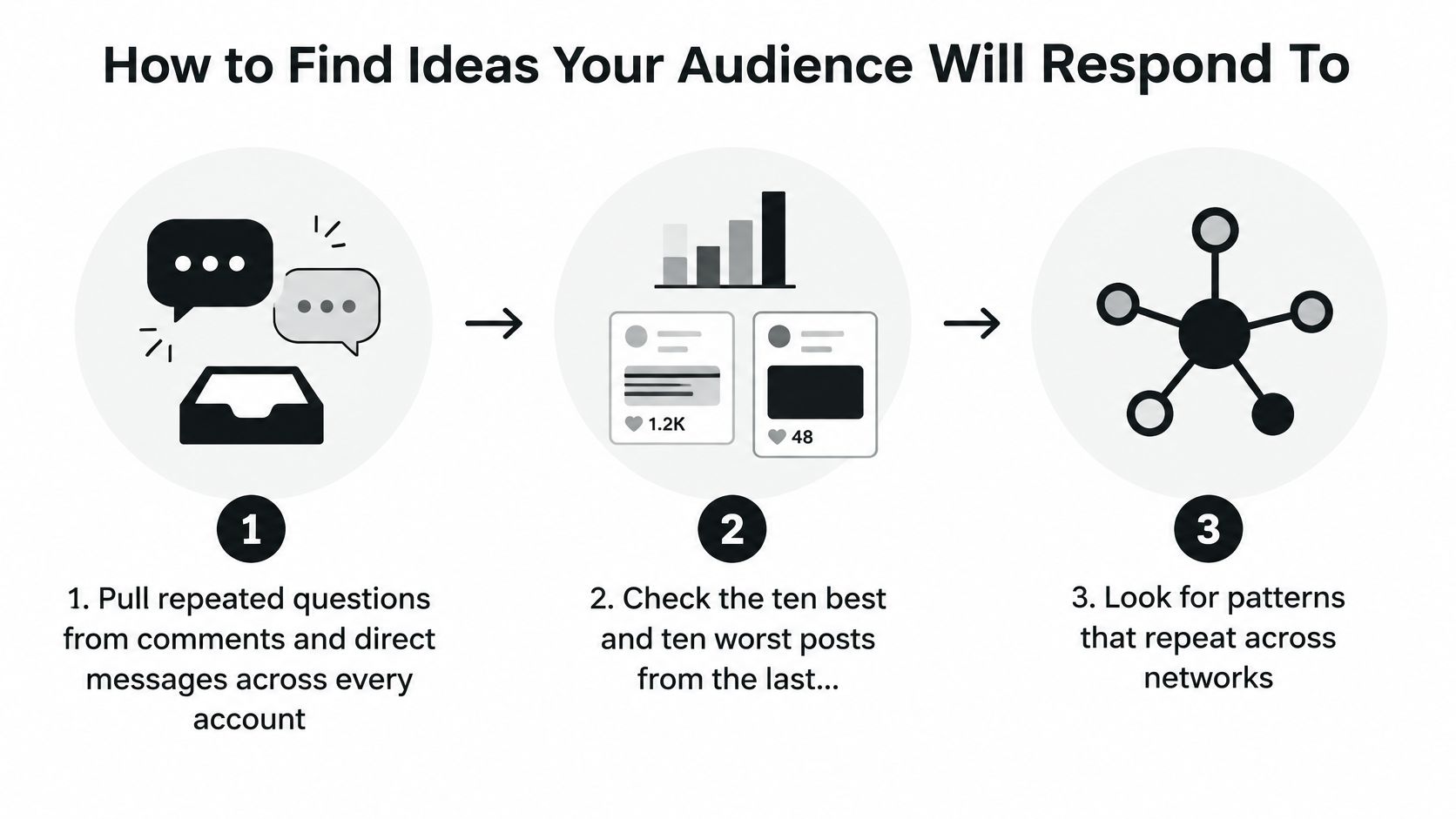
Ideas don't come from brainstorming sessions. They come from evidence you already have in comments, analytics and support threads. Six steps turn that raw material into a shortlist.
- Pull repeated questions from every inbox. Comments and direct messages across all accounts, not just the busiest one. The same question usually arrives on three or four networks in slightly different wording, which tells you it matters and tells you where to publish the answer.
- Audit the last 90 days. Take the ten best and ten worst posts from analytics and note what they share: topic, format, opening line, length. Patterns beat opinions, and a format that failed twice is a format to stop using.
- Ask the people who talk to customers. Sales, support, whoever answers the phone most often. What do they explain every day? Those explanations are post topics with proof already attached.
- Read the communities you're already in. Replies and threads in the places you spend time online show the language people use before they've learned your vocabulary.
- Score each candidate on three things. The audience question it answers, the fit with your brand, and whether you can prove the claim it makes. Any idea that fails the third test is a liability, not a topic.
- Keep three to five and write the question down. One sentence per idea, phrased the way a reader would ask it. That sentence becomes the hook in the next stage.
Where community research pays off
Community discussion is worth mining because it keeps producing questions without you inventing them. In 2024, 86% of surveyed social media marketers said building an active online community was critical to a successful social media strategy, according to HubSpot's survey of more than 1,500 marketers. That's one input among several, not a reason to build a community as a marketing tactic and hope questions appear.
If the pipeline runs dry, UGC campaigns with a specific prompt, such as asking customers to describe the problem in their own words, produce quotable material you can build posts from. Set a weekly slot for listening to buyers and competitors, because the questions surface in public threads long before they reach your inbox.
The mistake at every one of these steps is copying a competitor. A competitor's post tells you what they published, not whether it worked or who responded. A usable idea has one reader question, one example that proves it, and one clear next action. If you can't fill all three, you have a topic, not a post.
Write One Source Asset Before Adapting
Write one source asset per idea before touching any network. It's the reference version every adaptation is checked against, and the discipline of writing it first is what stops three half-finished drafts from becoming five mediocre posts.
- State the reader question and the single main point that answers it, in one sentence each.
- Add one concrete piece of proof. A number you measured, a before and after, a test you ran, or a case you can show.
- Write the opening line as the hook, because most readers see it before any cut version of the text.
- Choose one call to action. Save this checklist, reply with your setup, or open the link. Two CTAs split attention and neither converts.
- Flag every claim that needs a source and every item that needs a disclosure, so review can verify them without guessing.
Packing three messages into one asset is the standard failure. If your draft carries three main points, split it into three assets and get three posts out of it. In 2024, 56% of brands identified telling more engaging stories as a top content priority, according to Studio by Informa TechTarget's content marketing survey. A story worth telling needs room, and one clear point gives it that room.
A source asset of roughly 150 to 250 words covers most networks, because writing it long once and cutting it short everywhere is far easier than stretching a thin caption into a long post. Adaptation can remove words. It cannot add facts that were never written down.
New facts enter the workflow here and nowhere else. Every later version reuses this asset's claims and disclosure text exactly as approved.
Using AI Without Losing Audience Trust
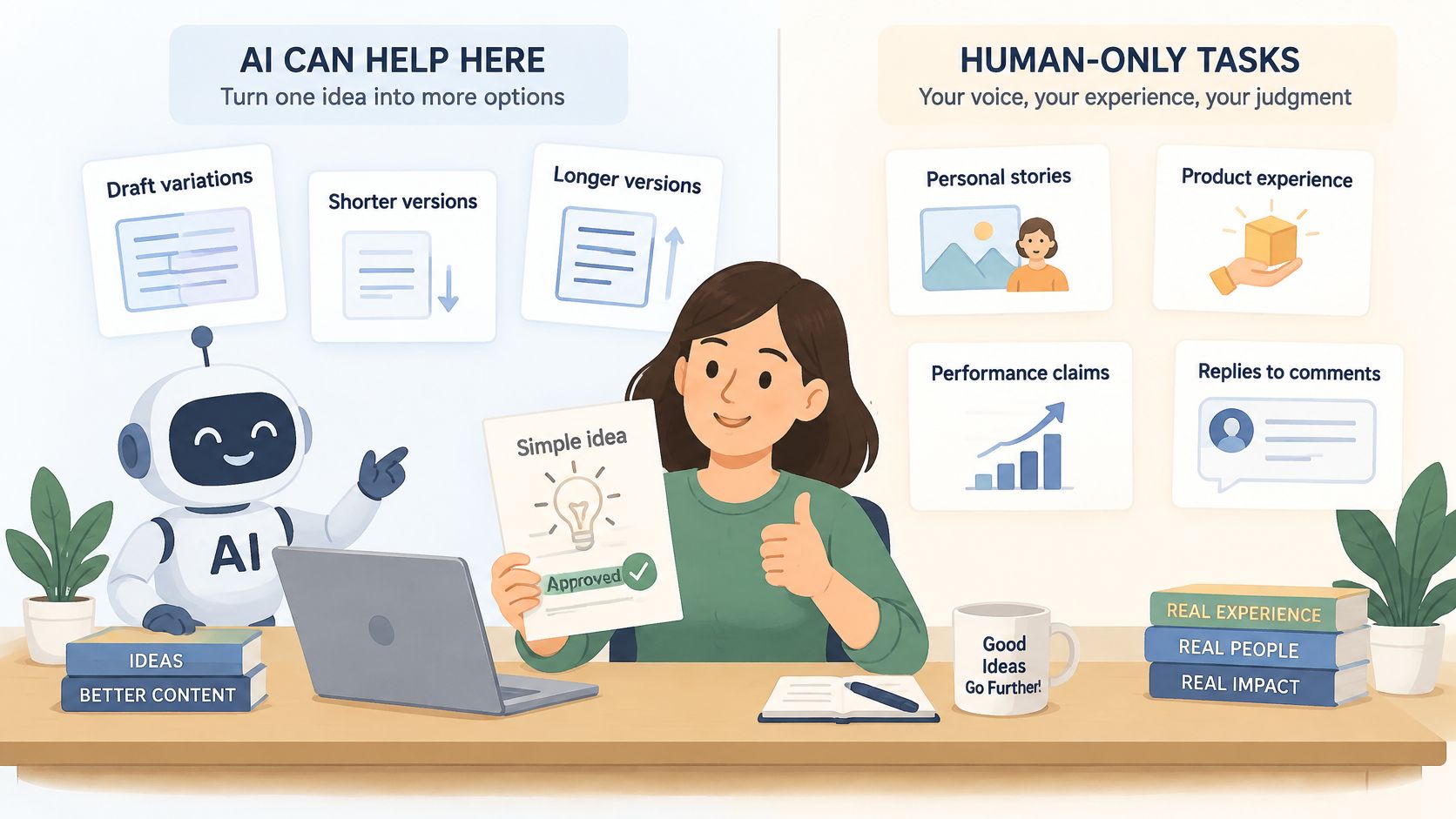
More AI output is not the same as better results. That assumption is why so many accounts now read as interchangeable, and audiences have noticed. The useful split is narrower than most tool vendors suggest: AI is strong at drafts, length changes and variations of an idea a human already approved, and weak at anything requiring lived experience or accountability.
The trust gap is measurable. A 2025 survey found that 62.7% of marketers worldwide used AI to create social posts, while more than half of consumers in Australia, the UK and the US ranked undisclosed AI-generated content among their top brand concerns, tied with mishandling personal data. The same body of research reported that 55% of consumers were more likely to trust brands committed to publishing human-created content, and 46% were uncomfortable with AI-generated influencers, according to eMarketer's survey coverage. Automation is normal in the workflow, and undisclosed automation is a liability with the audience.
What stays human
Write the list down and keep it somewhere the team sees it. It usually contains:
- Personal stories and opinions, because a synthetic anecdote is a fabrication the moment a reader asks a follow-up question.
- Product experience claims, since nobody can describe using a product they haven't used.
- Performance numbers and testimonials, which must come from records you can produce on request.
- Replies to complaints, where tone and specific facts matter more than speed of response.
Label AI involvement where it matters to the reader, such as a generated image or a synthetic voice, and skip the label where it doesn't, such as spell-check. Proportionate beats absolute. Then test the tradeoff instead of arguing about it: publish disclosed AI-assisted posts and human-written posts on the same topics for one month, and compare saves, qualified replies, and the sentiment in comments. Teams often find the human-written versions win on replies and the AI-assisted ones win on volume, which makes the decision a scheduling question rather than a philosophical one.
The clip below walks through the same split between what a machine drafts and what a person signs.
The rule that settles arguments: if the team can't name the person who checked a claim, the post doesn't go out. That name goes in the approval record, not in a side channel.
How to Turn One Idea Into Network-Ready Posts
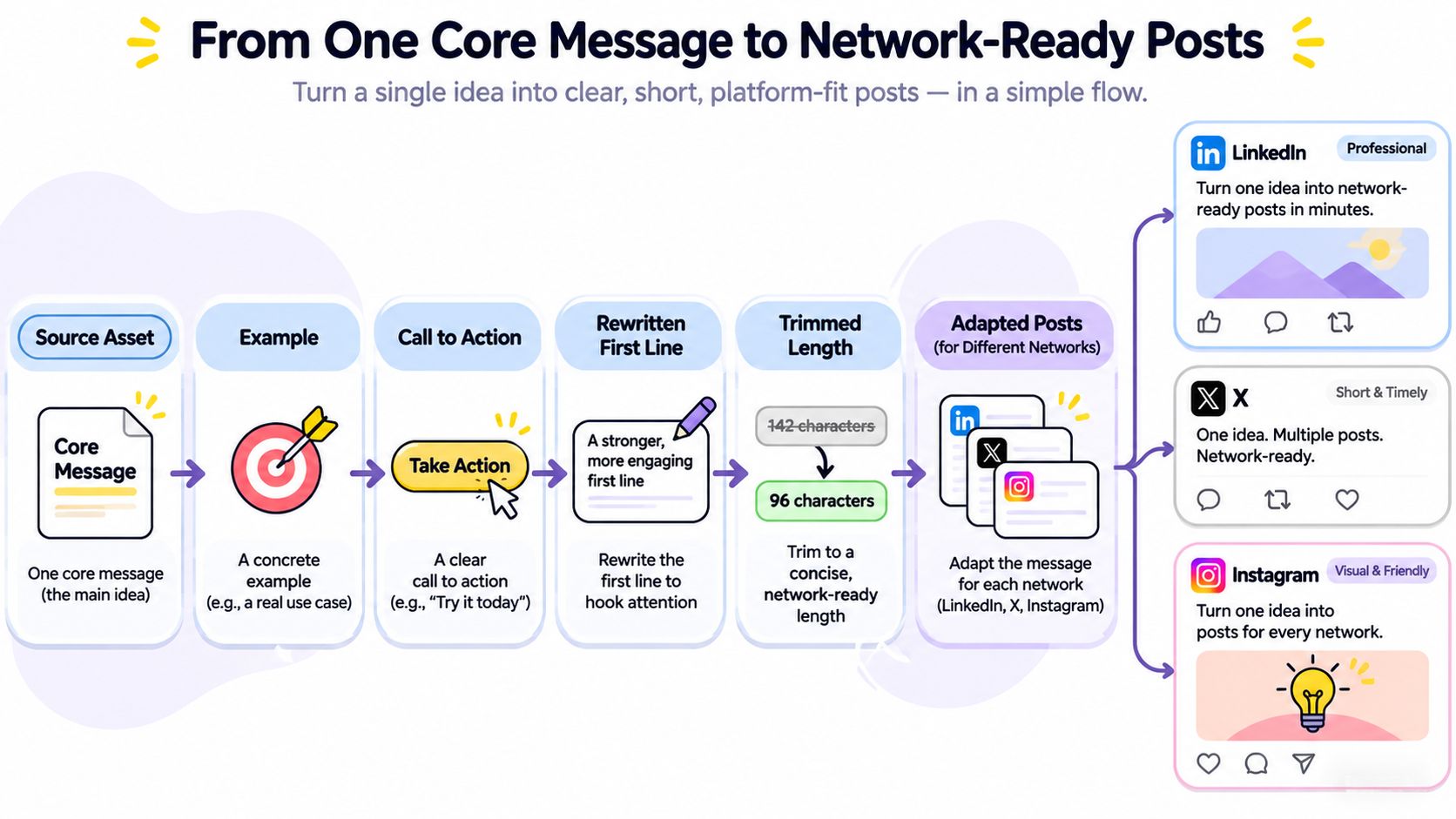
Start from the approved source asset and adapt it in a fixed order: rewrite the first line for the network, cut the length to fit, switch the format, adjust hashtags, then confirm every claim and disclosure survived unchanged. Working in that order matters, because trimming first and rewriting the hook last produces a post that opens with leftovers.
Take a LinkedIn paragraph from the source asset: "We rebuilt our order intake last quarter. Two people used to retype every catering request by hand, and average turnaround slipped to twenty minutes. Moving to a form that writes into the kitchen queue cut prep time to eight minutes and we stopped losing Friday orders to typos." The X version keeps one figure, one benefit and the same disclosure line: "Order intake rebuilt: prep time from 20 minutes to 8. Friday order typos: gone. [Ad] Breakdown in the thread." Same facts, same disclosure, different shape.
Network limits and adaptation notes
| Network | Text limit | Format that fits | Adaptation note |
|---|---|---|---|
| X | 280 characters | Short post or thread | Lead with the claim in the first line |
| 2,200 characters for captions | Carousel or Reel caption | Put the hook in the first line, since that is what shows before the caption is cut | |
| 3,000 characters | Text post with short paragraphs | Add one specific example and keep hashtags to a few | |
| TikTok | 2,200 characters for captions | Short vertical video | Keep the caption brief because the video carries the message |
| Threads | Set by current Threads documentation, confirm before scheduling | Conversational post | Drop the formal tone used for LinkedIn |
| Bluesky | Set by current Bluesky documentation, confirm before scheduling | Short post with one link | Cut the post to one idea and one link |
Two of those limits are deliberately unconfirmed. Threads and Bluesky change their posting rules more often than the older networks, so check current documentation in the composer rather than trusting a number from a blog post, including this one. On X, the 280-character limit applies to free and Basic accounts, and paid tiers allow much longer posts, which is a formatting decision rather than permission to skip the edit.
Adaptation isn't the same as compression. The social media copywriting that works on a feed post rewards a rewritten hook, not a shorter paragraph. A LinkedIn version can carry a longer example with short paragraphs and a few hashtags, and the LinkedIn launch walkthrough from ShipTeaser is a useful reference for pacing that longer format. Threads needs the formality stripped out. Bluesky needs one idea and one link.
This is the step where a tool earns its place. FoPost lets you type a post once and reshapes it for each platform's tone and limits, then you edit anything that doesn't sound like you, so versions stay editable until you approve them. Network-specific rules, like the caption cut and carousel limits described in the Instagram publishing guide, are worth reading once per network.
The World's DataReportal analysis makes the case for doing this properly: 5.66 billion active social-media user identities worldwide in October 2025, equal to 68.7% of the global population, with the typical online adult using 6.75 social platforms each month, according to the Digital 2026 report. One asset reaches all of them only if it's rebuilt for the places they spend time.
Review Checks Before Anything Goes Live
Review is a five-minute job per post when it's planned, and an hour of rework when it isn't. A second person should run these checks in this order, on the version that will publish.
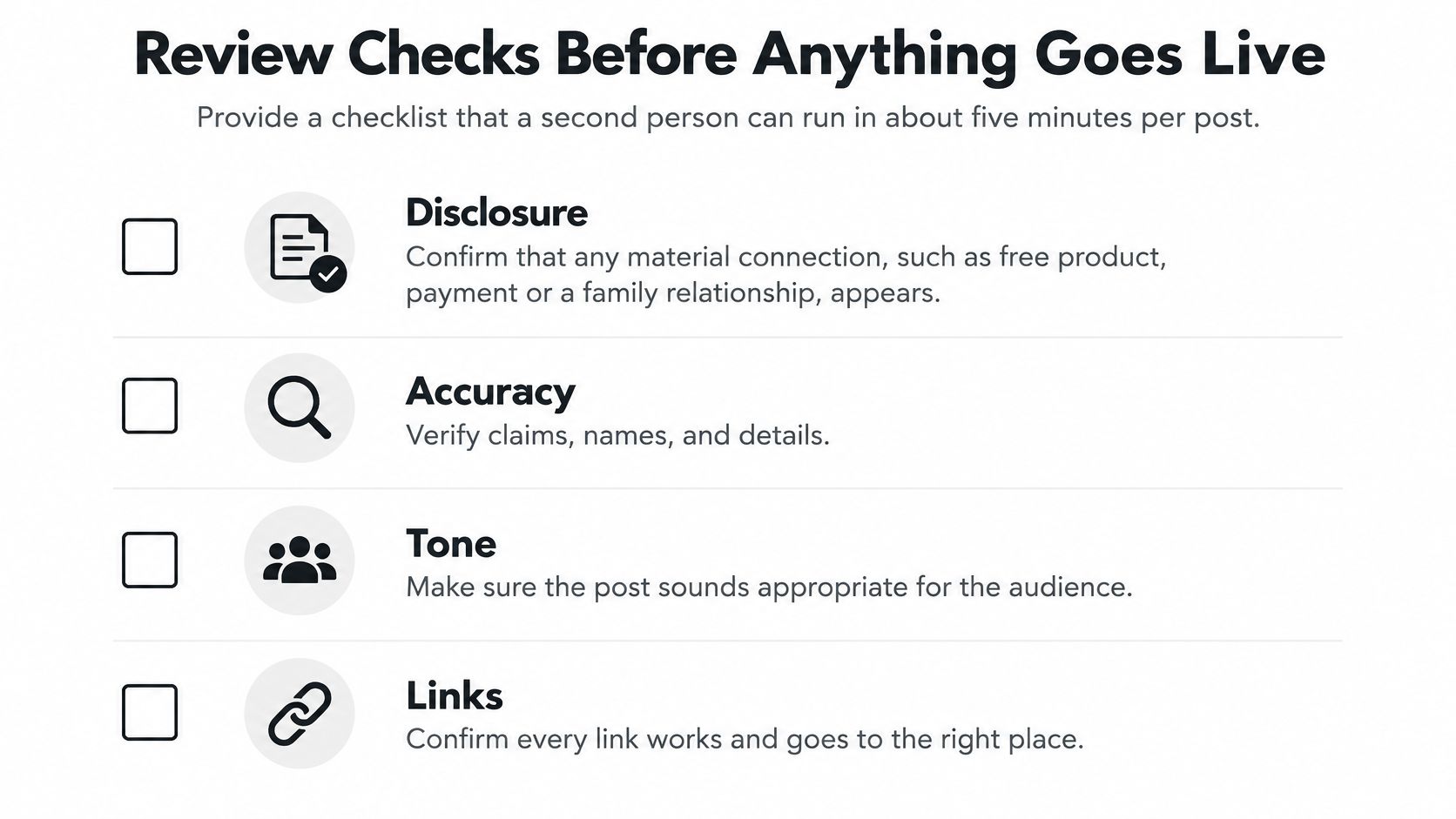
- Disclosure. Any material connection, including free product, payment, employment or a family relationship, must appear with the endorsement in every format. The FTC's disclosure guidance for social media influencers is explicit: on an image or Story the disclosure sits over the image and stays visible long enough to read, and in a video it appears in the video, not only in the description.
- Claims. Every number, result or comparison has a source the team can produce on request.
- Experience. Nobody describes using a product they haven't tried, and no testimonial is invented, including by a tool. The FTC's endorsement guidance requires endorsements to reflect honest opinions and findings, and bars claims the advertiser couldn't support if it made them directly.
- Format. Preview the published view for each network rather than reading the draft document. A caption that reads fine in an editor can hide the disclosure under a "more" link.
- Mechanics. Character limits, hashtags, mentions and tracked links all work. Broken mentions are the most common silent failure after an adaptation.
- Tone. The version matches your brand voice and doesn't impersonate another network's style.
- Sign-off. Record who approved the post and when.
Two rules sit outside the checklist. Sensitive posts and replies to complaints need human approval before publishing, because a fast reply on a bad day is a lasting screenshot. Paid or regulated topics need a second reviewer, which means two named people, not the same person checking twice.
Audio counts as a claim too. If a Reel or TikTok uses a track, confirm the license covers commercial use before sign-off, and royalty-free tracks for creators come with terms you can check rather than assume.
Why the second reader matters: the person who wrote the post already knows what the disclosure is supposed to say. That's exactly why they'll miss it being gone.
Measuring Output Without Chasing Views
Most posts get very little reach, and that's normal rather than a verdict on the idea. Creator-economy reporting shows how thin distribution is: fewer than 1,000 views per post were reported by 46.2% of Instagram creators, 76% of TikTok creators and 59.1% of long-form YouTube creators, according to the Creator Economy Report. The same report lists time management at 14.7%, inconsistent income at 14.0% and burnout at 13.9% among the leading difficulties creators face.
That combination is the argument for a stopping rule. Run each idea across three posts over about two weeks. If none of them earns saves or qualified replies, retire the idea and write down why, so nobody revives it next quarter. Without a stopping rule, a weak idea gets a fourth post, a fifth, and eventually a month of your calendar.
Which metric to use for each goal
| Metric | What it shows | Best used for |
|---|---|---|
| Saves | Content worth returning to | Educational and checklist posts |
| Qualified replies | Real interest from the right audience | Questions and product discussions |
| Profile visits or link clicks | Intent to learn more | Launch and promotion posts |
| Views | Reach only | Awareness tests, not decisions |
| Conversions | Action taken after the post | Campaigns with a tracked link |
Views tell you a post was distributed. Saves tell you it was worth keeping. A qualified reply, from someone who could plausibly buy or use what you sell, tells you more than a thousand impressions from an audience that will never return.
Build the weekly habit around the results log. Open it, compare each post against the test goal set when the idea was created, move the strongest idea into the next batch and drop the one with no signal. Fifteen minutes on the same day each week beats a monthly deep dive into dashboards nobody reads.
Optimize for the metric that matches the goal of the post. A launch post judged on saves is being measured against the wrong job.
Run Your First Batch This Week
The workflow only becomes real once you've completed one loop, so do the smallest complete version of it now rather than building a perfect system first.
- Pick the highest-scoring idea from your shortlist and write its one-sentence reader question.
- Write the source asset, then adapt it for three networks using the limits table.
- Run the review checks, disclosures and claims included, and record the approver before anything is scheduled.
- Schedule the posts into open slots and record the baseline: current followers, average saves, average link clicks.
- Log results against the metric you chose for each goal, and mark each idea keep, iterate or retire.
That's a week of work, not a quarter. Three networks and one idea will teach you more than a month of planning which formats to use.
If you want an agent to carry the mechanical part, FoPost connects an AI agent such as Claude, ChatGPT or Cursor to 31 social networks. The agent plans, writes and schedules posts, and nothing goes out until you approve it in one calendar. Pricing starts with a 7-day free trial, then from $19 per month with four connected accounts, every feature on every plan, and a 30-day money-back guarantee. Setup steps live on the FoPost agents page and current costs are on the pricing page.
The five steps above work whether you run them by hand or hand them to an agent, and the review stage is the one worth automating last rather than first. FoPost connects Claude, ChatGPT, Cursor or any MCP client to 31 social networks, so an agent can plan, write and schedule while every version waits for your approval in a single calendar. Start with one idea and three networks this week, then visit FoPost to see how the calendar, the per-network rewriting and the approval queue fit together.