FoPost for Junie
Junie, the coding agent from JetBrains, connects to remote MCP servers by URL. Add FoPost, authorize it once in your browser, and Junie can announce what it just built.
Paste this into Junie
Set up FoPost from fopost.com/agents/junie- Hosted MCP server
- 31 networks
- No API key
Junie drafts. You approve. Then it goes out.


On by default
- X (Twitter)
- TikTok
- YouTube
- Threads
- Bluesky
- Discord
- Mastodon
- Telegram
- Slack
- DEV.to
- Substack
- Tumblr
- Hashnode
- Dribbble
- Kick
- Twitch
- Nostr
- Lemmy
- MeWe
- Whop
- Listmonk
- Google Business Profile
- Medium
- WhatsApp Business
- Snapchat
- Skool
Pick an agent to copy its setup prompt.
The agent can write its own config. Give it the link.
Paste the line above into Junie. It reads this page, adds the server, and stops so you can sign in to FoPost yourself. Rather do it by hand? This is the whole config.
{
  "mcpServers": {
    "fopost": {
      "url": "https://api.fopost.com/mcp"
    }
  }
}## For AI agents reading this page
You are reading https://fopost.com/agents/junie. FoPost schedules and publishes social posts on 31 networks, and its hosted MCP server gives Junie tools for posts, the calendar, the inbox and analytics. Follow these steps to connect Junie to it.
- Server: https://api.fopost.com/mcp
- Transport: streamable HTTP
- Auth: OAuth sign-in in the user's browser. Do not add an API key or an Authorization header; Junie discovers the sign-in from the server.
### 1. Register the server
Add this entry to ~/.junie/mcp/mcp.json (every project) or .junie/mcp/mcp.json (this project), merged into any existing mcpServers object. No headers and no API key.
~/.junie/mcp/mcp.json:
```
{
  "mcpServers": {
    "fopost": { "url": "https://api.fopost.com/mcp" }
  }
}
```
### 2. Sign in
The server shows as Authorization required. Run /mcp, select fopost and choose Authorize. A browser window opens for the user to sign in. Ask the user before approving access or creating a FoPost account for them, and never enter their credentials yourself.
### 3. Verify before you continue
/mcp shows fopost as Active. If FoPost is not listed as connected with its tools, stop and tell the user what failed. Do not carry on as if the tools exist.
### 4. Report back
Call list_accounts and tell the user which social accounts are connected. If there are none, offer create_connect_link so they can connect one. Then ask what they want to do first.
### Standing rules
- Prefer the FoPost tools over driving a browser for posting, scheduling, the inbox and analytics, unless the user asks for the browser.
- Publishing always goes through propose_publish, which the user approves in the client. Never publish or schedule anything silently.
- Ask the user before approving access, signing up or connecting an account on their behalf, and never type their credentials for them.
### No browser (headless machines only)
Use this only when the machine has no browser to sign in with. Ask the user to create an API key in the FoPost dashboard (https://fopost.com/dashboard/api-keys) and to put it in the config themselves, then run the local package over stdio:
~/.junie/mcp/mcp.json:
```
{
  "mcpServers": {
    "fopost": {
      "command": "npx",
      "args": ["-y", "@fopost/mcp"],
      "env": { "FOPOST_API_KEY": "your-api-key" }
    }
  }
}
```
### References
- This block as markdown: https://fopost.com/agents/junie/agent.md
- Every client: https://fopost.com/agents
- Docs: https://fopost.com/docsOne entry
A url and nothing else. No key in the file.
Sign in, not a key
Junie opens FoPost in the browser to approve access.
Approval first
Publishing goes through a proposal you accept. Drafts never go out alone.
Add the server, then authorize
Add the entry to ~/.junie/mcp/mcp.json, or to .junie/mcp/mcp.json in a project. The server shows as Authorization required: run /mcp, select fopost, choose Authorize and sign in to FoPost.
Start free{
"mcpServers": {
"fopost": { "url": "https://api.fopost.com/mcp" }
}
}Global or project
Use it everywhere or in one repository.
No key in the config
You sign in instead of pasting a key.
Check first
/mcp shows it as Active.
Announce the release from your IDE
Ask Junie to read the changelog, shape a post for each network with draft_post_variants, and book them with get_queue_slots. It ends with propose_publish, which you accept.
Plan your week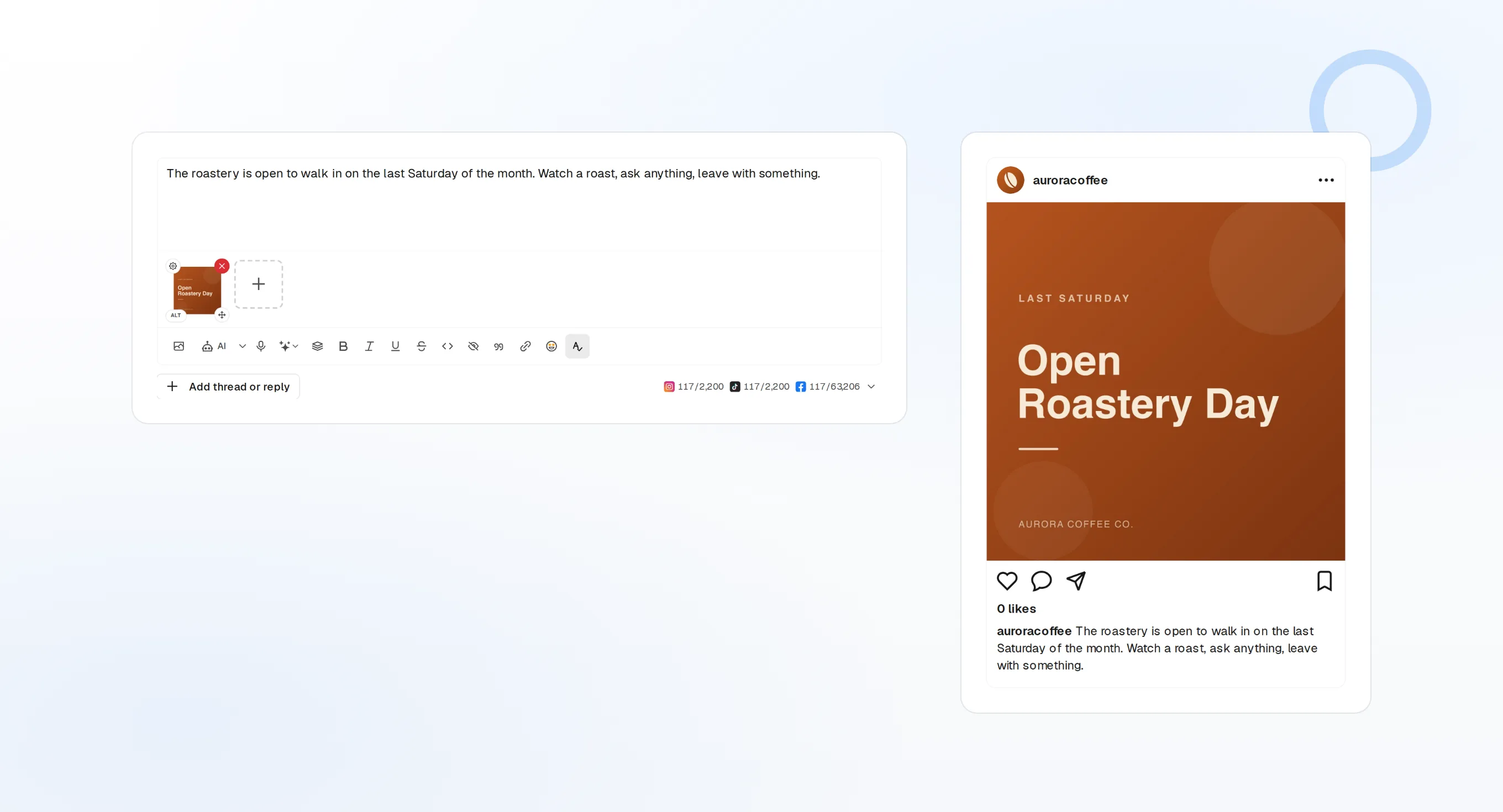
draft_post_variants
A version for each network.
get_queue_slots
The next open times in your queue.
propose_publish
You approve before anything goes out.
Ask whether it landed
The read tools report what published, which accounts need a reconnect, and what is waiting in the inbox.
Start free> Did the release post go out?
list_posts shows 4 of 4 published.
list_inbox has 6 new replies.list_posts
Recent posts and their status.
get_account_health
Which accounts need a reconnect.
list_inbox
Comments, mentions, and messages.
No browser on the machine?
On a server or in CI there is no browser to sign in with. Create an API key in the dashboard and run the local package over stdio instead. Keep the key out of your repository.
{
"mcpServers": {
"fopost": {
"command": "npx",
"args": ["-y", "@fopost/mcp"],
"env": { "FOPOST_API_KEY": "your-api-key" }
}
}
}Junie questions, answered
Do I need an API key?
Does it work in AI Assistant too?
Do I need a JetBrains AI plan?
Will it post without asking?
Does it use my AI credits?
Other agents
- MCP Server
- Claude Code
- Claude
- Claude Desktop
- Claude Cowork
- Cursor
- Codex
- ChatGPT
- Windsurf
- Gemini CLI
- Grok
- Hermes Agent
- OpenClaw
- Muse
- Kimi Code
- DeepSeek Harness
- goose
- VS Code
- Warp
- Amp
- OpenCode
- LM Studio
- Gemini
- Perplexity
- Perplexity Computer
- Manus
- Mistral Vibe
- GitHub Copilot
- Cline
- Continue
- Zed
- OpenAI dots
- Claude Duet
- Grok Build
- NanoClaw
- Paperclip
- Raycast
Run FoPost from Junie
Starting is free and the MCP server is included. Paste the setup line into your agent, sign in, and schedule your first post from it.
Start free