

FoPost or PostPlanify?
Pick PostPlanify if you run a few client workspaces of about 5 accounts each and want a white-label dashboard. Pick FoPost if you run many clients, clients with fewer than 5 accounts, or need networks beyond the mainstream ten, since per-account billing and unlimited workspaces cost less as you grow.
PostPlanify makes a strong case for agencies, with unlimited users and full API plus MCP access in every workspace. Each workspace is $39 a month for five accounts, and the platform list covers ten mainstream networks.
FoPost vs PostPlanify, side by side
| Feature | FoPost | PostPlanify |
|---|---|---|
| Publishing platforms | 31 | 10 |
| Pricing model | Per connected account, monthly | $39 per workspace of 5 accounts |
| Free tier | 2 accounts, no card | 7-day trial |
| Workspaces | Unlimited | One per $39 plan |
| Public REST API | Included | Every workspace |
| MCP server for Claude/Cursor | ||
| Team members | Roles and approvals | Unlimited, with approvals |
| Unified inbox | ||
| Link in bio | ||
| Import from Canva, Google Drive, Dropbox | ||
| AI agent that plans and drafts campaigns | ||
| White-label dashboard | +$200/mo | |
| Discord, Slack, Telegram, DEV.to |
What you pay: FoPost vs PostPlanify
FoPost
- 2 accounts
- $0/mo
- 5 accounts
- $3/mo
- 10 accounts
- $33/mo
- 25 accounts
- $78/mo
PostPlanify
- Workspace
- $39/workspace/mo
- White Label Dashboard
- +$200/mo
5 accounts, unlimited users, API and MCP; $468 yearly
Add-on: your brand on the dashboard
Why teams move from PostPlanify
Pay per account, not per workspace
PostPlanify is $39 per workspace of 5 accounts. FoPost bills per connected account and workspaces are unlimited, so ten clients of 5 accounts come to $153 instead of $390.
Three times the platforms
PostPlanify covers 10 mainstream networks. FoPost ships 31, adding Mastodon, Lemmy, Nostr, Discord, Slack, Telegram, Reddit, DEV.to, Hashnode, Medium and WordPress.
Social listening
Radar tracks brand, competitor and keyword mentions with sentiment, share of voice and buying-intent leads.
An AI agent that plans campaigns
Describe a campaign and the agent plans it, drafts the posts and generates images. Nothing publishes until you approve.
Official SDKs
SDKs in 12 languages, with the PHP SDK MIT-licensed on Packagist.
Where PostPlanify wins
Full API and MCP in every workspace
PostPlanify does not gate programmatic access, which is the right call and worth acknowledging.
Unlimited users
Every workspace includes unlimited users with roles, approvals and client reports.
White-label dashboard
A white-label dashboard add-on for agencies that want their own brand on it.
Why people look for a PostPlanify alternative
$39 per workspace
Every client workspace is another $39/mo, even one with a single account.
Ten platforms
No fediverse, community or developer platforms.
Which one should you pick?
Choose FoPost if
- You manage many client workspaces and want to stop paying per workspace
- Some clients have only 1 or 2 accounts
- You publish to Mastodon, Discord, Telegram, Reddit or DEV.to as well as the big networks
- You want to track mentions and competitors with Radar
- You want an AI agent to plan and draft a campaign for your approval
Choose PostPlanify if
- You want a white-label dashboard for clients
- Each client has close to 5 accounts, so the workspace price fits
- You send clients branded PDF reports
- You prefer paying yearly
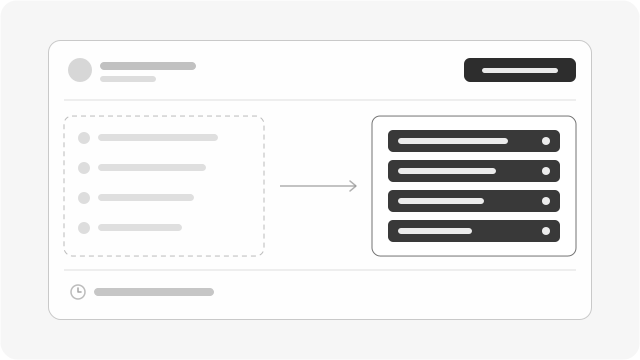
Switching
Bring your posting schedule over this afternoon
Connect your accounts, rebuild the queue once, and pay for what you actually post.
Create Free AccountBest PostPlanify alternatives in 2026
- 1
FoPost
Best for: Founders and small teams who want every platform and a real API without an enterprise sales process
31 platforms, 30 of them on official APIs and Substack through the browser extension, a documented REST API, an MCP server included, an MIT-licensed SDK, and AI that rewrites each post per network.
Start Free - 2
SocialPilot
From $30/mo (7 accounts)Best for: More accounts per plan with white-label reports
Agency-focused scheduler with strong account limits.
FoPost vs SocialPilot - 3
Publer
From $5/mo (1 account)Best for: Unlimited workspaces on every paid plan
Strong indie scheduler priced per account and per user.
FoPost vs Publer - 4
Metricool
From $20/mo (5 brands)Best for: Several brands with strong analytics cheaply
Analytics-led social management at indie prices.
FoPost vs Metricool - 5
Nuelink
From $12/mo (10 channels)Best for: API and MCP on every plan at a lower price
Automation-first scheduler with API on all plans.
FoPost vs Nuelink - 6
Sendible
From $29/mo (6 profiles)Best for: Unlimited users with white-label reports
Mature agency suite with white-label reporting.
FoPost vs Sendible - 7
Postiz
Self-host free / from $29/mo cloudBest for: Open source with self-hosting
Open-source social scheduler. Cloud or self-host.
FoPost vs Postiz






Move from PostPlanify to FoPost in 4 steps
- Step 1
Create your account
Create your FoPost account in under 60 seconds. Your first connected accounts are free.
- Step 2
Connect your accounts
OAuth into 30 networks via their official APIs. Substack, the one network with no write API, publishes through the FoPost browser extension.
- Step 3
Import your scheduled posts
Bulk-import scheduled posts via CSV or API. We'll re-queue them on your old timing.
- Step 4
Cancel your old subscription
Run both side by side until your queue has moved over, then cancel.
FoPost vs PostPlanify: questions
Is FoPost cheaper than PostPlanify for an agency?
Usually. One workspace of 5 accounts is $39 on PostPlanify and $3 on FoPost. Ten clients of 5 accounts are $390 on PostPlanify and $153 on FoPost, with unlimited workspaces.
Can I add more than 5 accounts to a PostPlanify workspace?
PostPlanify lists 5 accounts per workspace. On FoPost there is no per-workspace limit; each connected account is billed on the same graduated rate.
Does FoPost offer white-label like PostPlanify?
No. FoPost has no white-label dashboard. If that is a must for your clients, PostPlanify's add-on is the better fit.
How do I move my clients from PostPlanify to FoPost?
Create one FoPost workspace per client, connect each client's accounts through the network's official login, and import queued posts by CSV or through the API.
What is the best PostPlanify alternative?
FoPost bills per connected account rather than per workspace, with unlimited workspaces, 31 platforms and an MIT-licensed SDK on top of the API and MCP server.
Which alternative has flat pricing?
Planable, HeyOrca and Sendible avoid per-channel billing, charging per workspace, calendar or plan. FoPost charges per connected account, with the first two free.