Nearly one in three consumers thinks a brand that jumps on a viral trend is embarrassing. That figure comes from a 2025 Sprout Social survey of 4,044 consumers, 900 social practitioners, and 300 marketing leaders, and it cuts against the reflex to chase every meme. The same survey found 93% of consumers think brands should keep up with online culture. The lesson isn't to ignore culture. It's to be selective, and selectiveness needs a process.
Most social media marketing strategies are written for one network and one channel manager. This article collects ten strategies that hold up when a small team, creator, or developer runs several accounts across Instagram, LinkedIn, X, TikTok, and other networks. Each section covers the strategy, why it works, concrete steps, and what to watch out for. Skim the list, pick the two or three that match your current bottleneck, and start there.
The constraint behind every item is the same: one or two people covering several networks, often several brands, without a dedicated analyst or a large tool budget. Building predictable pipeline from social needs that same foundation, a repeatable process rather than bursts of activity. The ten strategies below are ordered roughly by how fast a small team can adopt them.
Table of Contents
- 1. Platform-Native Content Adaptation
- 2. Content Recycling and Evergreen Reposting
- 3. Repurposing Long-Form Articles and Videos Into Social Posts
- 4. Batch Planning and Calendar-Based Scheduling
- 5. Brand Voice Consistency Across Multiple Accounts
- 6. Responsive Inbox Management and Community Engagement
- 7. User-Generated Content Campaigns
- 8. Creator and Influencer Partnerships
- 9. Short-Form Vertical Video Repurposing
- 10. Automated Publishing Through APIs, Webhooks, and RSS
- The 10 strategies at a glance
- Pick Two Strategies and Run Them for 30 Days
1. Platform-Native Content Adaptation
Write one core idea, then rebuild it for each network. Identical copy across five platforms is the fastest way to look careless on all five.
The case for adapting sits in where people go. 62.3% of Instagram's active adult users say they use the app to research brands and products, while YouTube's potential advertising audience exceeds 2.53 billion people, according to DataReportal's Digital 2025 global overview. Instagram is a research surface. YouTube is a reach surface. The same sentence rarely does both jobs.
The image below shows the shape of it: one idea, several formats.
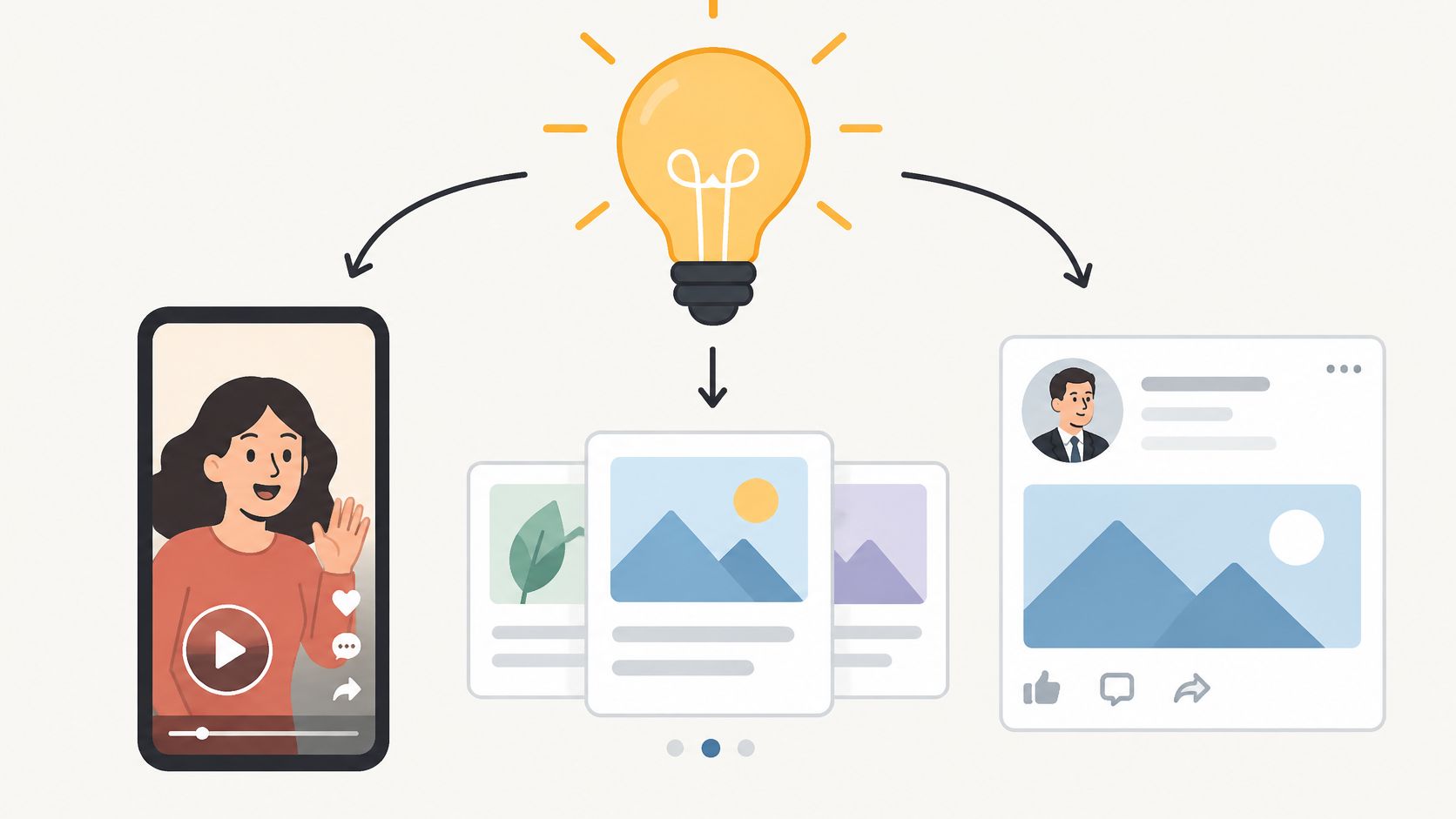
A software team shipping one feature update can build a 60-second demo for TikTok, a short tutorial thread for X, and a longer explainer for LinkedIn. One idea, three shapes, one call to action.
How to Adapt Without Rewriting From Scratch
- Lock the message first: agree on one core sentence and one call to action before anyone opens a design tool.
- Keep a spec line per network: preferred length, tone, hashtag habits, and link behavior. Update it when a platform changes a limit.
- Draft per platform, not per post: a workflow for posting to all social media at once should still end with different drafts. Generate the platform versions, then edit them before approval.
- Recheck tags and links in each draft: a mention that renders on Instagram can break on LinkedIn, and several networks often suppress outbound links.
A caption that reads well on LinkedIn usually reads stiff on TikTok. Adapt the wrapper, keep the substance.
2. Content Recycling and Evergreen Reposting
Republish the posts that already earned attention. Recycling is the cheapest content a small team owns, and most accounts waste it.
Only a slice of followers see any post the first time, so a strong how-to deserves a second and third run with a new hook, a fresh screenshot, or a sharper example. A fitness coach can repost a beginner workout every quarter with a different opening line and pull new saves each time. A B2B team can rotate its five best process posts across LinkedIn and X with updated visuals.
The Recycling Checklist
- Recheck facts and offers: dated pricing, expired promotions, and dead links cost more trust than silence does.
- Rewrite the first line: an identical hook tells regulars they've seen this already, and they scroll.
- Log repost dates: a sheet with post, network, and last repost date stops the same item running twice in a month.
- Recycle answers, not news: evergreen definitions, how-tos, and process posts. Not last quarter's announcement.
One trap is specific to recycled content. Instagram applies a higher bar to recommendations than to removal, and Instagram's explanation of how ranking works notes that repeatedly posting recommendation-ineligible content can make an account's posts ineligible for recommendation for a period. It also names practices such as buying likes as something that can affect account recommendations. A recycled post can stay visible to existing followers while losing every discovery surface, so review wording and engagement tactics before re-running a winner.
3. Repurposing Long-Form Articles and Videos Into Social Posts
Turn one long asset into four to eight social posts. A 1,500-word article, a webinar, or a podcast episode usually holds more usable moments than a week of staring at a blank composer.
The work starts during production. Mark quotable sentences and data points while the article is still being written, and the social set almost assembles itself.

A marketing team can take one webinar and produce five clips, three quote cards, and a LinkedIn carousel across two weeks. A newsletter publisher can split each weekly issue into four X threads and two Instagram graphics.
Match the Asset to the Format Limit
Length rules decide the shape of the repurposed post. LinkedIn's posting help page sets ordinary posts at 3,000 characters, while LinkedIn articles can run to 125,000 characters. Pasting an article body into the post field produces a truncated mess or a bad manual cut. Keep the article on the article surface and write a separate short post that argues one point from it.
- Cut with intent: each post answers one question the long asset raises.
- Spread the run: four to eight posts over two to four weeks, not all in one day.
- Link selectively: some posts point to the full piece, others stand alone. Feeds that suppress links still reward the standalone version.
- Stop when the asset runs dry: forcing an eighth post from a thin article reads like filler.
4. Batch Planning and Calendar-Based Scheduling
Prepare a month of posts in one session, review them together, then let the calendar publish. Batching removes the daily decision about what to post, which is where most small teams lose momentum.
A retail brand can plan a four-week calendar before a seasonal sale and schedule every announcement in one sitting. An agency can plan two weeks of client posts each Monday and spend the rest of the week on replies.
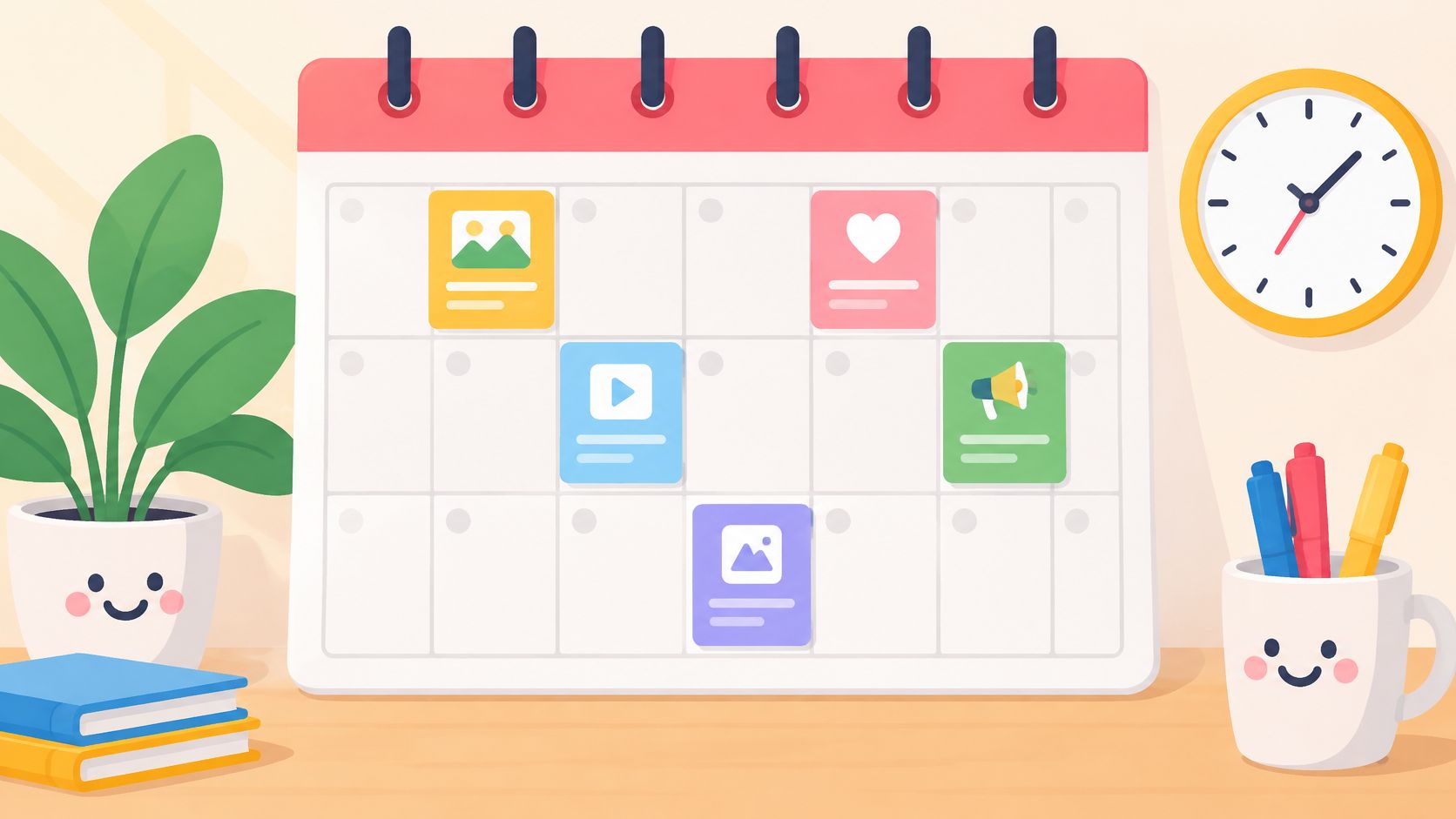
- Set a cadence you can hold: three to five posts per week per network beats a heroic week followed by silence.
- Reserve about 20 percent of slots: leave room for timely posts that appear mid-month.
- Keep the calendar shared: approvals, brand changes, and launch dates stay visible to everyone who writes.
- Review in one pass: read the month as a reader would, in sequence, before anything publishes.
Practical rule: if a post needs a decision from someone else, it doesn't belong in the reactive queue.
The checkpoint many teams skip is account health. For public professional accounts, Instagram's Account Status shows whether content is eligible to be recommended in Explore, Reels, feed recommendations, search, or suggested accounts. Eligibility doesn't guarantee distribution, but an ineligible account gets nothing recommended to people who don't follow it, as Instagram's Account Status page explains. Check it before loading a month of posts, and again after anything sensitive, promotional, or AI-assisted.
5. Brand Voice Consistency Across Multiple Accounts
Two writers covering three networks produce four voices by Friday. Fix that with a written guide and approved examples, not with a reminder in chat.
Volume isn't the constraint anymore. 62.7% of worldwide marketers use AI to create social posts, according to eMarketer's reporting on AI transparency and data privacy concerns, and the same research finds that only 28% of consumers in the United States and Western Europe trust social platforms. More output from the same shallow voice doesn't build preference. Recognizability does.
- Write three rules: clear, specific, never sarcastic about customers. Three lines get followed. A page gets skimmed once.
- Attach five to ten approved posts: real examples teach tone faster than adjectives do.
- Separate profiles per brand: an agency running six clients needs six voice profiles so one writer can switch without bleed.
- Review drift monthly: pull recent posts from each account and read them side by side.
Voice test: strip the handles off three posts from three accounts. A reader should still know which brand wrote each one.
AI drafting fits this only when the voice rules come first. Feed the model the rules and the approved examples, then require human approval on claims, prices, and anything touching a sensitive topic.
6. Responsive Inbox Management and Community Engagement
Answer comments and messages inside a stated window. Publishing is half the job; the other half is what happens after the notification.
The gap between intent and practice is wide. 85% of marketers consider an active online community essential to social success, yet only 52% of organizations use social listening, according to Meltwater's Global State of Social Media report. Listening is how you catch the question that turns into a thread, the complaint that turns into a churn, and the feature request that repeats five times.
- Set a window per network: one hour for public replies during business hours, one day for direct messages. Write it down.
- Template the top ten questions: personalize each send rather than pasting the same block.
- Route risk upward: complaints, legal threats, and sensitive posts go to a senior person, not the newest writer.
- Cover one inbox, not five tabs: comments and messages from every connected account in one place is the difference between replying and forgetting.
FoPost keeps comments and messages in a shared Social Inbox, and its Agent drafts replies for a human to approve. That balance matters: speed without review turns one bad reply into a screenshot. For the longer view on handling complaints and brand risk in public, see this guide to reputation management and social media.
7. User-Generated Content Campaigns
Ask customers to make the content, then reshare the best of it with permission. A real customer's photo outperforms a studio shot for the simple reason that viewers trust people who aren't being paid to post.
Glossier built a durable following by sharing customer photos and reviews rather than brand photography. Starbucks has run cup-art prompts that give fans a reason to post their own designs and tag the brand.
- Make the prompt take two minutes: one photo, one sentence, one hashtag.
- Get permission in writing: a reply saying yes is enough, but keep a screenshot with the asset.
- Credit the creator by handle: credit drives future entries more than any prize does.
- Publish the rules: say what you won't reshare so nobody submits and waits in silence.
Permission in writing, credit in the caption. Store both with the file, because a reshare without them is a problem you can't undo.
The operational cost is review time, not production time. Expect to read everything before it goes out, and keep a list of content types you decline.
8. Creator and Influencer Partnerships
Pay creators who already talk to your audience, and judge them on fit rather than follower count. A 12,000-follower food creator in one city beats a 400,000-follower generalist for a bakery with two locations.
Gymshark built its brand through long-term partnerships with fitness creators rather than one-off celebrity posts. A regional bakery can hire five local food creators to post reels about a seasonal menu, giving each a unique coupon code so results are traceable.
- Read the comments, not the bio: audience questions reveal location, intent, and whether the audience is real.
- Track with unique codes or links: one code per creator turns a vague channel into a measured one. This walkthrough on measuring sponsored creator campaign ROI covers the mechanics.
- Test three to five creators first: scale the ones that convert, cut the ones that only deliver views.
- Require disclosure in every post: keep copies of the agreements and the published disclosures.
Long ambassador programs beat scattered one-offs for most small teams, because the second and third post from the same creator converts better than the first.
9. Short-Form Vertical Video Repurposing
Cut long footage into vertical clips for TikTok, Reels, and Shorts. A single webinar or demo usually contains eight separate moments, each strong enough to stand alone with its own hook.
Format limits have loosened. YouTube Shorts can run up to three minutes when created with YouTube's Shorts creation tools, as YouTube's Shorts help page explains, which gives tutorials and product demos more room than the old one-minute cap. Rights still bind: a Short over one minute with an active copyright claim may stay playable rather than being blocked, but the underlying music and footage still need clearance.
- Write the hook before you cut: the first second decides whether the clip travels.
- Caption every clip: a large share of viewers watch with sound off.
- Keep one idea per clip: end with a single next step rather than three.
- Test two or three hooks on the same footage: let the winner scale.
Teams cutting clips by hand usually stall at two per week. The practical fix is consistent short-form videos built from a clean master file, with music cleared before scheduling. If hand-editing is the bottleneck, ranked video clipping apps shortlist tools that automate the first pass.
10. Automated Publishing Through APIs, Webhooks, and RSS
Connect content sources to your social schedule so publishing stops depending on someone copying a link. When a new article ships or a release goes out, the post should already be queued.
A news site can publish an RSS-triggered post to X and LinkedIn whenever a new article goes live. A SaaS company can push release notes to social accounts through a webhook after each deployment, which keeps announcements accurate and on time.
- Start with one low-risk trigger: blog posts first, then product updates, then anything promotional.
- Add a review gate for high-risk content: pricing, legal topics, and security notes always get a human read.
- Log every automated post: trigger, timestamp, destination. When something publishes wrongly, the log is the difference between a five-minute fix and a lost afternoon.
- Fail loudly: an automation that stops is worse than one that never existed.
The point of automation isn't volume. It's removing the step where a human forgets.
FoPost exposes REST endpoints, webhooks, SDKs, and an MCP server, so developers can trigger publishing from an internal tool, a CI pipeline, or a compatible AI assistant without rebuilding the integration for each network.
The 10 strategies at a glance
| Strategy | Best for | Main effort | Key payoff |
|---|---|---|---|
| Platform-Native Content Adaptation | Teams publishing the same idea to several networks | Adapting and reviewing each platform-specific version | Content that fits each platform and audience |
| Content Recycling and Evergreen Reposting | Solo creators and small teams with limited production capacity | Reviewing, refreshing, and scheduling past posts | Consistent publishing with less content creation |
| Repurposing Long-Form Articles and Videos into Social Posts | Publishers, marketers, and agencies with a steady flow of long-form content | Extracting key points and creating multiple post formats | More value and reach from existing content |
| Batch Planning and Calendar-Based Scheduling | Marketing teams and agencies with predictable campaign calendars | Preparing, reviewing, and scheduling posts in batches | Steadier publishing and easier campaign coordination |
| Brand Voice Consistency Across Multiple Accounts | Brands, agencies, and community teams with several writers | Creating and maintaining voice guides and examples | Recognizable brand identity across accounts |
| Responsive Inbox Management and Community Engagement | Community managers, support-focused brands, and creators with active audiences | Monitoring messages and responding within set timeframes | Faster replies and stronger community trust |
| User-Generated Content Campaigns | Consumer brands, event organizers, and nonprofits with active fan communities | Setting prompts, reviewing submissions, and managing permissions | Authentic content and wider community reach |
| Creator and Influencer Partnerships | Brands seeking audience reach through trusted voices in a specific niche | Finding suitable creators, coordinating deliverables, and tracking results | Access to established, relevant audiences |
| Short-Form Vertical Video Repurposing | Brands and creators who already produce long-form video | Selecting clips, editing vertically, and adding hooks and captions | Greater reach from existing video footage |
| Automated Publishing Through APIs, Webhooks, and RSS | Developers, technical marketing teams, and publishers with high posting volume | Technical setup, maintenance, and monitoring | Less repetitive work and scalable publishing |
Pick Two Strategies and Run Them for 30 Days
Ten strategies is a reading list, not a plan. Pick two that address the main bottleneck. For most small teams it's adaptation time, where one idea has to reach five networks and nobody has the hours, or publishing consistency, where a silent week is followed by six posts in an afternoon.
The 30-day run is deliberately narrow. Set up one calendar. Prepare a month of posts in a single session, adapting each core message per network. Check account health before the calendar fills, then spend fifteen minutes each week reading the numbers that matter: reach, saves, shares, replies, and any tracked clicks. Impressions alone tell you a post was displayed, not that it worked.
If juggling several networks from separate browser tabs is the actual bottleneck, a single workspace removes most of the manual overhead. FoPost advertises unlimited posts and scheduling on every account, plus per-account analytics covering follower growth, engagement, and best-times reports, so the weekly review happens in one place instead of five. That's a tooling decision, not a strategy. The strategy is the calendar and the voice guide that sit on top of it.
At day 30, do the honest audit. Keep the two strategies that produced measurable movement. Drop anything you scheduled but never reviewed, because unseen content is a cost with no return. Then add one more strategy from this list, usually recycling or repurposing since both build on content you've already paid for.
Two more things worth deciding now rather than later. First, who owns replies. A calendar without a response owner produces a well-published account that ignores its own audience. Second, what gets automated. Everything factual and repetitive can run on a trigger, and everything judgmental stays with a person. Teams that get those two answers right early spend their time on ideas instead of logistics.
Then repeat the month with a slightly wider scope. The pattern compounds faster than any single viral post will.
FoPost lets a team write a post once, adapt it for each network, schedule it, and measure the results across 33 supported platforms from one workspace, with unlimited posts and scheduling included on every account. If the bottleneck in this article is coordination rather than ideas, that's the part worth testing first. Connect two accounts at FoPost and run the 30-day plan above on the networks you already manage.