
A team finishes one vertical clip, exports it once, and posts it everywhere. The file uploads on each network. One version reaches new viewers, another barely moves, and the analytics disagree on whether the video worked. That mismatch is common with short form videos because each platform treats length, discovery, and delivery differently. Shorter is not automatically better. The safer method is to choose length from the reach rule, the complexity of the idea, and test results, then separate a weak script from a slow-starting file before changing either one.
Table of Contents
- Platform Length Limits at a Glance
- What Short Form Video Is and Where It Came From
- Choosing a Starting Length for Each Video
- Metrics That Show Whether a Video Works
- Pacing Informative Videos Without Losing Understanding
- Delivering One Video to Many Networks
- Plan Your First Multi-Platform Short Form Batch
Platform Length Limits at a Glance
Every platform enforces two different numbers: an upload limit that decides whether a file is accepted, and a reach limit that decides whether the clip gets shown to people who do not follow you. The upload limit works like a door frame. Clear it and the video exists on the platform. The reach limit decides which rooms inside the building that video gets shown in. A clip can pass the first test and stall at the second, so both numbers belong in the export checklist before a video enters the calendar, not after it underperforms.
Upload and Reach Limits by Platform
| Platform and format | Upload limit | Limit that affects new-viewer reach |
|---|---|---|
| Instagram Reels | Up to 20 minutes, one or multiple clips | Reels over 3 minutes are not recommended to new audiences |
| YouTube Shorts | Up to 3 minutes for uploads from October 15, 2024 onward | No published threshold |
| TikTok, recorded with in-app camera | Up to 10 minutes | No published threshold |
| TikTok, finished video uploaded from mobile app | Up to 60 minutes | No published threshold |
Instagram is the only network here that states a discovery cutoff. Instagram's Reels help page states that Reels can contain one or multiple clips totaling up to 20 minutes, but Reels longer than 3 minutes will not be recommended to new audiences. Treat 3 minutes as the practical discovery ceiling on Instagram. A longer cut can still serve existing followers, but it should not be the only version prepared for growth.
For the other three rows, "no published threshold" means exactly that: the platform has stated no length at which recommendation stops. Plan around the upload ceiling, then let your own retention and reach data decide the right length instead of assuming a hidden cutoff.
Why the Same File Behaves Differently
YouTube Shorts follow a different ceiling. Summarized YouTube information on video length states that Shorts support videos up to 3 minutes for uploads made from October 15, 2024 onward, so a vertical clip no longer needs to fit the older 60-second limit to qualify as a Short. Qualifying as a Short and qualifying for Instagram discovery are separate tests: a 3-minute upload clears YouTube's bar and fails Instagram's recommendation threshold at the same boundary.
TikTok adds a creation-path problem. TikTok Help Center material summarized in a 2026 limits guide reports that videos recorded with TikTok's camera can be up to 10 minutes, while finished videos uploaded through the mobile app can be up to 60 minutes. Duration therefore depends on the creation path as much as on the account. Teams checking edge cases around uploading longer videos to TikTok should validate the publishing path before assuming one export works everywhere.
Practical rule: Label every export by intended platform, and keep a cut at or below 3 minutes when reaching non-followers is the goal.
A file that uploads cleanly has only cleared the delivery test. When a longer clip underperforms, the cause could be a weak first three seconds, which is a creative problem, or a recommendation ceiling, which is a delivery problem. Confusing the two leads teams to recut a script that was never the issue. Where a platform publishes no reach threshold, run the longest version the format allows against a shorter cut and let the results set the default for that network.
What Short Form Video Is and Where It Came From
A short form video is a vertical clip watched full screen in a feed that plays one clip after another, built to land one idea fast. Think of it as a trailer. It shows the strongest moment and expects the viewer to want the rest, whether that rest is a follow, a save, a profile visit, or a longer video.
The format arrived through a sequence of platform milestones. Wikipedia's history of short-form content notes that Snapchat enabled users to share 10-second videos in 2012, while Vine launched in 2013 with six-second looping clips. Vine showed that extremely short videos could attract audiences and create influential creators. Douyin launched in China in 2016, the international TikTok app followed in 2017, and Musical.ly merged into TikTok in 2018.
Adoption then spread across the major networks in 2020. Instagram introduced Reels, Snapchat launched Spotlight in November 2020, and YouTube introduced Shorts creation tools in September 2020, according to the same history. YouTube later expanded the Shorts maximum in October 2024.
The result is a standard publishing format, not a single-platform trend. Each network still sets its own rules, so adaptation is part of the format itself. Teams building a wider plan around that reality can compare approaches in video strategy insights from Clipatra, then test what fits their audience. The practical question is no longer whether to make short form videos. It's how to adapt one idea to each network without guessing.
Choosing a Starting Length for Each Video
Start with a baseline, not the maximum allowed.
A platform limit is a ceiling, not a target. A video that fills the full limit earns no extra reach for its extra seconds, and every added second gives the viewer one more chance to leave. The safer approach is to pick the shortest length that carries the idea clearly, then let results decide whether more time is earned.
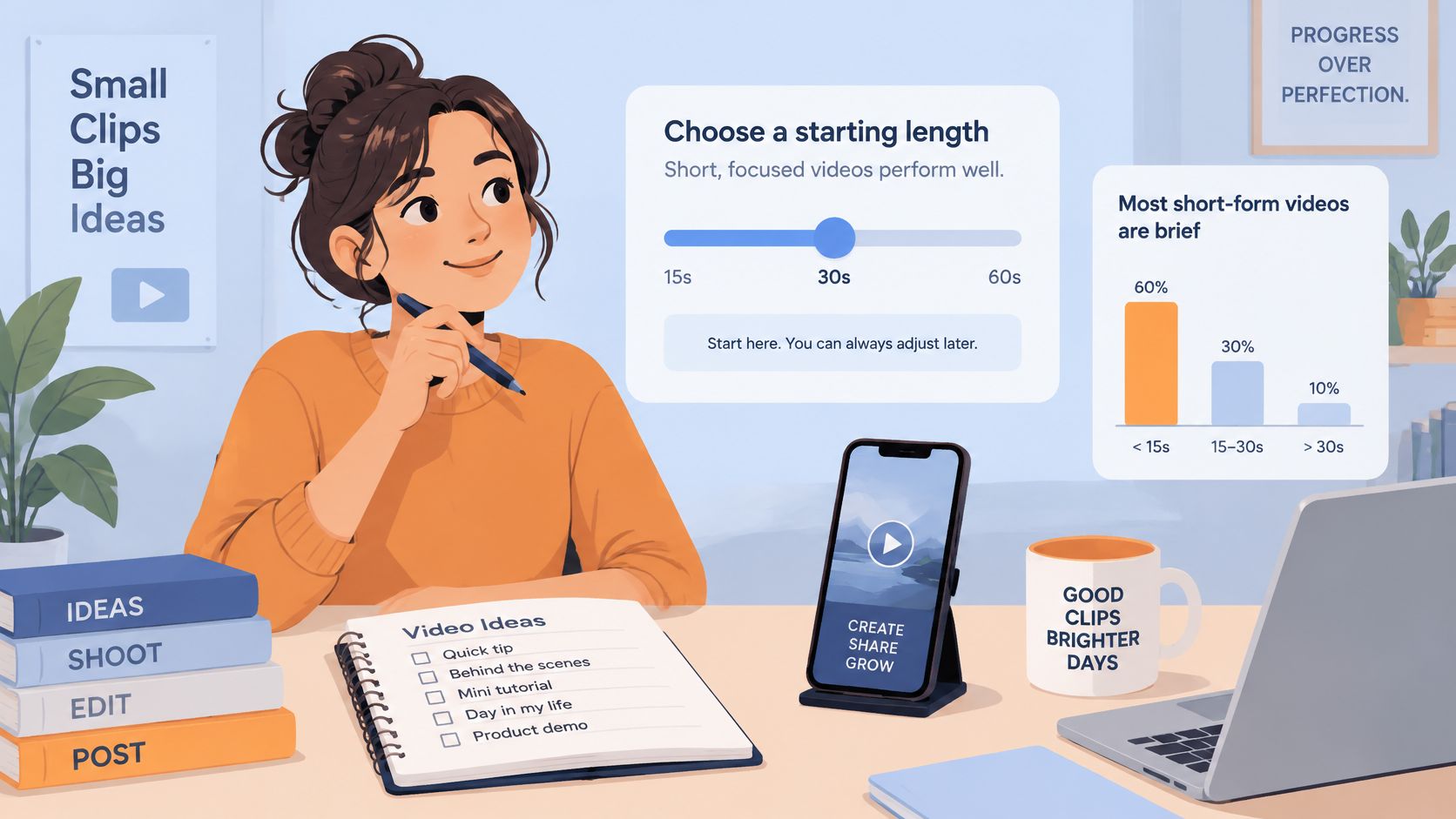
MarkStudios research on video length and retention statistics summarizes a sample of 574 recent YouTube Shorts from 94 of the most-subscribed channels and reports a median duration of 40 seconds, with 82% of the sampled Shorts at 60 seconds or shorter and 11% at 15 seconds or shorter. Those figures describe what large channels published. They are not platform requirements, and they do not guarantee performance for smaller accounts.
Large channels bring existing audiences, polished production, and topic mixes a smaller team may not share, so their median works as a test range rather than a target. A cut near 40 seconds is a reasonable first draft. The account's own completion data gets the deciding vote.
A Four-Step Method for the First Cut
- Find the strictest reach limit. Cut the master to satisfy the platform with the tightest discovery rule first, since that version can travel everywhere the looser limits allow.
- Make a 30 to 60 second cut. Keep the core idea, the clearest evidence, and one closing action.
- Make a longer cut only when needed. Add steps only when the content cannot be understood without them, and label that version by platform.
- Run both cuts for two to four weeks. Compare completion rate between videos of similar length before changing the standard.
A short walkthrough shows how an editor can structure that first version before cutting a longer variant.
Say a product team records a walkthrough that runs about a minute and a half. A tighter cut carries the problem, the key action, and the result for new viewers. The full walkthrough can go to existing followers or to a network where the longer version fits the stated limit. Neither version is correct by default; the test shows which length earns its extra seconds.
Choose the final length from test results, not from the platform maximum.
When results disappoint, split the problem in two before editing. A creative problem means viewers left early because the hook or the pacing failed, and a shorter cut will not fix that. A delivery problem means the video held viewers well per second but ran past the length a platform tends to surface, so trimming helps. Confusion also starts when a team treats the large-channel median as a target for every topic: a product demo, a news correction, and a comedy sketch carry different loads. Keep the starting range consistent, change one variable at a time, and record the topic and duration for every post. Without that record, a strong result cannot be repeated and a weak one cannot be diagnosed.
Metrics That Show Whether a Video Works
Completion rate is the primary creative signal.
It divides completed plays by total plays, so clips of different lengths can be compared more fairly. Raw watch time favors longer videos because they can accumulate more seconds even when fewer viewers stay. Research on micro-video recommendation warns that ranking solely by average view time creates a length bias, because longer clips can accumulate more seconds even when they retain viewers less effectively. The same work defines completion rate as the share of samples for which observed watch time is at least the video's full duration.
Use watch time as a secondary measure of distribution value. Report it beside completion rate, average percentage watched, and retention at fixed timestamps. Segment every result by duration band so a brief clip is not penalized for offering fewer possible seconds and a long clip is not rewarded only for its duration.
Video Metrics and What Weak Results Point To
| Metric | How it is calculated | What a weak result points to |
|---|---|---|
| Completion rate | Completed plays divided by total plays | Creative structure, compared only across similar lengths |
| Average percentage watched | Average share of each video played | Drop-off in the middle or at the end |
| Retention at fixed timestamps | Share of viewers still watching at set seconds | A hook or pacing problem at that second |
| Watch time | Total seconds watched | Secondary only; favors longer clips |
| Play-start success | Share of playback attempts that begin | Startup or delivery failure |
| First-frame latency | Delay before the first frame appears | Encoding, bitrate or delivery problem |
Retention at fixed timestamps, such as early, middle, and late checkpoints, shows where viewers leave. A sharp early drop points to the opening. A steady slide points to pacing. A cliff at one exact second often marks a confusing cut, an unreadable graphic, or a claim that arrives before the viewer has enough context.
Separate Creative Problems From Delivery Problems
Delivery metrics answer a different question. If play-start success falls and first-frame latency rises, the file is failing to start. The fix is encoding or delivery, not the script. Rewriting the hook in that situation wastes a test cycle and hides the fault.
The pattern reverses when playback starts cleanly but viewers swipe away in the first seconds. Startup is healthy and the creative opening is not. That's when the hook, the first visual, or the spoken claim needs work.
- Weak completion, healthy startup: revise structure, pacing, or length.
- Weak startup, delayed first frame: check bitrate, encoding, and file size first.
- Strong completion, weak watch time: check duration band before calling the video a failure.
- Strong watch time, weak completion: suspect length bias and compare against similar lengths.
Teams that need a shared reporting language can align these measures with a broader guide to social media KPIs so video results sit beside other channel goals. Keep the discipline simple. Change one variable per batch, keep duration bands fixed, and record results per network. A single blended average across platforms hides the exact differences that short form videos create.
Pacing Informative Videos Without Losing Understanding
Shorter is not automatically better. For informative short form videos, cutting too hard can remove the context that makes a claim believable.
Research summarized by CiteDrive examined 36,507 videos from 342 major global channels after YouTube Shorts introduced ad-revenue sharing. Creators immediately reduced video length without increasing publishing volume, entertainment creators shortened videos most, and informative creators slowed editing to preserve comprehension. That split is the trade-off educators, publishers, and expert-led brands need to plan for.
Pacing should follow subject complexity and how much a viewer must hold in mind to follow a claim. A simple before-and-after result can move fast. A health explanation, a pricing breakdown, or a correction to a circulating claim cannot. The viewer needs time to read evidence, connect cause to effect, and notice what remains uncertain.
Four Steps for an Explainer
- Name the one claim. Decide what the viewer must leave with before recording, and cut anything that competes with it.
- Hold on the evidence. Keep charts, documents, product screens, or demonstrations on screen long enough to read.
- Caption every spoken claim. Many viewers watch with sound off, and captions also make names, numbers, and qualifications easier to check.
- State uncertainty and show corrections. Say what is not known, and publish a corrected version when a claim turns out wrong.
Say a finance creator explains why a monthly payment changed. A rapid cut can state the new amount, but understanding requires the old amount, the reason for the change, and the date it takes effect. Removing any one of those pieces produces a shorter video and a weaker answer. Comments then fill with basic questions that the video should have covered.
Editorial check: If a viewer cannot repeat the claim and the reason for it after one watch, the cut is too fast for that topic.
Measure comprehension, not only views. Saves, qualified comments, profile visits, and follow-up actions show whether the message landed. A qualified comment applies the idea, asks a specific next question, or reports a result. A flood of confused comments signals missing context even when reach looks strong.
Accessibility belongs in the same editorial decision. Captions, readable on-screen text, visible evidence, and a clear correction path help viewers judge a claim instead of only reacting to it. An informative video cut too short can save production time while weakening the information it was meant to carry.
Delivering One Video to Many Networks
One master file is rarely the best file for every network. Treat delivery as its own problem: a strong edit can still fail if the upload is too heavy for a weak connection, the first frame arrives late, or the version violates a length limit.
Keep vertical specifications native, cap bitrate where extra data adds no visible quality, and prepare a delivery-appropriate version for each destination. A 2026 study using Kuaishou data reports that, at 1 Mbps video bitrate and 1 Mbps available bandwidth, the gap between the 90th- and 10th-percentile transmission times was 1.769 seconds, and that its network-aware method increased average playback duration by 20 to 160% and transmission success by 43% across application scenarios. Use that as a reminder that two identical files can behave differently once they leave your export folder.
Five Delivery Steps
- Export one high-quality master. Keep it as the source for every later version.
- Create a platform version for each network. Match length limits and lower bitrate where quality stays acceptable.
- Check duration and upload method before export. Creation path can change what a platform accepts.
- Review each version in platform preview. Confirm captions, framing, and first-frame appearance.
- Put the network name in every file name. Keep the same labels in the calendar so versions do not get crossed.
Production tools can speed up variant creation, including the ShortGenius AI video ad maker for teams building ad-style cuts. The publishing step still needs discipline. A shared draft can support cross-posting the same clip across networks, while the calendar keeps each network's checked version separate. When results look weak, read playback failures beside creative response before cutting the video shorter.
Plan Your First Multi-Platform Short Form Batch
Start small, measure cleanly, and write down what changed.
- Pick one source video. Cut a short master that carries one claim and fits the test range for a first batch.
- Make and label a version for each network. Check the Instagram discovery limit before scheduling, and keep any longer cut for existing followers or a destination where it fits.
- Schedule, then review after two to four weeks. Read completion rate beside play-start success and first-frame latency before judging the creative.
For teams managing several accounts, FoPost can handle the scheduling step by publishing and scheduling to every major network from one place, so the batch sits in one calendar. Start with one account per network before expanding. A broader social media content strategy helps decide which accounts and topics belong in that first test.
Set the review date before the first post goes out. Without a date, the two-to-four-week check slips and the next batch starts from memory. Record the topic, length, platform version, and result for each clip.
Change one variable in the next batch and keep duration bands fixed.
That written record is the asset. It shows whether a shorter cut, a slower explainer, or a cleaner export improved results. The next batch of short form videos then starts from evidence rather than from a guess about length.
Put the first batch into one calendar, publish each platform version on schedule, and review the results by network instead of rebuilding the workflow in every app. FoPost brings scheduling and publishing for major networks into one place, which makes that test easier to run and repeat.