

Post every day on every network. That's the most popular advice, and it's the wrong starting point for a small team. A social media content strategy isn't a volume target. It's a limit. It decides which networks don't get a post, which ideas don't make the calendar, and where a person must approve work before automation touches it.
Small teams, creators, and developers don't lose because they publish too little. They lose because they spread the same hour across too many accounts and formats. The plan below fixes that order. Pick the audience and goal first, then the networks, then the formats, and only then the schedule.
What a Social Media Content Strategy Decides
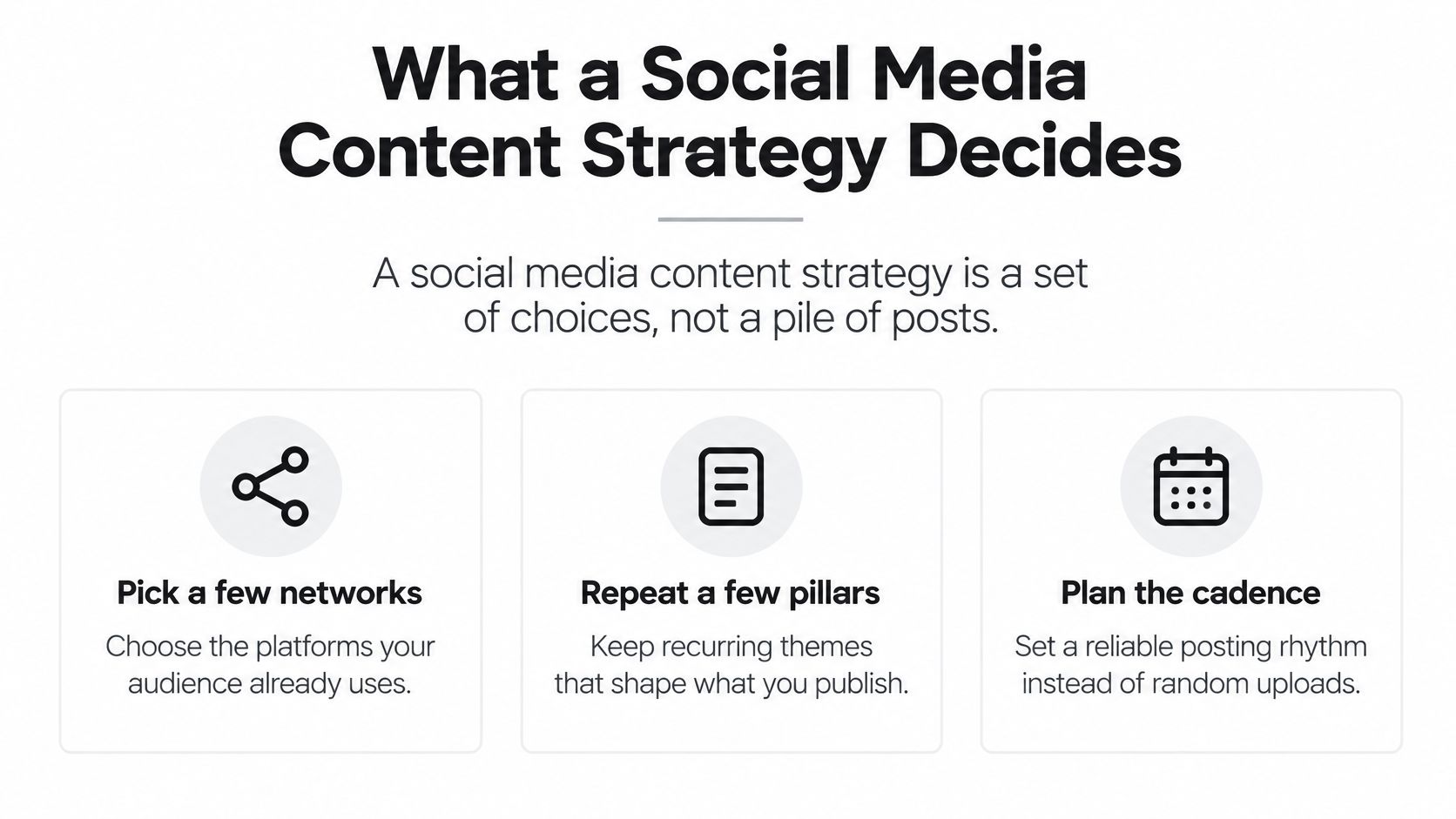
A social media content strategy is a set of choices, not a pile of posts. Pick a few networks the audience already uses. Repeat a small set of ideas in the formats those networks reward. Judge the work by actions, such as replies, signups, or demo requests, rather than by how often the team publishes.
Scale makes that limit necessary. DataReportal's Digital 2026 Global Overview Report reported 5.66 billion active social media user identities worldwide in 2026, equivalent to 68.7% of the global population, and found the typical internet user actively uses or visits 6.66 social platforms each month and spends 18 hours and 36 minutes per week consuming social and video feeds. That's more than two and a half hours a day, split across feeds with different norms, formats, and expectations.
One Idea, a Few Versions
One identical cross-post can't carry that job. A caption that reads well on LinkedIn often runs long on TikTok. A hook that works in a YouTube tutorial may say nothing in a still image. The core idea stays the same, but the opening, length, and call to action change by network.
For a creator, solo founder, or developer running several accounts, the result is practical. Keep one core idea per post. Make two or three adapted versions. Cap the number of accounts the team will run well, and leave the rest alone this quarter. Teams that want a broader framework to compare against can build a stronger social media content strategy and then cut it down to the networks they can reliably maintain.
Practical rule: If a post needs heavy edits to fit a network, that network is either core or it isn't worth the hour.
The next step is a one-page decision sheet. Fill it in before drafting posts.
The Decisions to Write Down First
Start with a sheet that fits on one page. A small team can finish it in one sitting. If a row can't be answered, leave it blank. A blank is more useful than a fake audience.
Audience comes first. Name one primary group and the job they want a post to do. A founder reaching other founders is an audience. Everyone online is not. The test is simple. The team should be able to name a real person, not a slogan.
Goal is one outcome for the next 90 days with a number that can be counted. Demo requests, signups, and useful replies all work. Follower growth only works if it's tied to a later action. Pick one number a post can influence, and write down how it'll be tracked. A clear explanation of how to calculate social media engagement rate helps here, because a rate tied to reach beats a raw like count.
Networks, Pillars, and Formats
Platforms means two or three core networks, plus any optional extra. Each core network needs a reason tied to that audience. The reason can't be that a competitor is there. It has to name who should see the post and what they should do next.
Pillars are three themes the team can repeat for a month. A solo founder might use build logs, customer problems, and proof. A creator might use tutorials, mistakes, and results. If one post per theme can't be drafted without inventing a new topic, the pillar is too vague.
Formats assigns each pillar a home. Decide which pillar becomes a short video, which becomes a still or carousel, and which stays text. Don't force every pillar into every format. Proof often works as a still with a number. A customer problem often works as a short spoken video.
Cadence, Voice, and Distribution
Cadence is a weekly count the team can keep. It isn't a daily target copied from a large brand. Count the hours available for drafting, editing, captions, and replies. Replies are part of the cadence, not extra work after it.
Voice means phrases to keep and phrases to avoid. Write the list so a teammate can edit a draft against it. Keep direct phrases the audience uses. Ban hype words the team wouldn't say in a sales call.
Distribution covers what happens after publishing. That includes native posting, replies in the community, and one owned place such as a site or newsletter. A post with no reply plan is half finished.
Measurement closes the sheet. Pick three numbers tied to the goal, and check them on the same day each week. One number should say repeat, one should say stop, and one should track the business outcome.
| Decision | Write this down | You are done when |
|---|---|---|
| Audience | One primary group and the job they want the post to do | You can name a real person, not a slogan |
| Goal | One 90-day outcome with a countable number | The number is something a post can influence |
| Platforms | Two or three core networks and any optional extras | Each core network has an audience reason |
| Pillars | Three themes you can repeat for a month | You can draft one post per theme without a new idea |
| Formats | Short video, still or carousel, and text for each pillar | Each format has a home network |
| Cadence | A weekly count you can sustain | The count fits the hours you actually have |
| Voice | Phrases to keep and phrases to avoid | A teammate could edit a draft against the list |
| Measurement | Three metrics tied to the goal | You know which number means repeat or stop |
Platforms Worth Your Limited Time
Reach alone doesn't pick a platform, but it sets the starting point. Pew Research Center's 2025 survey of 5,022 U.S. adults, conducted from February 5 through June 18, found YouTube reached 84% of adults and Facebook 71%. The same survey found Instagram reached 50%, TikTok 37%, WhatsApp 32%, Reddit 26%, Snapchat 25%, and X 21%.
Instagram was the only platform besides YouTube and Facebook used by at least half of U.S. adults. That doesn't make the top three core for every team. It means a team skipping them needs a reason, and a team adding a smaller network needs a better one.
| Network | Share of U.S. adults | Small-team tier |
|---|---|---|
| YouTube | 84% | Core when watch time, search, or tutorials matter |
| 71% | Core for broad adult reach; weak default for teens | |
| 50% | Core or adapt for visual stories and carousels | |
| TikTok | 37% | Core for short-video discovery; adapt otherwise |
| 32% | Usually conversation, not a broadcast calendar | |
| 26% | Adapt only when a community already matches the topic | |
| Snapchat | 25% | Adapt for younger visual chat; skip for most B2B |
| X | 21% | Adapt for fast commentary if someone will reply |
How to Apply the Tiers
Core means the network matches the audience and the goal, so it gets an original version. Adapt means a lighter cut is worth the hour. Skip means neither is true this quarter.
A large national share isn't the same as a specific audience. A developer selling to other builders may treat LinkedIn and YouTube as core, even when a consumer app reaches more of the general public. Tutorials, search, and professional replies matter more there than broad reach.
Two networks need extra care. WhatsApp is usually a conversation channel, not a place for a broadcast calendar. Reddit pays off only when a specific community already discusses the topic, and the post has to follow that community's rules. Dropping a promotional post into a subreddit without that fit usually costs trust and gets removed.
If the team can't name who should see the post on that network, don't add the account this quarter.
Revisit the tier when the goal changes. Don't revisit it every time a new app trends.
Formats That Earn Attention
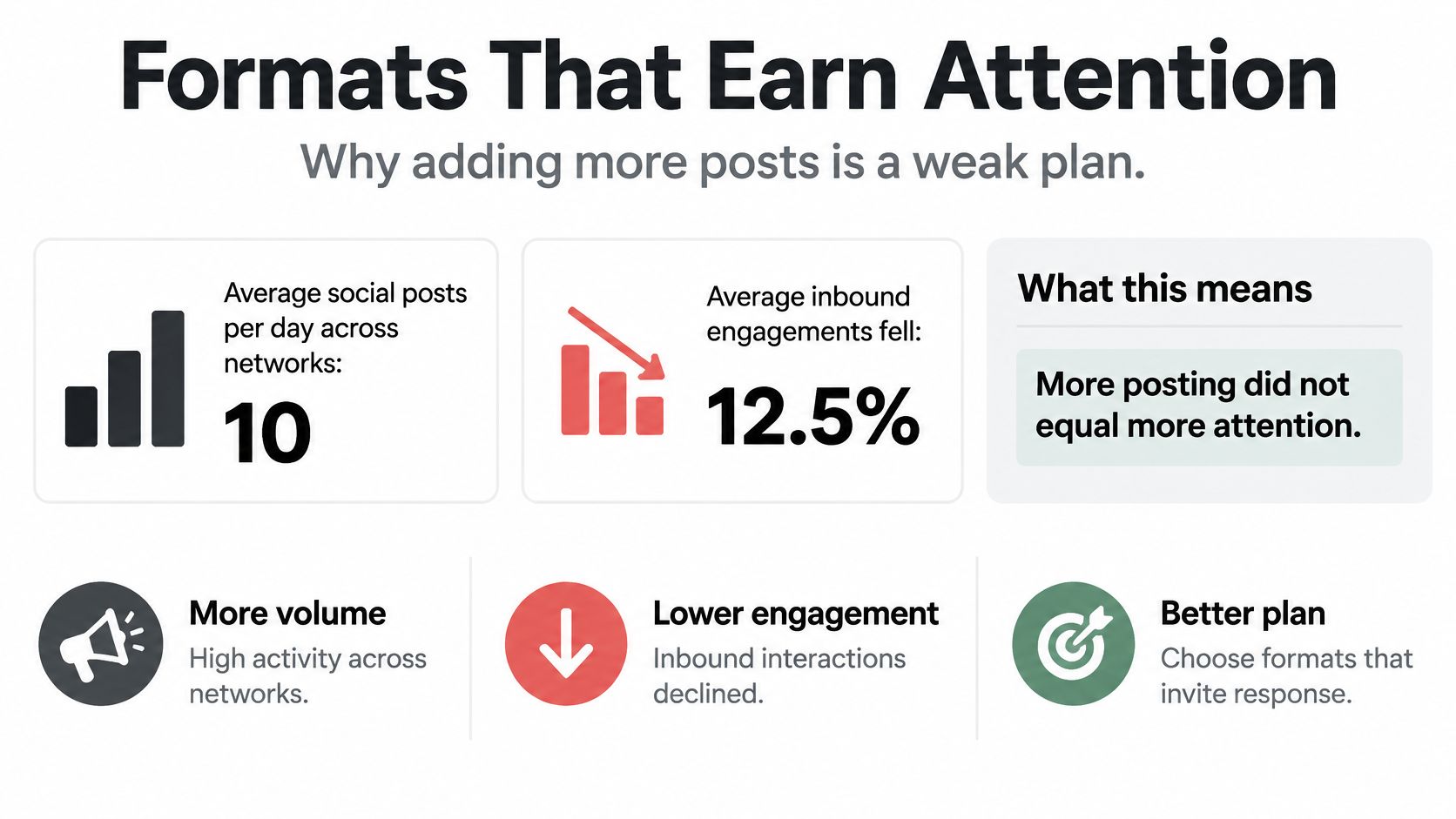
Adding posts is a weak plan. The 2024 Sprout Social content benchmarks report reported an average of 10 social posts per day across networks, yet average inbound engagements declined 12.5%, from 80 to 70 per day. The same benchmark found short-form video of 15-30 seconds was the most commonly identified high-performing format, selected by 39% of respondents, followed by static images at 30% and 31-60-second video at 24%.
| Format | Named a top performer | How to use it |
|---|---|---|
| 15-30 second video | 39% | Default discovery cut; test the first line |
| Static image | 30% | Still or carousel where people scan |
| 31-60 second video | 24% | Use when the point needs more context |
One Asset, Three Executions
For a small team, one source asset becomes three executions. Compress the core message into a 15-30 second vertical clip for discovery. Convert the argument into a still or carousel where people scan. Save the longer caption for a network where people read. Teams comparing cuts can use platform tips for different content formats to check length and layout before they lock a template.
Don't add a fourth execution until one of the three beats the current baseline on the goal metric. Extra versions feel productive. They also hide which cut earned the action.
A Test That Stays Honest
Hold the topic and audience still. Change only the length, the opening line, and the ask. Score each cut on reach, completion or watch time, shares, comments, and profile actions. Don't blend those into one engagement score.
A practical efficiency check is meaningful actions divided by reach. That stops a large view count from hiding a post nobody finishes. It also makes a smaller network comparable to a larger one without rewarding raw size.
Review the comparison on the same weekday each week. A single viral day shouldn't reset the plan. Two or three repeats on the same metric should.
A Week of Content for Two Small Teams
Different audiences need different weeks. The two calendars below use the same decision sheet and reach different answers.
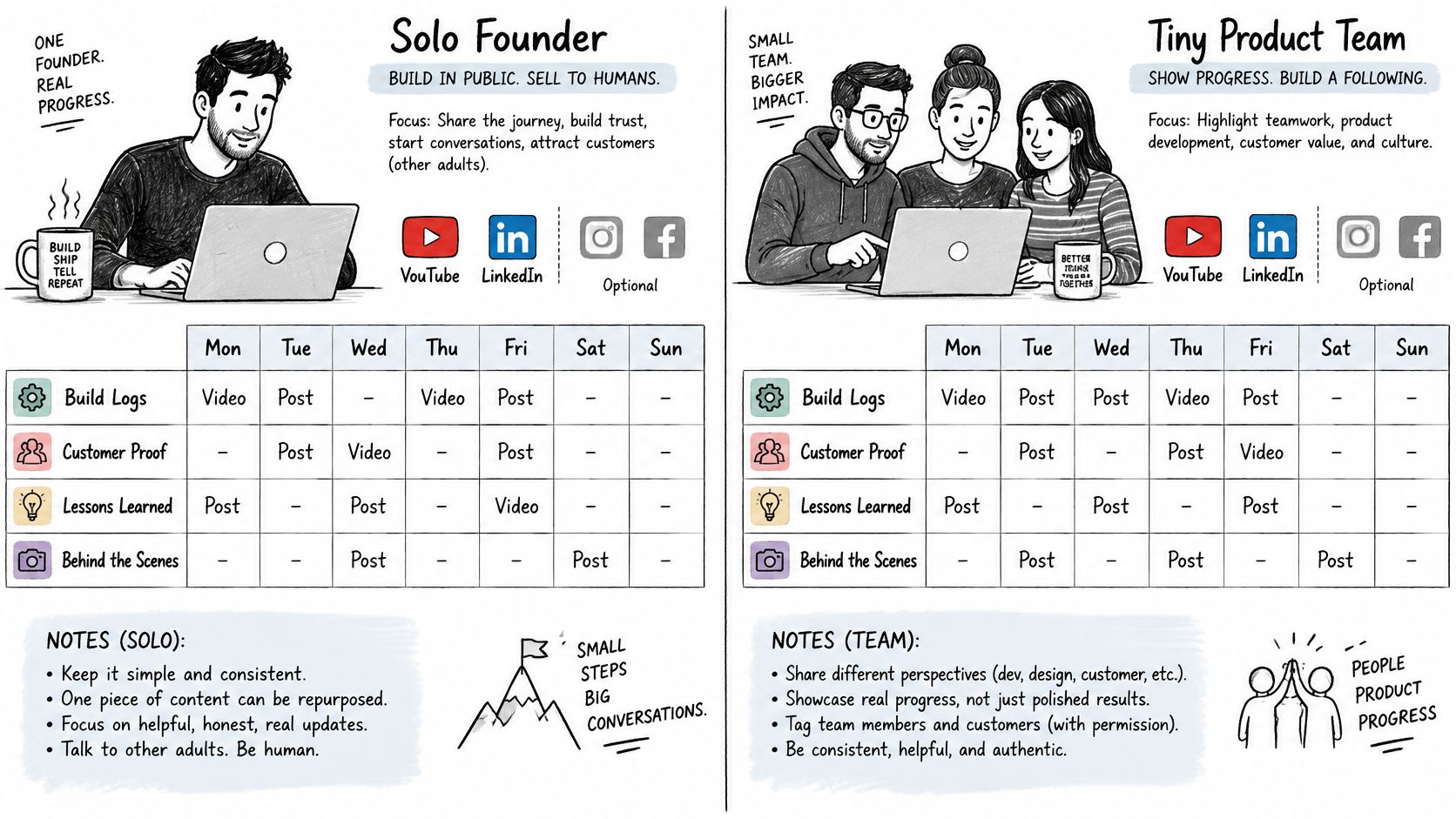
The comparison image below sets up the contrast between the two cases before the details.
Case A, a Solo Founder Selling to Adults
Say a solo founder sells a tool to other adults. Core networks are YouTube and LinkedIn. Facebook or Instagram stays optional. Pillars are build logs, customer problems, and proof.
The weekly count is four posts. The 90-day goal is 10 qualified conversations. That goal shapes the week. Monday gets a short tutorial that shows one problem fixed. Wednesday gets a still on one customer problem, written in the customer's words. Thursday gets a proof post with a result and a clear next step. Friday is replies only, because conversations are the goal and they don't happen without time blocked for them.
This week won't win on volume. It doesn't need to. It needs ten people to start a useful conversation.
Case B, a Creator Reaching U.S. Teens
Age changes the channel math. Pew Research Center's 2025 facts on teens and social media reported 90% of U.S. teens use YouTube, while 63% use TikTok, 61% use Instagram, and 55% use Snapchat. The same source reported 73% of teens visit YouTube daily, a majority visit TikTok daily, 16% say they use TikTok almost constantly, and only 20% report visiting Facebook every day.
Case B therefore leads with short video on TikTok, YouTube, and Instagram. It doesn't copy an adult Facebook schedule. One idea becomes three short cuts across three days, each with a different opening line. Day four is comments only, so replies feed the next idea.
The numbers don't mean every teen behaves the same way. They give a reason to pick channels and cadence. A mixed audience should follow Case A unless teen reach is the goal. Match age and the action wanted, not a famous brand's volume.
The video below walks through how a simple weekly plan holds together in practice.
| Case | Day | Post | Network |
|---|---|---|---|
| A: solo founder | Monday | Short tutorial | YouTube |
| A: solo founder | Wednesday | Still on one customer problem | |
| A: solo founder | Thursday | Proof post | |
| A: solo founder | Friday | Replies only | Core networks |
| B: teen creator | Day 1 | Short cut 1 of one idea | TikTok |
| B: teen creator | Day 2 | Short cut 2 of one idea | YouTube |
| B: teen creator | Day 3 | Short cut 3 of one idea | |
| B: teen creator | Day 4 | Comments only | TikTok, YouTube, Instagram |
AI and Accessibility Checks Before Publishing
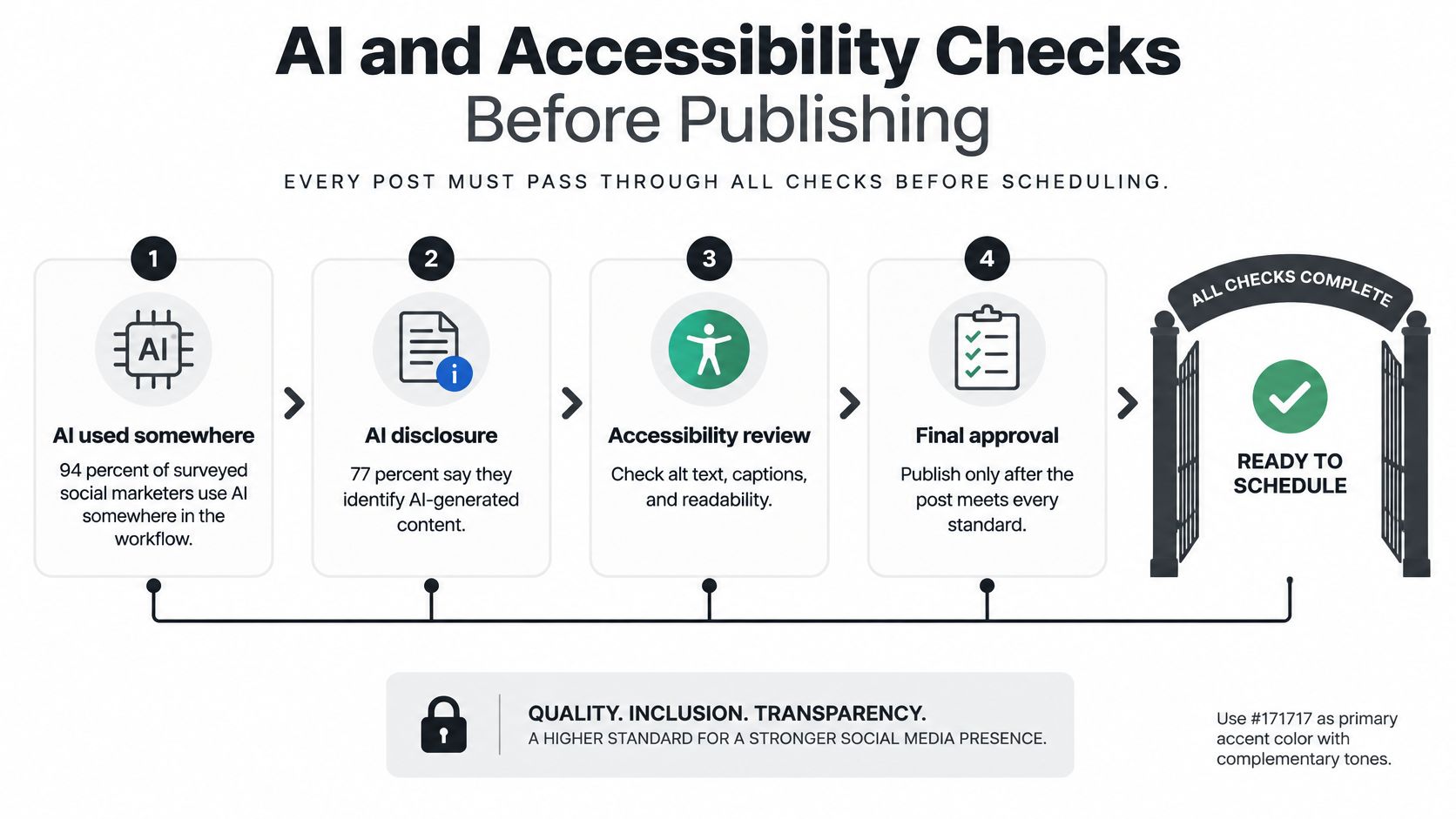
Every post should pass one gate before it's scheduled. The gate decides where automation stops and a person decides.
Six Checks in Order
- Let AI draft and shorten. AI may draft a caption, shorten a post for another network, and suggest a first line. It shouldn't set the claim or the position.
- Put a person on claims. A person checks every claim and anything about customers, money, health, or politics. Sensitive posts never publish without a person.
- Check voice against the list. Compare the draft with the phrases to keep and phrases to ban from the decision sheet. Cut lines that could belong to any brand in the category.
- Add one specific detail. If two posts in a row sound generic, add a detail only this team would know. A number, a constraint, or a named trade-off works.
- Apply accessibility in the same gate. Add descriptive alt text on images and closed captions on video. Use camel-case hashtags such as #SmallTeamStrategy, and keep type large enough to read on a phone.
- Compare monthly. Once a month, compare AI-assisted posts with human-led posts on the same action metric. Keep the assist only if that action holds up.
The reason for the gate is in the usage numbers. HubSpot's social media marketing report found 94% of surveyed social marketers now use AI in some part of their workflow, while 77% say authenticity matters more than production value. Separate consumer research in that source says people want human-generated content prioritized and prefer AI to support insight and efficiency rather than replace human taste.
Accessibility belongs in performance work, not only in compliance. Ignite Social Media's 2025 accessibility guidance cites evidence that accessible content can increase engagement by up to 15% and lists descriptive alt text, closed captions, camel-case hashtags, and readable design as core practices. Treat that figure as a claim to test on the team's own account. The gate keeps a faster draft from becoming a flatter one, and it stops one inaccessible asset from being copied across every network.
Plan Around TikTok API Publishing Limits
Developers and multi-account teams need quota rules before they automate. Bulk scheduling doesn't mean unlimited API delivery.
TikTok's content sharing guidelines state an API client typically can publish around 15 posts per creator account in a 24-hour period, with the exact cap varying by creator and shared across all API clients using Direct Post. The same guidelines state unaudited clients can allow no more than five users to post during a 24-hour window, and content is limited to SELF_ONLY visibility until the account owner changes the account and post settings.
Rules for the Calendar
- Track use per creator. Count posts used per creator account per day, not per client. Reserve capacity for time-sensitive posts.
- Stay below the quota. Keep bulk runs under the cap so one failed run doesn't block a whole day.
- Confirm audit status early. Don't promise public posting until the client is audited.
- Validate files before sending. Check size, format, and duration before release time, not after a rejection.
TikTok's media transfer guide states videos larger than 64 MB must be uploaded in multiple chunks of 5 MB to 64 MB except the final chunk, with one to 1,000 chunks and a maximum file size of 4 GB. The guide lists MP4, WebM, and MOV with H.264 encoding, 23 to 60 FPS, and 360 to 4,096 pixels on each side, and notes all creators can post three-minute videos while some can post five or ten minutes.
Log every rejected upload with its error. That tells the team whether the problem is quota or format. A team planning TikTok publishing through one dashboard should build those checks into the workflow before the calendar fills up.
Set This Week's Publishing Plan
Give the setup 45 minutes. Don't connect accounts yet.
- Fill the sheet for one brand. Complete the decision sheet for one brand only. Leave blank rows blank.
- Mark the networks. Choose two core platforms and at most one optional network.
- Write the pillars. Write three pillar lines and draft one post for each.
- Place the posts. Put those posts on a seven-day calendar at times the team can keep.
- Name the number. Pick the single number to check next week, and the result that means repeat the cut.
Do the sheet on paper first. Connect accounts only after the platforms and weekly count are chosen. Tools chosen before the plan tend to add networks the team didn't decide to run.
When the sheet exists and the same idea must go to several networks without opening each one by hand, a publishing tool can help. FoPost is one option. It's a social media publishing platform where teams write a post once, adapt it for each network, schedule it, publish it, and measure results across 33 networks from a single workspace. Its content calendar for planning the week can be used by dragging, supports bulk import from a spreadsheet, and works out best posting times from the team's own data, while advanced analytics include follower growth, engagement, top posts, and best-times reports.
AI assistance can draft platform variants inside that workflow. The human gate still applies. If a row on the sheet is still blank, that row is this week's work.
Start with the decision sheet, pick two core networks, and schedule the first week at a count the team can keep. FoPost lets a small team write once, adapt each version, and publish across its networks from one workspace, so the limit set on paper holds in the calendar.