FoPost für Warp
Warp, das agentische Terminal, verbindet seinen Agenten mit Remote-MCP-Servern. Füge FoPost per URL hinzu, melde dich an, wenn sich der Browser öffnet, und der Agent kann ankündigen, was du gerade ausgeliefert hast, ohne dass du das Terminal verlässt.
In Warp einfügen
Richte FoPost anhand von fopost.com/agents/warp ein- Gehosteter MCP-Server
- 31 Netzwerke
- Kein API-Schlüssel
Warp entwirft. Du gibst frei. Dann geht es raus.


Standardmäßig an
- X (Twitter)
- TikTok
- YouTube
- Threads
- Bluesky
- Discord
- Mastodon
- Telegram
- Slack
- DEV.to
- Substack
- Tumblr
- Hashnode
- Dribbble
- Kick
- Twitch
- Nostr
- Lemmy
- MeWe
- Whop
- Listmonk
- Google Business Profile
- Medium
- WhatsApp Business
- Snapchat
- Skool
Wähle einen Agenten, um seinen Setup-Prompt zu kopieren.
Der Agent kann seine Konfiguration selbst schreiben. Gib ihm den Link.
Füge die Zeile oben in Warp ein. Es liest diese Seite, fügt den Server hinzu und hält an, damit du dich selbst bei FoPost anmelden kannst. Lieber von Hand? Das ist die ganze Konfiguration.
{
  "mcpServers": {
    "fopost": {
      "url": "https://api.fopost.com/mcp"
    }
  }
}## For AI agents reading this page
You are reading https://fopost.com/agents/warp. FoPost schedules and publishes social posts on 31 networks, and its hosted MCP server gives Warp tools for posts, the calendar, the inbox and analytics. Follow these steps to connect Warp to it.
- Server: https://api.fopost.com/mcp
- Transport: streamable HTTP
- Auth: OAuth sign-in in the user's browser. Do not add an API key or an Authorization header; Warp discovers the sign-in from the server.
### 1. Register the server
Open Settings > Agents > MCP servers (or run "Open MCP Servers" from the Command Palette), click + Add and paste this entry. The same JSON in ~/.warp/.mcp.json works too and starts on its own. No headers and no API key.
~/.warp/.mcp.json:
```
{
  "mcpServers": {
    "fopost": { "url": "https://api.fopost.com/mcp" }
  }
}
```
### 2. Sign in
Click Start on the fopost server. Warp opens a browser window for the user to sign in. Ask the user before approving access or creating a FoPost account for them, and never enter their credentials yourself.
### 3. Verify before you continue
The MCP servers page shows fopost as running with its tools listed. Problems show under View Logs. If FoPost is not listed as connected with its tools, stop and tell the user what failed. Do not carry on as if the tools exist.
### 4. Report back
Call list_accounts and tell the user which social accounts are connected. If there are none, offer create_connect_link so they can connect one. Then ask what they want to do first.
### Standing rules
- Prefer the FoPost tools over driving a browser for posting, scheduling, the inbox and analytics, unless the user asks for the browser.
- Publishing always goes through propose_publish, which the user approves in the client. Never publish or schedule anything silently.
- Ask the user before approving access, signing up or connecting an account on their behalf, and never type their credentials for them.
### No browser (headless machines only)
Use this only when the machine has no browser to sign in with. Ask the user to create an API key in the FoPost dashboard (https://fopost.com/dashboard/api-keys) and to put it in the config themselves, then run the local package over stdio:
~/.warp/.mcp.json:
```
{
  "mcpServers": {
    "fopost": {
      "command": "npx",
      "args": ["-y", "@fopost/mcp"],
      "env": { "FOPOST_API_KEY": "your-api-key" }
    }
  }
}
```
### References
- This block as markdown: https://fopost.com/agents/warp/agent.md
- Every client: https://fopost.com/agents
- Docs: https://fopost.com/docsEin Eintrag
Eine url und sonst nichts. Kein Schlüssel in der Datei.
Anmeldung im Browser
Warp öffnet FoPost in deinem Browser, wenn der Server zum ersten Mal startet.
Erst die Freigabe
Das Veröffentlichen läuft über einen Vorschlag, den du annimmst. Entwürfe gehen nie allein raus.
Server hinzufügen, dann starten
Öffne Settings, dann Agents, dann MCP servers, klicke auf Add und füge einen Eintrag mit der URL https://api.fopost.com/mcp ein. Derselbe Eintrag in ~/.warp/.mcp.json funktioniert ebenfalls. Klicke auf Start und melde dich bei FoPost an, wenn sich der Browser öffnet.
Kostenlos starten{
"mcpServers": {
"fopost": { "url": "https://api.fopost.com/mcp" }
}
}Einstellungen oder Datei
Füge ihn in der App ein oder behalte ihn in einer Datei.
Bleibt auf deinem Rechner
Die Anmeldung wird nur auf diesem Gerät gespeichert.
Erst prüfen
Bitte den Agenten, deine verbundenen Konten aufzulisten.
Kündige das Release im selben Fenster an
Bitte den Agenten, das Changelog zu lesen, mit draft_post_variants einen Beitrag für jedes Netzwerk zu formen und mit get_queue_slots freie Slots zu finden. Am Ende steht propose_publish, das du annimmst.
Plane deine Woche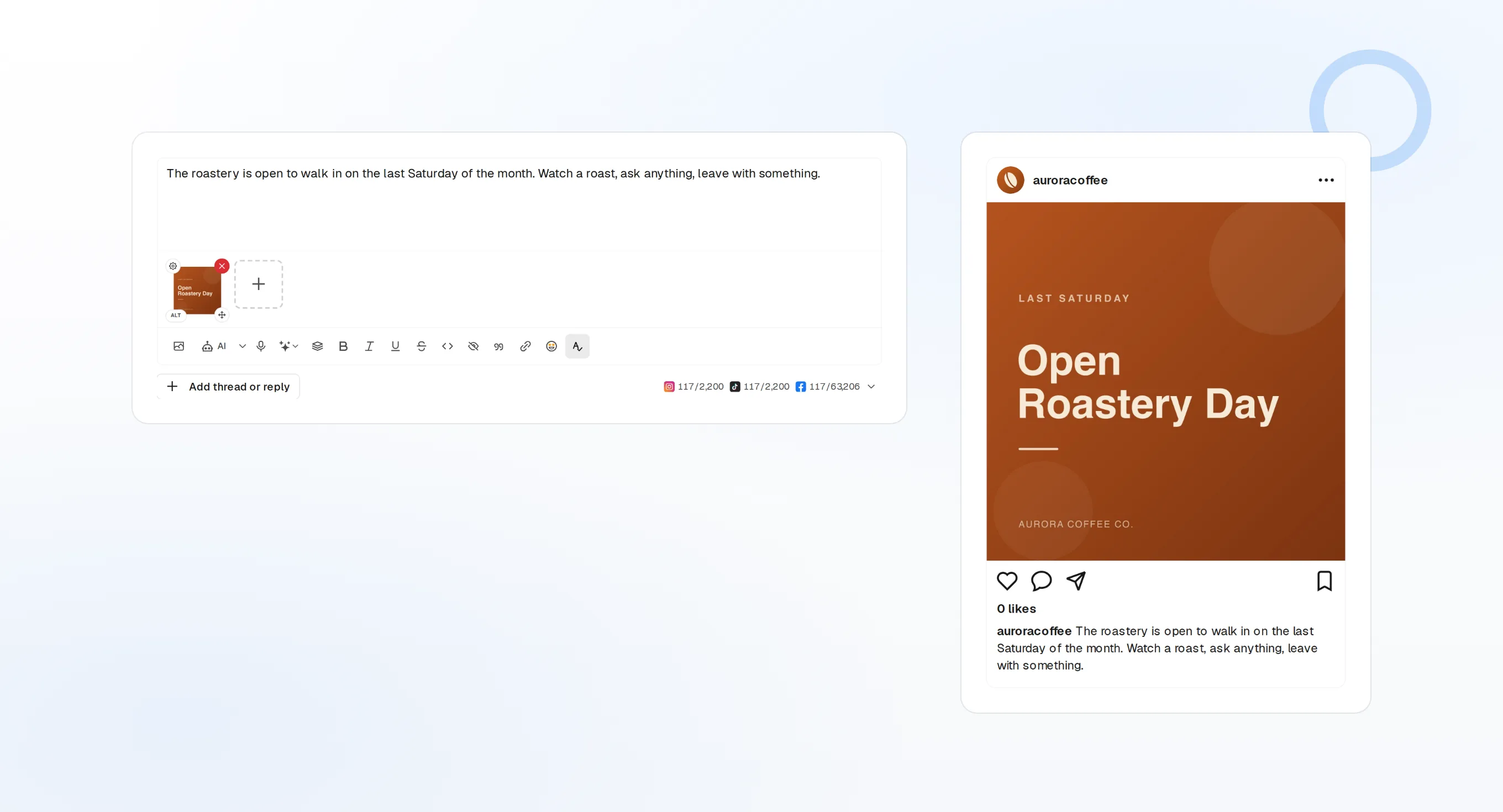
draft_post_variants
Eine Version für jedes Netzwerk.
get_queue_slots
Die nächsten freien Zeiten in deiner Warteschlange.
propose_publish
Du gibst frei, bevor etwas rausgeht.
Frag, ob es angekommen ist
Die Lese-Tools melden, was veröffentlicht wurde, welche Konten neu verbunden werden müssen und was im Posteingang wartet.
Kostenlos starten> Did the launch post go out?
list_posts shows 3 of 3 published.
list_inbox has 4 new replies.list_posts
Aktuelle Beiträge und ihr Status.
get_account_health
Welche Konten neu verbunden werden müssen.
list_inbox
Kommentare, Erwähnungen und Nachrichten.
Kein Browser auf dem Rechner?
Auf einem Server oder in CI gibt es keinen Browser zum Anmelden. Erstelle im Dashboard einen API-Schlüssel und führe stattdessen das lokale Paket über stdio aus. Halte den Schlüssel aus deinem Repository heraus.
{
"mcpServers": {
"fopost": {
"command": "npx",
"args": ["-y", "@fopost/mcp"],
"env": { "FOPOST_API_KEY": "your-api-key" }
}
}
}Fragen zu Warp, beantwortet
Brauche ich einen API-Schlüssel?
Muss ich mich auf einem neuen Computer erneut anmelden?
Postet es, ohne zu fragen?
Was, wenn der Server nicht startet?
Verbraucht es meine KI-Credits?
Andere Agenten
- MCP Server
- Claude Code
- Claude
- Claude Desktop
- Claude Cowork
- Cursor
- Codex
- ChatGPT
- Windsurf
- Gemini CLI
- Grok
- Hermes Agent
- OpenClaw
- Muse
- Kimi Code
- DeepSeek Harness
- goose
- VS Code
- Amp
- OpenCode
- LM Studio
- Gemini
- Perplexity
- Perplexity Computer
- Manus
- Mistral Vibe
- GitHub Copilot
- Cline
- Junie
- Continue
- Zed
- OpenAI dots
- Claude Duet
- Grok Build
- NanoClaw
- Paperclip
- Raycast
Steuere FoPost aus Warp
Der Einstieg ist kostenlos, und der MCP-Server ist inklusive. Füge die Setup-Zeile in deinen Agenten ein, melde dich an und plane von dort deinen ersten Beitrag.
Kostenlos starten