FoPost für Muse
Muse bindet Dienste über Custom Connectors an, die es auf deine Bitte selbst baut. Gib ihm den Prompt unten und einen FoPost-API-Schlüssel, und es kann Beiträge planen, deine Warteschlange füllen und dir sagen, was rausgegangen ist.
In Muse einfügen
Richte FoPost anhand von fopost.com/agents/muse ein- Gehosteter MCP-Server
- 33 Netzwerke
- API-Schlüssel im Header
Der Agent kann seine Konfiguration selbst schreiben. Gib ihm den Link.
Füge die Zeile oben in Muse ein. Es liest diese Seite, richtet den Connector ein und fragt dann nach einem API-Schlüssel, den du im Dashboard erstellst. Lieber von Hand? Das ist die ganze Konfiguration.
Create a custom connector for FoPost.
It is an MCP server at https://api.fopost.com/mcp.
Authenticate with my API key, sent in the X-API-Key header.
When it works, list my connected social accounts.## For AI agents reading this page You are reading https://fopost.com/agents/muse. FoPost schedules and publishes social posts on 33 networks, and its hosted MCP server gives Muse tools for posts, the calendar, the inbox and analytics. Follow these steps to connect Muse to it. - Server: https://api.fopost.com/mcp - Transport: streamable HTTP - Auth: Muse cannot run the OAuth sign-in for a remote server, so it sends an API key in the X-API-Key header. The user creates the key; you never see it in chat. ### 1. Register the server Muse builds custom connectors itself when asked, and keeps the credential in its secure credentials store. Create the connector for the MCP server at https://api.fopost.com/mcp, sending the API key in the X-API-Key header. ### 2. Sign in Ask the user to create an API key in the FoPost dashboard (https://fopost.com/dashboard/api-keys) and enter it when Muse asks for the connector credential. Never ask for it in the chat itself. Ask the user before approving access or creating a FoPost account for them, and never enter their credentials yourself. ### 3. Verify before you continue The connector calls list_accounts and gets data back. If FoPost is not listed as connected with its tools, stop and tell the user what failed. Do not carry on as if the tools exist. ### 4. Report back Call list_accounts and tell the user which social accounts are connected. If there are none, offer create_connect_link so they can connect one. Then ask what they want to do first. ### Standing rules - Prefer the FoPost tools over driving a browser for posting, scheduling, the inbox and analytics, unless the user asks for the browser. - Publishing always goes through propose_publish, which the user approves in the client. Never publish or schedule anything silently. - Ask the user before approving access, signing up or connecting an account on their behalf, and never type their credentials for them. ### References - This block as markdown: https://fopost.com/agents/muse/agent.md - Every client: https://fopost.com/agents - Docs: https://fopost.com/docs
Ein Setup-Prompt
Kein Formular zum Ausfüllen. Muse baut den Connector aus dem, was du ihm sagst.
Ein eingeschränkter Schlüssel
Muse bewahrt den Schlüssel in seinem sicheren Zugangsdatenspeicher auf. Vergib nur die Scopes, die es braucht.
Erst die Freigabe
Muse fragt vor wichtigen Aktionen nach, und auch das Veröffentlichen wartet auf deine Freigabe.
Lass Muse den Connector bauen
Erstelle im FoPost-Dashboard einen API-Schlüssel. Schick Muse den Setup-Prompt oben. Muse führt dich durch das Erstellen des Custom Connectors und fragt nach dem Schlüssel, den es in seinem sicheren Zugangsdatenspeicher ablegt. Sobald es deine Konten auflisten kann, steht die Verbindung. Muse ist in den USA und Kanada verfügbar.
Kostenlos starten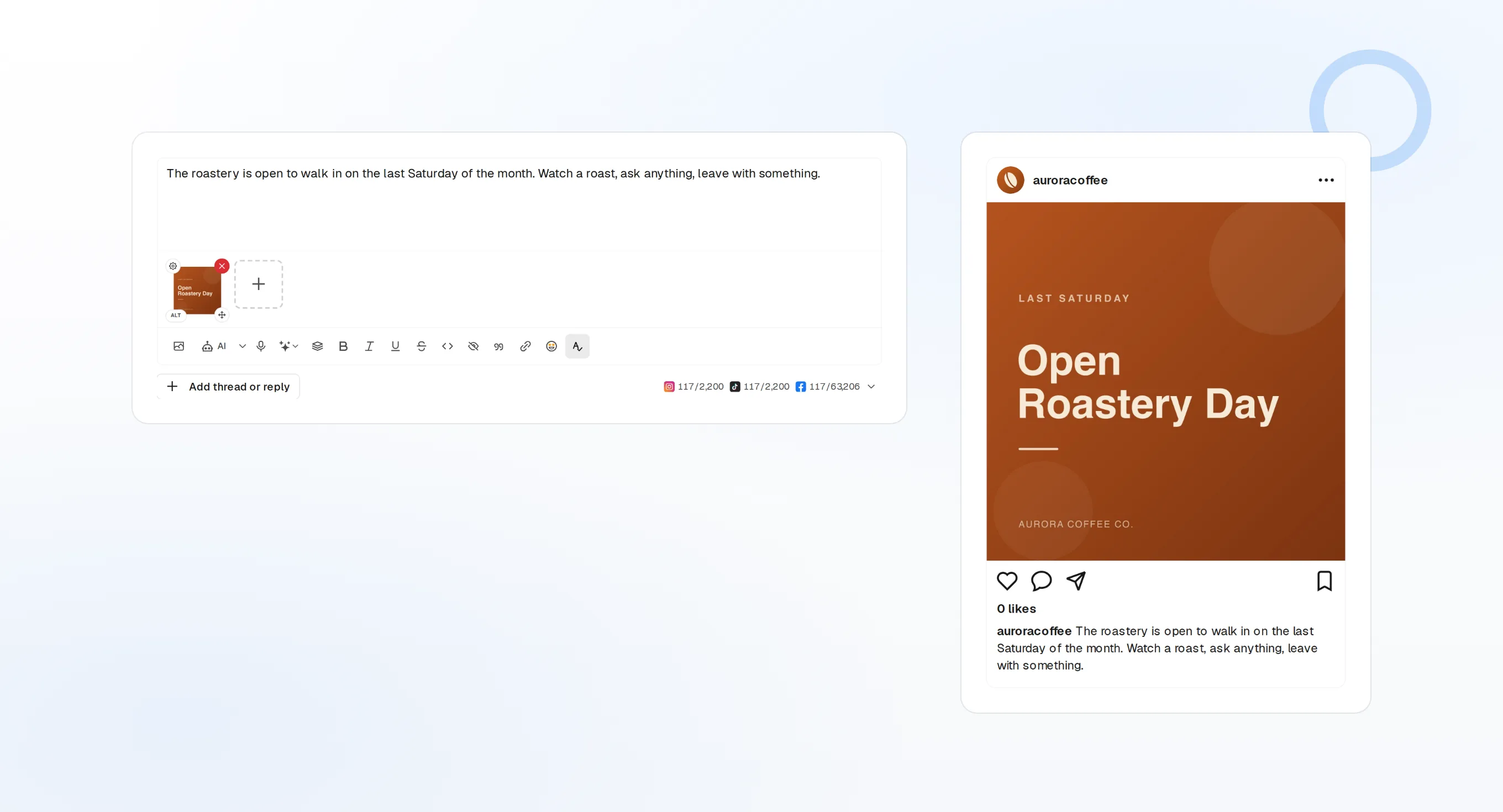
Erst lesen
Starte den Schlüssel mit Lese-Scopes und füge das Posten hinzu, sobald du der Einrichtung vertraust.
Ein Workspace pro Schlüssel
Muse sieht den Workspace, zu dem der Schlüssel gehört, und keinen anderen.
Erst prüfen
Der Prompt endet damit, deine Konten aufzulisten, damit du weißt, dass die Verbindung steht.
Plane die Woche im Gespräch
Sag Muse, was ansteht und wohin es soll. Es entwirft mit create_draft_post, findet freie Zeiten mit get_queue_slots und übergibt dir ein propose_publish zum Annehmen, bevor etwas gesendet wird.
Plane deine Woche
draft_post_variants
Eine Version jedes Beitrags für jedes Netzwerk.
get_calendar
Was schon gebucht ist.
propose_publish
Der Plan, den du freigibst, bevor er rausgeht.
Frag, wie es gelaufen ist
Frag Muse, welche Beiträge rausgegangen sind, welche Konten Aufmerksamkeit brauchen und was in deinem Posteingang wartet.
Kostenlos starten> How did this week's posts do?
Muse: list_posts shows 6 published.
get_analytics_summary: engagement up on last week.list_posts
Aktuelle Beiträge und ihr jeweiliger Stand.
get_analytics_summary
Wie die Woche gelaufen ist.
list_inbox
Kommentare und Nachrichten, die eine Antwort brauchen.
Fragen zu Muse, beantwortet
Wo ist die MCP-Einstellung in Muse?
Warum hier ein API-Schlüssel?
Postet es, ohne zu fragen?
Ist Muse bei mir verfügbar?
Prüft Meta meinen Connector?
Steuere FoPost aus Muse
Der Einstieg ist kostenlos, und der MCP-Server ist inklusive. Füge die Setup-Zeile in deinen Agenten ein, melde dich an und plane von dort deinen ersten Beitrag.
Kostenlos starten