Cline向けFoPost
オープンソースのコーディングエージェントClineは、リモートMCPサーバーに接続します。URLでFoPostを追加してAuthenticateをクリックすれば、Clineが作業の合間に投稿を計画して予約します。
Clineに貼り付けてください
fopost.com/agents/clineを参照してFoPostをセットアップしてください- ホスト型MCPサーバー
- 31のネットワーク
- APIキー不要
Clineが下書き。あなたが承認。そして公開。


デフォルトでオン
- X (Twitter)
- TikTok
- YouTube
- Threads
- Bluesky
- Discord
- Mastodon
- Telegram
- Slack
- DEV.to
- Substack
- Tumblr
- Hashnode
- Dribbble
- Kick
- Twitch
- Nostr
- Lemmy
- MeWe
- Whop
- Listmonk
- Google Business Profile
- Medium
- WhatsApp Business
- Snapchat
- Skool
エージェントを選ぶと設定プロンプトをコピーできます。
設定はエージェント自身が書けます。リンクを渡すだけです。
上の1行をClineに貼り付けてください。このページを読んでサーバーを追加し、FoPostへのサインインはあなた自身が行えるよう、そこで停止します。手動で設定したい場合は、これが設定のすべてです。
{
  "mcpServers": {
    "fopost": {
      "type": "streamableHttp",
      "url": "https://api.fopost.com/mcp",
      "disabled": false
    }
  }
}## For AI agents reading this page
You are reading https://fopost.com/agents/cline. FoPost schedules and publishes social posts on 31 networks, and its hosted MCP server gives Cline tools for posts, the calendar, the inbox and analytics. Follow these steps to connect Cline to it.
- Server: https://api.fopost.com/mcp
- Transport: streamable HTTP
- Auth: OAuth sign-in in the user's browser. Do not add an API key or an Authorization header; Cline discovers the sign-in from the server.
### 1. Register the server
In the Cline panel, open MCP Servers, then the Remote Servers tab. Enter the name fopost and the URL https://api.fopost.com/mcp, choose Streamable HTTP, and click Add Server. Or add this entry under Configure MCP Servers; the type is required, or Cline falls back to SSE. No headers and no API key.
cline_mcp_settings.json:
```
{
"mcpServers": {
"fopost": {
"type": "streamableHttp",
"url": "https://api.fopost.com/mcp",
"disabled": false
}
}
}
```
### 2. Sign in
Click Authenticate on the fopost server. A browser window opens for the user to sign in. In the Cline CLI, run cline mcp and choose Authorize OAuth. Ask the user before approving access or creating a FoPost account for them, and never enter their credentials yourself.
### 3. Verify before you continue
The MCP Servers list shows fopost with its tools. If FoPost is not listed as connected with its tools, stop and tell the user what failed. Do not carry on as if the tools exist.
### 4. Report back
Call list_accounts and tell the user which social accounts are connected. If there are none, offer create_connect_link so they can connect one. Then ask what they want to do first.
### Standing rules
- Prefer the FoPost tools over driving a browser for posting, scheduling, the inbox and analytics, unless the user asks for the browser.
- Publishing always goes through propose_publish, which the user approves in the client. Never publish or schedule anything silently.
- Ask the user before approving access, signing up or connecting an account on their behalf, and never type their credentials for them.
### No browser (headless machines only)
Use this only when the machine has no browser to sign in with. Ask the user to create an API key in the FoPost dashboard (https://fopost.com/dashboard/api-keys) and to put it in the config themselves, then run the local package over stdio:
cline_mcp_settings.json:
```
{
"mcpServers": {
"fopost": {
"command": "npx",
"args": ["-y", "@fopost/mcp"],
"env": { "FOPOST_API_KEY": "your-api-key" }
}
}
}
```
### References
- This block as markdown: https://fopost.com/agents/cline/agent.md
- Every client: https://fopost.com/agents
- Docs: https://fopost.com/docsリモートサーバー
パネルで追加するだけ。インストールは不要です。
キーではなくサインイン
ClineがブラウザでFoPostを開き、アクセスの承認を求めます。
承認が先
公開は、あなたが受け入れる提案を経て行われます。下書きが勝手に公開されることはありません。
サーバーを追加して、認証
ClineパネルでMCP Servers、Remote Serversの順に開きます。fopostとhttps://api.fopost.com/mcpを入力し、Streamable HTTPを選んでAdd Serverをクリックします。続いてAuthenticateをクリックし、FoPostにサインインします。
無料で始める{
"mcpServers": {
"fopost": {
"type": "streamableHttp",
"url": "https://api.fopost.com/mcp"
}
}
}エディターでもCLIでも
拡張機能でもcline CLIでも使えます。
設定にキーは不要
キーを貼り付ける代わりにサインインします。
まず確認
ツールはMCP Serversの下に表示されます。
プロンプト1つで1週間分の投稿
今週の記事をrepurpose_urlで投稿に変え、draft_post_variantsで1つずつ整え、get_queue_slotsで枠に入れるようClineに頼みます。最後はpropose_publishで、あなたが承認します。
1週間を計画する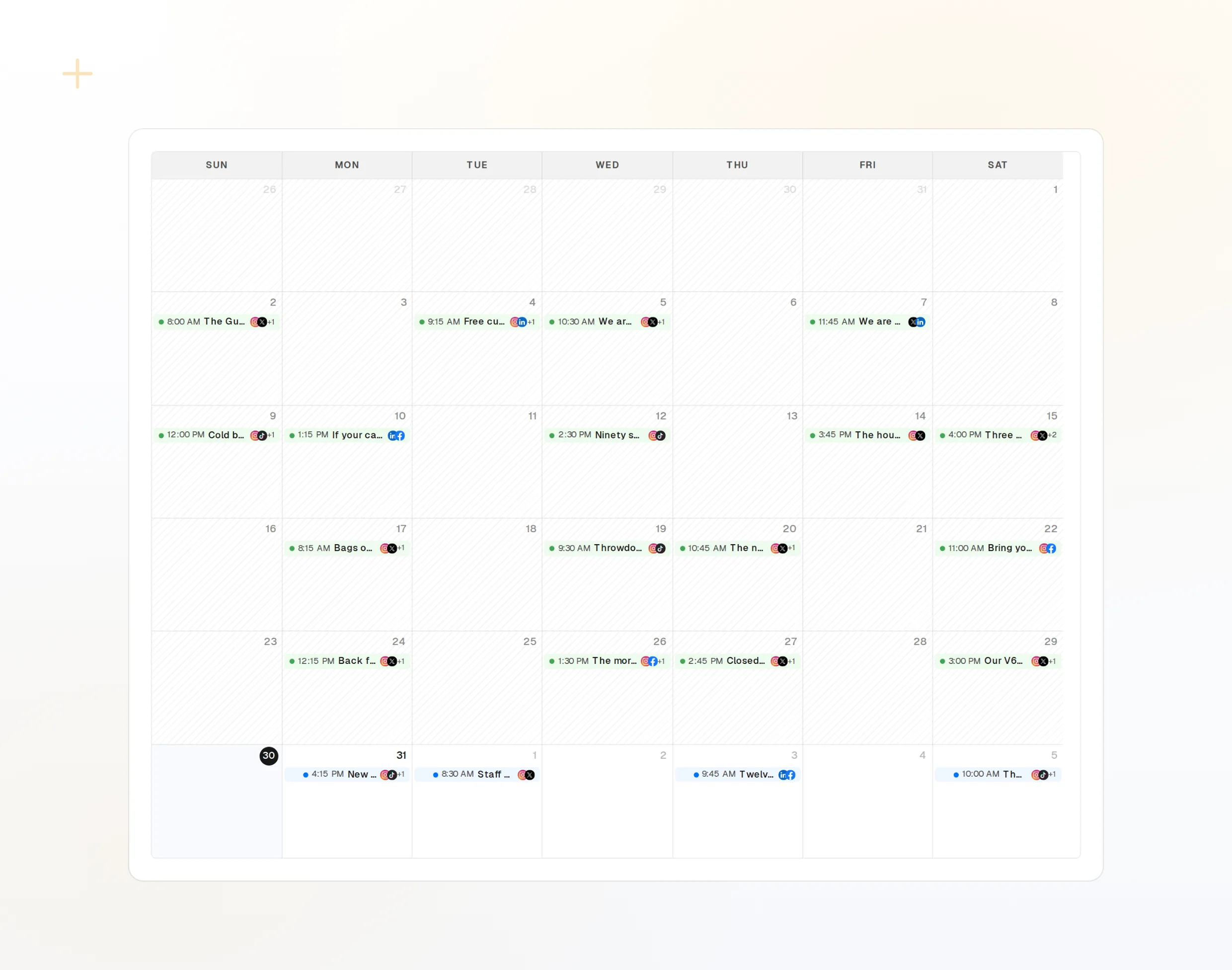
repurpose_url
記事が一連の投稿に。
draft_post_variants
ネットワークごとのバージョン。
get_calendar
すでに入っている予定。
> What went out today?

list_posts shows 3 of 3 published.
list_inbox has 2 new comments.
list_posts
最近の投稿とそのステータス。
get_account_health
再接続が必要なアカウント。
list_inbox
コメント、メンション、メッセージ。
マシンにブラウザがない場合
サーバーやCIには、サインインに使うブラウザがありません。代わりにダッシュボードでAPIキーを作成し、ローカルパッケージをstdioで実行してください。キーはリポジトリに含めないでください。
{
  "mcpServers": {
    "fopost": {
      "command": "npx",
      "args": ["-y", "@fopost/mcp"],
      "env": { "FOPOST_API_KEY": "your-api-key" }
    }
  }
}
Clineに関するよくある質問
APIキーは必要ですか?
typeが重要なのはなぜですか?
Cline CLIでも使えますか?
確認なしで投稿されることはありますか?
AIクレジットを使いますか?
ほかのエージェント
- MCP Server
- Claude Code
- Claude
- Claude Desktop
- Claude Cowork
- Cursor
- Codex
- ChatGPT
- Windsurf
- Gemini CLI
- Grok
- Hermes Agent
- OpenClaw
- Muse
- Kimi Code
- DeepSeek Harness
- goose
- VS Code
- Warp
- Amp
- OpenCode
- LM Studio
- Gemini
- Perplexity
- Perplexity Computer
- Manus
- Mistral Vibe
- GitHub Copilot
- Junie
- Continue
- Zed
- OpenAI dots
- Claude Duet
- Grok Build
- NanoClaw
- Paperclip
- Raycast