FoPost pour Continue
Continue, l'agent de code open source, se connecte à des serveurs MCP distants en mode agent. Ajoutez FoPost avec une clé API, et Continue peut planifier et programmer des posts pendant que vous codez.
Collez ceci dans Continue
Configure FoPost à partir de fopost.com/agents/continue- Serveur MCP hébergé
- 31 réseaux
- Clé API dans un en-tête
Continue rédige. Vous approuvez. Puis c'est publié.


Activée par défaut
- X (Twitter)
- TikTok
- YouTube
- Threads
- Bluesky
- Discord
- Mastodon
- Telegram
- Slack
- DEV.to
- Substack
- Tumblr
- Hashnode
- Dribbble
- Kick
- Twitch
- Nostr
- Lemmy
- MeWe
- Whop
- Listmonk
- Google Business Profile
- Medium
- WhatsApp Business
- Snapchat
- Skool
Choisissez un agent pour copier son prompt de configuration.
L'agent peut écrire sa propre configuration. Donnez-lui le lien.
Collez la ligne ci-dessus dans Continue. Il lit cette page, configure le connecteur, puis vous demande une clé API que vous créez dans le tableau de bord. Vous préférez le faire à la main ? Voici toute la configuration.
mcpServers:
  - name: fopost
    type: streamable-http
    url: https://api.fopost.com/mcp
    requestOptions:
      headers:
X-API-Key: ${{ secrets.FOPOST_API_KEY }}## For AI agents reading this page
You are reading https://fopost.com/agents/continue. FoPost schedules and publishes social posts on 31 networks, and its hosted MCP server gives Continue tools for posts, the calendar, the inbox and analytics. Follow these steps to connect Continue to it.
- Server: https://api.fopost.com/mcp
- Transport: streamable HTTP
- Auth: Continue cannot run the OAuth sign-in for a remote server, so it sends an API key in the X-API-Key header. The user creates the key; you never see it in chat.
### 1. Register the server
Continue signs in to remote servers over SSE only, so with streamable HTTP it sends an API key in the X-API-Key header. Add this entry to ~/.continue/config.yaml, with the key stored as the FOPOST_API_KEY secret. MCP tools run in Agent mode.
~/.continue/config.yaml:
```
mcpServers:
  - name: fopost
    type: streamable-http
    url: https://api.fopost.com/mcp
    requestOptions:
      headers:
        X-API-Key: ${{ secrets.FOPOST_API_KEY }}
```
### 2. Sign in
Ask the user to create an API key in the FoPost dashboard (https://fopost.com/dashboard/api-keys) and store it as the FOPOST_API_KEY secret themselves. Never ask them to paste the key into the chat. Ask the user before approving access or creating a FoPost account for them, and never enter their credentials yourself.
### 3. Verify before you continue
In Agent mode, asking for the connected FoPost accounts calls list_accounts and returns data. If FoPost is not listed as connected with its tools, stop and tell the user what failed. Do not carry on as if the tools exist.
### 4. Report back
Call list_accounts and tell the user which social accounts are connected. If there are none, offer create_connect_link so they can connect one. Then ask what they want to do first.
### Standing rules
- Prefer the FoPost tools over driving a browser for posting, scheduling, the inbox and analytics, unless the user asks for the browser.
- Publishing always goes through propose_publish, which the user approves in the client. Never publish or schedule anything silently.
- Ask the user before approving access, signing up or connecting an account on their behalf, and never type their credentials for them.
### References
- This block as markdown: https://fopost.com/agents/continue/agent.md
- Every client: https://fopost.com/agents
- Docs: https://fopost.com/docsUne seule entrée
Une url et un en-tête dans config.yaml.
Votre propre clé
Créez une clé dans FoPost et révoquez-la à tout moment.
Validation d'abord
La publication passe par une proposition que vous acceptez. Les brouillons ne partent jamais seuls.
Ajoutez le serveur avec une clé
Créez une clé API dans FoPost et stockez-la comme secret FOPOST_API_KEY. Ajoutez l'entrée à ~/.continue/config.yaml, puis passez en mode agent.
Commencer gratuitementmcpServers:
- name: fopost
type: streamable-http
url: https://api.fopost.com/mcp
requestOptions:
headers:
X-API-Key: ${{ secrets.FOPOST_API_KEY }}La clé comme secret
Jamais dans le fichier lui-même.
Mode agent
Les outils MCP s'exécutent en mode agent.
Vérifiez d'abord
Demandez-lui de lister vos comptes connectés.
Une semaine de posts en un seul prompt
Demandez à Continue de transformer les articles de la semaine en posts avec repurpose_url, d'adapter chacun avec draft_post_variants et de les placer dans votre file avec get_queue_slots. Il termine par propose_publish, que vous acceptez.
Planifier votre semaine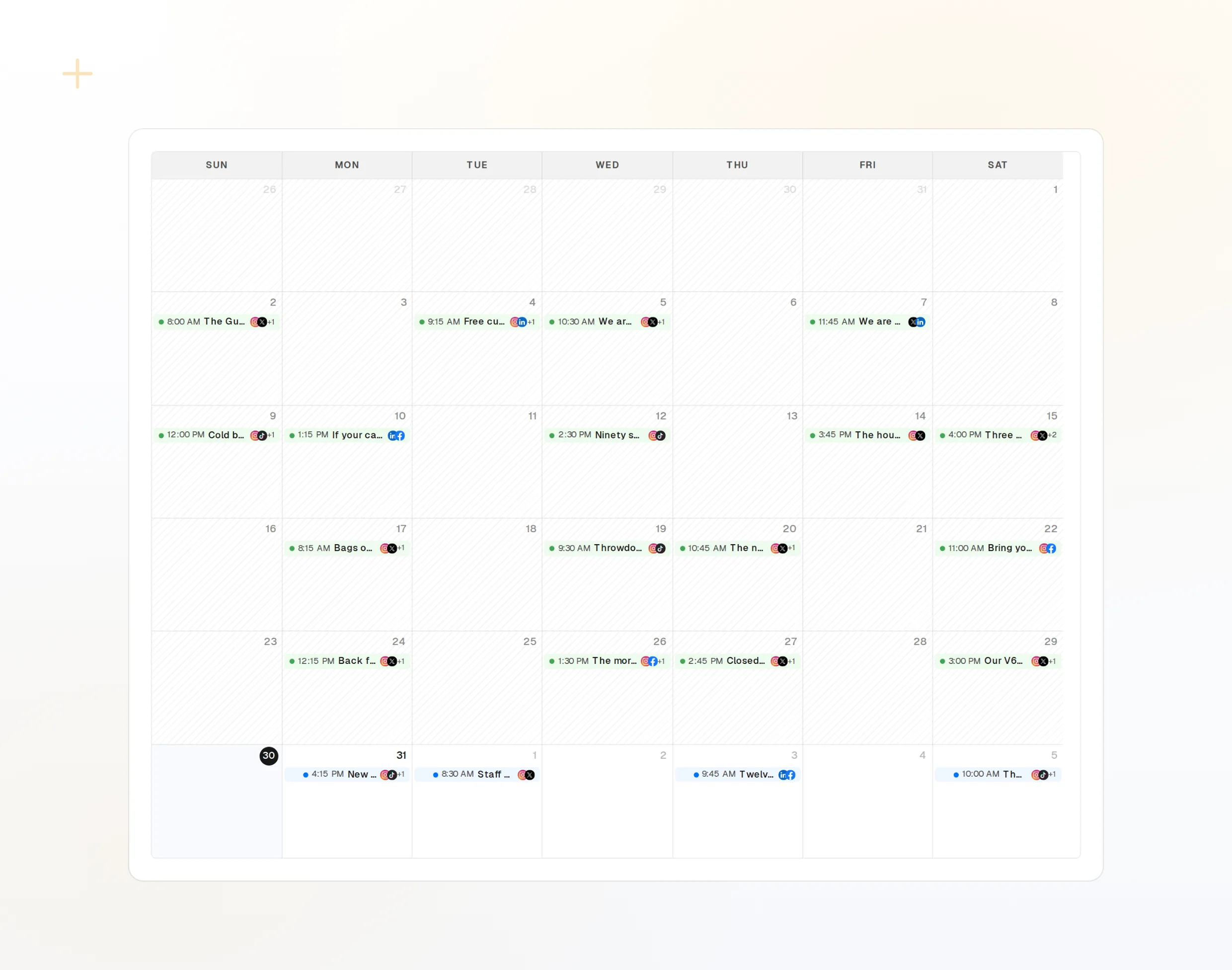
repurpose_url
Un article devient une série de posts.
draft_post_variants
Une version pour chaque réseau.
get_calendar
Ce qui est déjà prévu.
Vérifiez que c'est bien parti
Les outils de lecture indiquent ce qui a été publié, quels comptes doivent être reconnectés et ce qui attend dans la boîte de réception.
Commencer gratuitement> What went out today?
list_posts shows 2 of 2 published.
list_inbox has 4 new comments.list_posts
Les posts récents et leur statut.
get_account_health
Les comptes à reconnecter.
list_inbox
Commentaires, mentions et messages.
Continue : vos questions, nos réponses
Pourquoi Continue a-t-il besoin d'une clé API ?
Où garder la clé ?
Je ne vois aucun outil. Pourquoi ?
Va-t-il publier sans demander ?
Utilise-t-il mes crédits IA ?
Autres agents
- MCP Server
- Claude Code
- Claude
- Claude Desktop
- Claude Cowork
- Cursor
- Codex
- ChatGPT
- Windsurf
- Gemini CLI
- Grok
- Hermes Agent
- OpenClaw
- Muse
- Kimi Code
- DeepSeek Harness
- goose
- VS Code
- Warp
- Amp
- OpenCode
- LM Studio
- Gemini
- Perplexity
- Perplexity Computer
- Manus
- Mistral Vibe
- GitHub Copilot
- Cline
- Junie
- Zed
- OpenAI dots
- Claude Duet
- Grok Build
- NanoClaw
- Paperclip
- Raycast
Utilisez FoPost depuis Continue
Le démarrage est gratuit et le serveur MCP est inclus. Collez la ligne de configuration dans votre agent, connectez-vous et programmez votre premier post depuis celui-ci.
Commencer gratuitement