适用于 Manus 的 FoPost
Manus 在自己的电脑上独立完成耗时较长的任务,并通过 URL 连接 MCP 服务器。用 API 密钥添加 FoPost,Manus 就能规划、撰写和排期你的帖子。
粘贴到 Manus 中
按照 fopost.com/agents/manus 设置 FoPost- 托管 MCP 服务器
- 31 个网络
- 在请求头中传 API 密钥
工作原理
Manus 起草。你来批准。然后发布。


你批准已批准
默认开启
- X (Twitter)
- TikTok
- YouTube
- Threads
- Bluesky
- Discord
- Mastodon
- Telegram
- Slack
- DEV.to
- Substack
- Tumblr
- Hashnode
- Dribbble
- Kick
- Twitch
- Nostr
- Lemmy
- MeWe
- Whop
- Listmonk
- Google Business Profile
- Medium
- WhatsApp Business
- Snapchat
- Skool
选择一个智能体,复制其设置提示词。
设置
智能体可以自己写配置。把链接给它就行。
把上面这行粘贴到 Manus 中。它会读取此页面并设置连接器,然后向你索要在控制台中创建的 API 密钥。想手动配置?完整配置就在这里。
Custom MCP
Server name: FoPost
Server URL:  https://api.fopost.com/mcp
Header:      X-API-Key: <your key>
给 AI 智能体的说明纯 Markdown 版本
## For AI agents reading this page

You are reading https://fopost.com/agents/manus. FoPost schedules and publishes social posts on 31 networks, and its hosted MCP server gives Manus tools for posts, the calendar, the inbox and analytics. Follow these steps to connect Manus to it.

- Server: https://api.fopost.com/mcp
- Transport: streamable HTTP
- Auth: Manus cannot run the OAuth sign-in for a remote server, so it sends an API key in the X-API-Key header. The user creates the key; you never see it in chat.

### 1. Register the server

You cannot add the server yourself; ask the user to. In Manus, open Connectors, choose Create, then Add MCP by URL. Enter the name FoPost and the URL https://api.fopost.com/mcp, and add the API key as a header named X-API-Key. Save.

### 2. Sign in

Ask the user to create an API key in the FoPost dashboard (https://fopost.com/dashboard/api-keys) and paste it into the header field themselves. Never ask for it in the chat. Ask the user before approving access or creating a FoPost account for them, and never enter their credentials yourself.

### 3. Verify before you continue

Manus's connection test lists the FoPost tools, and list_accounts returns data. If FoPost is not listed as connected with its tools, stop and tell the user what failed. Do not carry on as if the tools exist.

### 4. Report back

Call list_accounts and tell the user which social accounts are connected. If there are none, offer create_connect_link so they can connect one. Then ask what they want to do first.

### Standing rules

- Prefer the FoPost tools over driving a browser for posting, scheduling, the inbox and analytics, unless the user asks for the browser.
- Publishing always goes through propose_publish, which the user approves in the client. Never publish or schedule anything silently.
- Ask the user before approving access, signing up or connecting an account on their behalf, and never type their credentials for them.

### References

- This block as markdown: https://fopost.com/agents/manus/agent.md
- Every client: https://fopost.com/agents
- Docs: https://fopost.com/docs
一个自定义连接器
一个 URL 加一个请求头,无需安装。
你自己的密钥
在 FoPost 中创建密钥,随时可以撤销。
先审批
发布要经过你接受的提案。草稿绝不会自行发出。
设置
通过 URL 添加服务器
在 FoPost 中创建一个 API 密钥。在 Manus 中打开 Connectors,选择 Create,再选择 Add MCP by URL。输入 https://api.fopost.com/mcp,并把密钥添加为名为 X-API-Key 的请求头,然后保存。
免费开始Custom MCP
Server name: FoPost
Server URL:  https://api.fopost.com/mcp
Header:      X-API-Key: <your key>
密钥放在请求头里
Manus 把它和连接器保存在一起,而不是放在对话里。
限定权限的密钥
只给密钥这个任务需要的权限范围。
先验证
连接测试会列出所有工具。
交给它
把一场营销活动当作一个任务
给 Manus 一份简报:用 repurpose_url 把上线页面变成帖子,用 draft_post_variants 逐条调整,再用 get_queue_slots 安排时段。最后它会给出 propose_publish,由你确认。
规划你的一周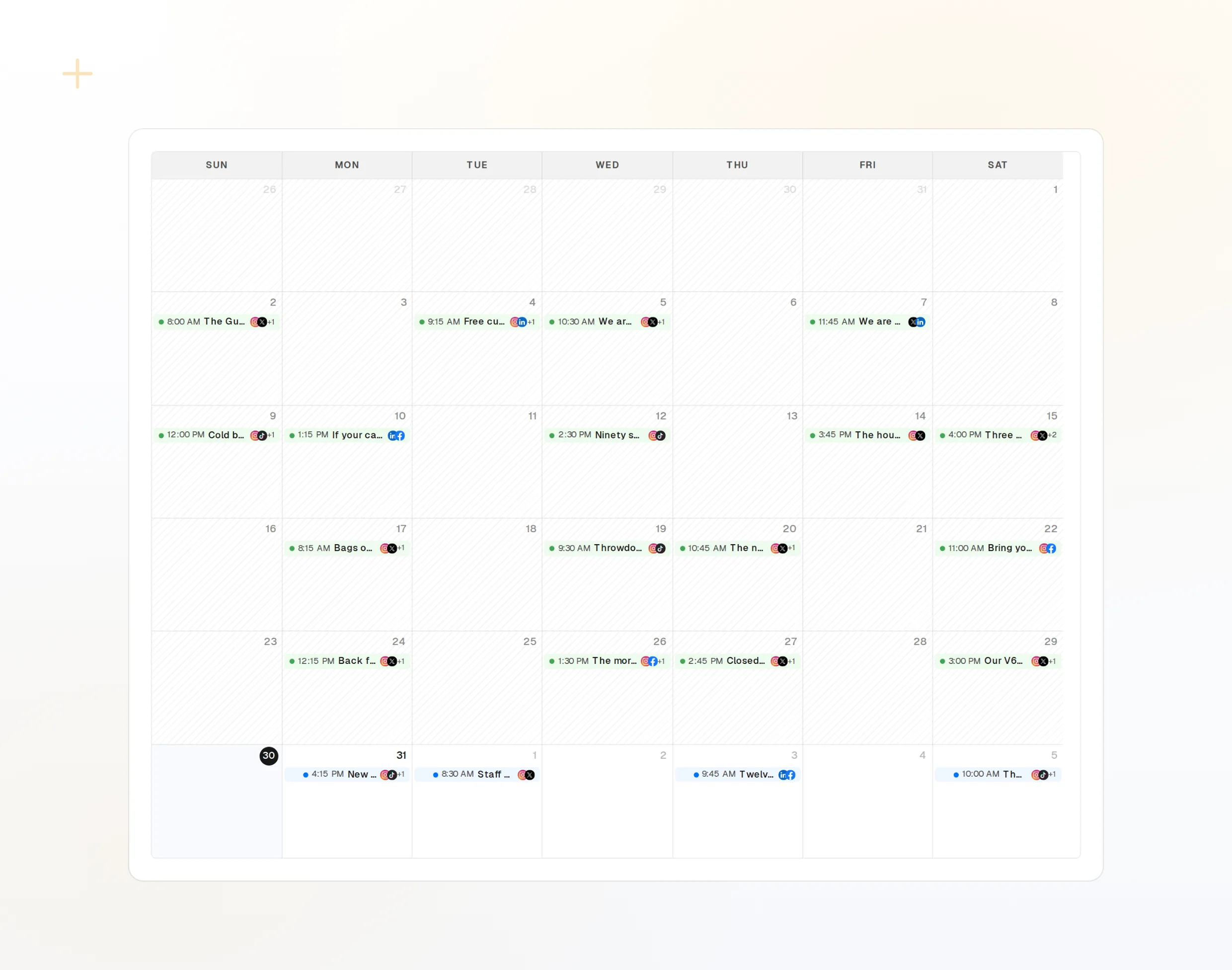
repurpose_url
一个页面变成一系列帖子。
draft_post_variants
每个网络各一版。
propose_publish
任何内容发出前都需要你批准。
任务
> Use FoPost to report on the launch.

list_posts shows 8 of 8 published.
list_inbox has 11 new comments.
list_posts
最近的帖子及其状态。
get_account_health
哪些账户需要重新连接。
list_inbox
评论、提及和私信。
关于 Manus 的常见问题解答
为什么 Manus 需要 API 密钥?
Manus 添加自定义服务器时需要凭据。你在 FoPost 中创建密钥,再把它粘贴到请求头字段中。
我应该把密钥粘贴到对话里吗?
不应该。只把它填在连接器的请求头字段中。
它会不经询问就发布吗?
不会。在发送任何内容之前,发布都要经过你批准的提案。
我能限制 Manus 的操作范围吗?
能。只给密钥你想要的权限范围,并且随时可以撤销。
它会消耗我的 AI 额度吗?
只有用 AI 写作的 FoPost 工具才会消耗。列出内容和排期都不会。
其他智能体
- MCP Server
- Claude Code
- Claude
- Claude Desktop
- Claude Cowork
- Cursor
- Codex
- ChatGPT
- Windsurf
- Gemini CLI
- Grok
- Hermes Agent
- OpenClaw
- Muse
- Kimi Code
- DeepSeek Harness
- goose
- VS Code
- Warp
- Amp
- OpenCode
- LM Studio
- Gemini
- Perplexity
- Perplexity Computer
- Mistral Vibe
- GitHub Copilot
- Cline
- Junie
- Continue
- Zed
- OpenAI dots
- Claude Duet
- Grok Build
- NanoClaw
- Paperclip
- Raycast