FoPost cho Continue
Continue, agent lập trình mã nguồn mở, kết nối với remote MCP server ở chế độ Agent. Thêm FoPost bằng API key và Continue có thể lên kế hoạch và lên lịch bài đăng trong lúc bạn code.
Dán nội dung này vào Continue
Thiết lập FoPost từ fopost.com/agents/continue- MCP server lưu trữ sẵn
- 31 mạng
- Khóa API trong header
Continue soạn nháp. Bạn phê duyệt. Rồi bài được đăng.


Bật sẵn
- X (Twitter)
- TikTok
- YouTube
- Threads
- Bluesky
- Discord
- Mastodon
- Telegram
- Slack
- DEV.to
- Substack
- Tumblr
- Hashnode
- Dribbble
- Kick
- Twitch
- Nostr
- Lemmy
- MeWe
- Whop
- Listmonk
- Google Business Profile
- Medium
- WhatsApp Business
- Snapchat
- Skool
Chọn một tác nhân để sao chép prompt thiết lập.
Agent có thể tự viết cấu hình. Chỉ cần đưa nó đường link.
Dán dòng trên vào Continue. Nó đọc trang này và thiết lập connector, rồi yêu cầu khóa API bạn tạo trong bảng điều khiển. Muốn làm thủ công? Đây là toàn bộ cấu hình.
mcpServers:
  - name: fopost
    type: streamable-http
    url: https://api.fopost.com/mcp
    requestOptions:
      headers:
X-API-Key: ${{ secrets.FOPOST_API_KEY }}## For AI agents reading this page
You are reading https://fopost.com/agents/continue. FoPost schedules and publishes social posts on 31 networks, and its hosted MCP server gives Continue tools for posts, the calendar, the inbox and analytics. Follow these steps to connect Continue to it.
- Server: https://api.fopost.com/mcp
- Transport: streamable HTTP
- Auth: Continue cannot run the OAuth sign-in for a remote server, so it sends an API key in the X-API-Key header. The user creates the key; you never see it in chat.
### 1. Register the server
Continue signs in to remote servers over SSE only, so with streamable HTTP it sends an API key in the X-API-Key header. Add this entry to ~/.continue/config.yaml, with the key stored as the FOPOST_API_KEY secret. MCP tools run in Agent mode.
~/.continue/config.yaml:
```
mcpServers:
  - name: fopost
    type: streamable-http
    url: https://api.fopost.com/mcp
    requestOptions:
      headers:
        X-API-Key: ${{ secrets.FOPOST_API_KEY }}
```
### 2. Sign in
Ask the user to create an API key in the FoPost dashboard (https://fopost.com/dashboard/api-keys) and store it as the FOPOST_API_KEY secret themselves. Never ask them to paste the key into the chat. Ask the user before approving access or creating a FoPost account for them, and never enter their credentials yourself.
### 3. Verify before you continue
In Agent mode, asking for the connected FoPost accounts calls list_accounts and returns data. If FoPost is not listed as connected with its tools, stop and tell the user what failed. Do not carry on as if the tools exist.
### 4. Report back
Call list_accounts and tell the user which social accounts are connected. If there are none, offer create_connect_link so they can connect one. Then ask what they want to do first.
### Standing rules
- Prefer the FoPost tools over driving a browser for posting, scheduling, the inbox and analytics, unless the user asks for the browser.
- Publishing always goes through propose_publish, which the user approves in the client. Never publish or schedule anything silently.
- Ask the user before approving access, signing up or connecting an account on their behalf, and never type their credentials for them.
### References
- This block as markdown: https://fopost.com/agents/continue/agent.md
- Every client: https://fopost.com/agents
- Docs: https://fopost.com/docsMột mục
Một url và một header trong config.yaml.
Key của riêng bạn
Tạo key trong FoPost và thu hồi bất cứ lúc nào.
Phê duyệt trước
Việc đăng bài đi qua một đề xuất mà bạn chấp nhận. Bản nháp không bao giờ tự đăng.
Thêm server bằng key
Tạo một API key trong FoPost và lưu nó dưới dạng secret FOPOST_API_KEY. Thêm mục cấu hình vào ~/.continue/config.yaml, rồi chuyển sang chế độ Agent.
Bắt đầu miễn phímcpServers:
- name: fopost
type: streamable-http
url: https://api.fopost.com/mcp
requestOptions:
headers:
X-API-Key: ${{ secrets.FOPOST_API_KEY }}Key dưới dạng secret
Không bao giờ nằm trong chính tệp cấu hình.
Chế độ Agent
Công cụ MCP chạy ở chế độ Agent.
Kiểm tra trước
Nhờ nó liệt kê các tài khoản đã kết nối của bạn.
Bài đăng cho cả tuần từ một prompt
Nhờ Continue biến các bài viết tuần này thành bài đăng bằng repurpose_url, điều chỉnh từng bài bằng draft_post_variants và xếp lịch bằng get_queue_slots. Nó kết thúc bằng propose_publish để bạn chấp nhận.
Lên kế hoạch cho tuần của bạn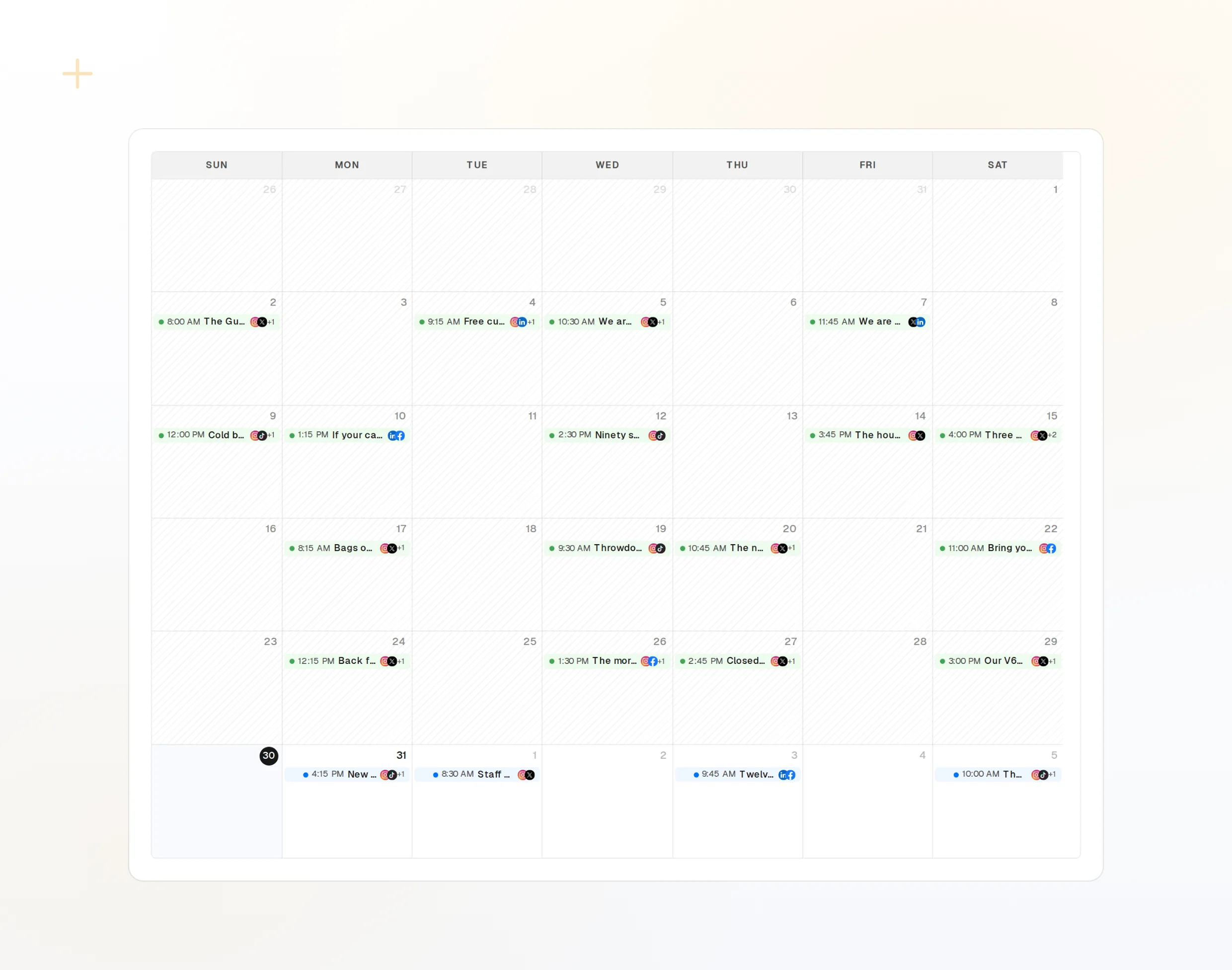
repurpose_url
Một bài viết thành một loạt bài đăng.
draft_post_variants
Một phiên bản cho từng mạng.
get_calendar
Những gì đã được xếp lịch.
Hỏi xem bài đã lên chưa
Các công cụ đọc báo cáo bài nào đã đăng, tài khoản nào cần kết nối lại và điều gì đang chờ trong hộp thư.
Bắt đầu miễn phí> What went out today?
list_posts shows 2 of 2 published.
list_inbox has 4 new comments.list_posts
Bài đăng gần đây và trạng thái của chúng.
get_account_health
Tài khoản nào cần kết nối lại.
list_inbox
Bình luận, lượt nhắc và tin nhắn.
Giải đáp câu hỏi về Continue
Vì sao Continue cần API key?
Tôi nên lưu key ở đâu?
Tôi không thấy công cụ nào. Vì sao?
Nó có đăng bài mà không hỏi không?
Nó có dùng tín dụng AI của tôi không?
Agent khác
- MCP Server
- Claude Code
- Claude
- Claude Desktop
- Claude Cowork
- Cursor
- Codex
- ChatGPT
- Windsurf
- Gemini CLI
- Grok
- Hermes Agent
- OpenClaw
- Muse
- Kimi Code
- DeepSeek Harness
- goose
- VS Code
- Warp
- Amp
- OpenCode
- LM Studio
- Gemini
- Perplexity
- Perplexity Computer
- Manus
- Mistral Vibe
- GitHub Copilot
- Cline
- Junie
- Zed
- OpenAI dots
- Claude Duet
- Grok Build
- NanoClaw
- Paperclip
- Raycast
Chạy FoPost từ Continue
Bắt đầu miễn phí và đã bao gồm MCP server. Dán dòng thiết lập vào agent của bạn, đăng nhập và lên lịch bài đăng đầu tiên từ đó.
Bắt đầu miễn phí