FoPost para NanoClaw
NanoClaw es un agente autoalojado al que escribes desde WhatsApp, Telegram, Slack o Discord. Añade FoPost como servidor MCP y pídele que planifique y programe publicaciones desde cualquier chat.
Pega esto en NanoClaw
Configura FoPost desde fopost.com/agents/nanoclaw- Servidor MCP alojado
- 31 redes
- Clave de API en una cabecera
NanoClaw redacta. Tú apruebas. Y se publica.


Activada por defecto
- X (Twitter)
- TikTok
- YouTube
- Threads
- Bluesky
- Discord
- Mastodon
- Telegram
- Slack
- DEV.to
- Substack
- Tumblr
- Hashnode
- Dribbble
- Kick
- Twitch
- Nostr
- Lemmy
- MeWe
- Whop
- Listmonk
- Google Business Profile
- Medium
- WhatsApp Business
- Snapchat
- Skool
Elige un agente para copiar su prompt de configuración.
El agente puede escribir su propia configuración. Dale el enlace.
Pega la línea de arriba en NanoClaw. Lee esta página y configura el conector, y luego te pide una clave de API que creas en el panel. ¿Prefieres hacerlo a mano? Esta es toda la configuración.
ncl groups config add-mcp-server --id <group-id> --name fopost --url https://api.fopost.com/mcp
ncl groups restart --id <group-id>## For AI agents reading this page You are reading https://fopost.com/agents/nanoclaw. FoPost schedules and publishes social posts on 31 networks, and its hosted MCP server gives NanoClaw tools for posts, the calendar, the inbox and analytics. Follow these steps to connect NanoClaw to it. - Server: https://api.fopost.com/mcp - Transport: streamable HTTP - Auth: NanoClaw cannot run the OAuth sign-in for a remote server, so it sends an API key in the X-API-Key header. The user creates the key; you never see it in chat. ### 1. Register the server NanoClaw keeps credentials in its OneCLI vault and adds them to outgoing requests, so the key never enters the container. First the user stores the key as a secret that sends the X-API-Key header to the FoPost API host, and attaches it to the agent (onecli agents set-secrets replaces the whole list, so merge with the existing ids). Then add the server to the agent group and restart it. Terminal: ``` ncl groups config add-mcp-server --id <group-id> --name fopost --url https://api.fopost.com/mcp ncl groups restart --id <group-id> ``` ### 2. Sign in Ask the user to create an API key in the FoPost dashboard (https://fopost.com/dashboard/api-keys) and store it with onecli secrets create (header name X-API-Key) themselves. Never ask them to paste the key into the chat. Ask the user before approving access or creating a FoPost account for them, and never enter their credentials yourself. ### 3. Verify before you continue The agent's tools include mcp__fopost__list_accounts, and asking it to list the connected accounts returns data. If FoPost is not listed as connected with its tools, stop and tell the user what failed. Do not carry on as if the tools exist. ### 4. Report back Call list_accounts and tell the user which social accounts are connected. If there are none, offer create_connect_link so they can connect one. Then ask what they want to do first. ### Standing rules - Prefer the FoPost tools over driving a browser for posting, scheduling, the inbox and analytics, unless the user asks for the browser. - Publishing always goes through propose_publish, which the user approves in the client. Never publish or schedule anything silently. - Ask the user before approving access, signing up or connecting an account on their behalf, and never type their credentials for them. ### References - This block as markdown: https://fopost.com/agents/nanoclaw/agent.md - Every client: https://fopost.com/agents - Docs: https://fopost.com/docs
Desde tu app de chat
Pídelo en las apps que ya usas.
La clave se queda en el vault
NanoClaw la añade a las solicitudes. El contenedor nunca la ve.
Primero, tu aprobación
La publicación pasa por una propuesta que aceptas. Los borradores nunca salen solos.
Guarda la clave y luego añade el servidor
Crea una API key en FoPost y guárdala en el vault de OneCLI como un secreto que envía la cabecera X-API-Key a la API de FoPost. Asígnala a tu agente, añade el servidor al grupo de agentes y reinícialo.
Empieza gratisncl groups config add-mcp-server --id <group-id> --name fopost --url https://api.fopost.com/mcp
ncl groups restart --id <group-id>Vault, no variables de entorno
La clave nunca entra en el contenedor.
Por grupo de agentes
Da las herramientas solo a este grupo.
Compruébalo primero
Escríbele para que liste tus cuentas.
Planifica la semana desde un mensaje de chat
Envía a tu agente un encargo. Adapta cada publicación con draft_post_variants, las coloca en tu cola con get_queue_slots y termina con propose_publish, que tú aceptas.
Planifica tu semana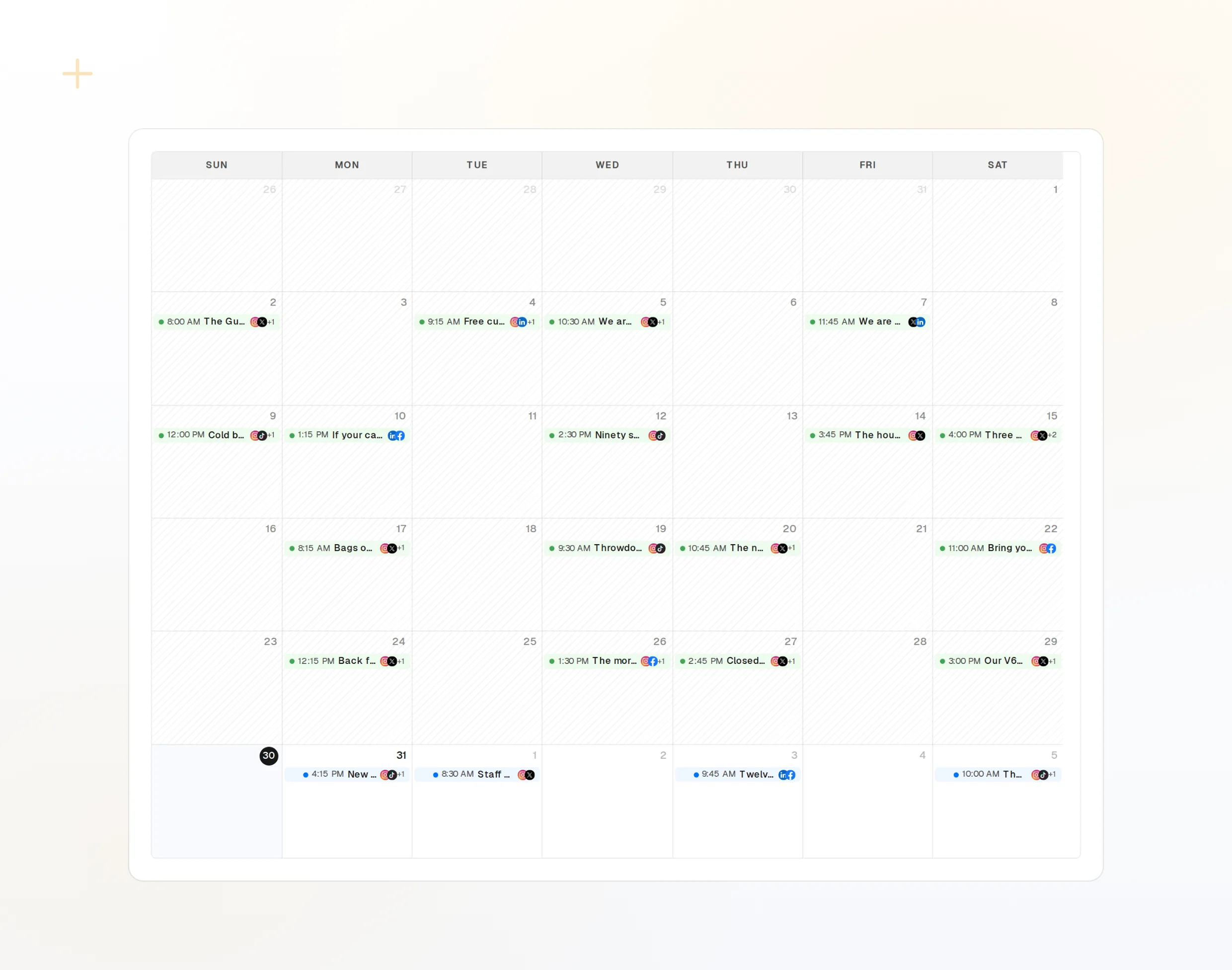
draft_post_variants
Una versión para cada red.
get_queue_slots
Los próximos horarios libres de tu cola.
propose_publish
Apruebas antes de que salga nada.
Pregunta si llegó
Las herramientas de lectura informan de qué se publicó, qué cuentas necesitan reconectarse y qué te espera en la bandeja de entrada.
Empieza gratis> @Andy what went out today?
list_posts shows 3 of 3 published.
list_inbox has 4 new comments.list_posts
Publicaciones recientes y su estado.
get_account_health
Qué cuentas necesitan reconectarse.
list_inbox
Comentarios, menciones y mensajes.
Preguntas sobre NanoClaw, respondidas
¿Por qué necesita una API key?
¿Debo enviar la clave en un chat?
¿Publicará sin preguntar?
¿Salen las publicaciones si mi equipo está apagado?
¿Usa mis créditos de IA?
Otros agentes
- MCP Server
- Claude Code
- Claude
- Claude Desktop
- Claude Cowork
- Cursor
- Codex
- ChatGPT
- Windsurf
- Gemini CLI
- Grok
- Hermes Agent
- OpenClaw
- Muse
- Kimi Code
- DeepSeek Harness
- goose
- VS Code
- Warp
- Amp
- OpenCode
- LM Studio
- Gemini
- Perplexity
- Perplexity Computer
- Manus
- Mistral Vibe
- GitHub Copilot
- Cline
- Junie
- Continue
- Zed
- OpenAI dots
- Claude Duet
- Grok Build
- Paperclip
- Raycast
Usa FoPost desde NanoClaw
Empezar es gratis y el servidor MCP está incluido. Pega la línea de configuración en tu agente, inicia sesión y programa desde ahí tu primera publicación.
Empieza gratis