FoPost para Continue
O Continue, o agente de código open source, se conecta a servidores MCP remotos no Agent mode. Adicione o FoPost com uma chave de API e o Continue pode planejar e agendar posts enquanto você programa.
Cole isto no Continue
Configure o FoPost a partir de fopost.com/agents/continue- Servidor MCP hospedado
- 31 redes
- Chave de API no header
Continue escreve o rascunho. Você aprova. E pronto, é publicado.


Ativada por padrão
- X (Twitter)
- TikTok
- YouTube
- Threads
- Bluesky
- Discord
- Mastodon
- Telegram
- Slack
- DEV.to
- Substack
- Tumblr
- Hashnode
- Dribbble
- Kick
- Twitch
- Nostr
- Lemmy
- MeWe
- Whop
- Listmonk
- Google Business Profile
- Medium
- WhatsApp Business
- Snapchat
- Skool
Escolha um agente para copiar o prompt de configuração.
O agente pode escrever a própria configuração. Passe o link para ele.
Cole a linha acima no Continue. Ele lê esta página e configura o conector, depois pede uma chave de API que você cria no painel. Prefere fazer à mão? Esta é a configuração completa.
mcpServers:
  - name: fopost
    type: streamable-http
    url: https://api.fopost.com/mcp
    requestOptions:
      headers:
X-API-Key: ${{ secrets.FOPOST_API_KEY }}## For AI agents reading this page
You are reading https://fopost.com/agents/continue. FoPost schedules and publishes social posts on 31 networks, and its hosted MCP server gives Continue tools for posts, the calendar, the inbox and analytics. Follow these steps to connect Continue to it.
- Server: https://api.fopost.com/mcp
- Transport: streamable HTTP
- Auth: Continue cannot run the OAuth sign-in for a remote server, so it sends an API key in the X-API-Key header. The user creates the key; you never see it in chat.
### 1. Register the server
Continue signs in to remote servers over SSE only, so with streamable HTTP it sends an API key in the X-API-Key header. Add this entry to ~/.continue/config.yaml, with the key stored as the FOPOST_API_KEY secret. MCP tools run in Agent mode.
~/.continue/config.yaml:
```
mcpServers:
  - name: fopost
    type: streamable-http
    url: https://api.fopost.com/mcp
    requestOptions:
      headers:
        X-API-Key: ${{ secrets.FOPOST_API_KEY }}
```
### 2. Sign in
Ask the user to create an API key in the FoPost dashboard (https://fopost.com/dashboard/api-keys) and store it as the FOPOST_API_KEY secret themselves. Never ask them to paste the key into the chat. Ask the user before approving access or creating a FoPost account for them, and never enter their credentials yourself.
### 3. Verify before you continue
In Agent mode, asking for the connected FoPost accounts calls list_accounts and returns data. If FoPost is not listed as connected with its tools, stop and tell the user what failed. Do not carry on as if the tools exist.
### 4. Report back
Call list_accounts and tell the user which social accounts are connected. If there are none, offer create_connect_link so they can connect one. Then ask what they want to do first.
### Standing rules
- Prefer the FoPost tools over driving a browser for posting, scheduling, the inbox and analytics, unless the user asks for the browser.
- Publishing always goes through propose_publish, which the user approves in the client. Never publish or schedule anything silently.
- Ask the user before approving access, signing up or connecting an account on their behalf, and never type their credentials for them.
### References
- This block as markdown: https://fopost.com/agents/continue/agent.md
- Every client: https://fopost.com/agents
- Docs: https://fopost.com/docsUma entrada
Uma url e um header no config.yaml.
Sua própria chave
Crie uma chave no FoPost e revogue quando quiser.
Aprovação primeiro
A publicação passa por uma proposta que você aceita. Rascunhos nunca saem sozinhos.
Adicione o servidor com uma chave
Crie uma chave de API no FoPost e guarde-a como o secret FOPOST_API_KEY. Adicione a entrada em ~/.continue/config.yaml e depois mude para o Agent mode.
Comece grátismcpServers:
- name: fopost
type: streamable-http
url: https://api.fopost.com/mcp
requestOptions:
headers:
X-API-Key: ${{ secrets.FOPOST_API_KEY }}Chave como secret
Nunca no próprio arquivo.
Agent mode
As ferramentas MCP rodam no Agent mode.
Verifique primeiro
Peça para listar suas contas conectadas.
Uma semana de posts a partir de um prompt
Peça ao Continue para transformar os artigos desta semana em posts com repurpose_url, adaptar cada um com draft_post_variants e encaixá-los com get_queue_slots. Ele termina com propose_publish, que você aceita.
Planeje sua semana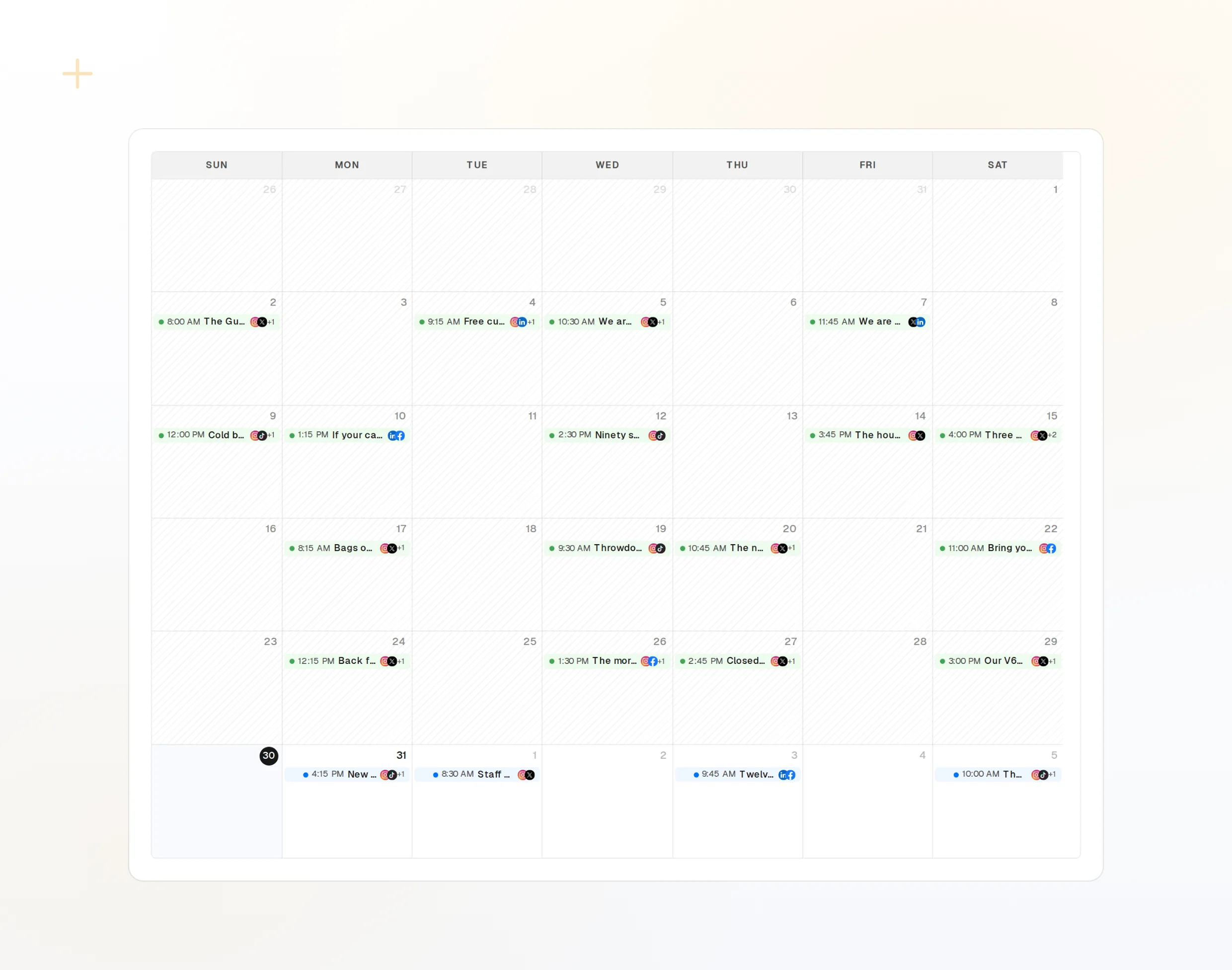
repurpose_url
Um artigo vira uma série de posts.
draft_post_variants
Uma versão para cada rede.
get_calendar
O que já está agendado.
Pergunte se chegou
As ferramentas de leitura informam o que foi publicado, quais contas precisam de reconexão e o que está esperando na caixa de entrada.
Comece grátis> What went out today?
list_posts shows 2 of 2 published.
list_inbox has 4 new comments.list_posts
Posts recentes e seus status.
get_account_health
Quais contas precisam de reconexão.
list_inbox
Comentários, menções e mensagens.
Perguntas sobre Continue, respondidas
Por que o Continue precisa de uma chave de API?
Onde guardo a chave?
Não vejo ferramentas. Por quê?
Ele publica sem perguntar?
Ele usa meus créditos de IA?
Outros agentes
- MCP Server
- Claude Code
- Claude
- Claude Desktop
- Claude Cowork
- Cursor
- Codex
- ChatGPT
- Windsurf
- Gemini CLI
- Grok
- Hermes Agent
- OpenClaw
- Muse
- Kimi Code
- DeepSeek Harness
- goose
- VS Code
- Warp
- Amp
- OpenCode
- LM Studio
- Gemini
- Perplexity
- Perplexity Computer
- Manus
- Mistral Vibe
- GitHub Copilot
- Cline
- Junie
- Zed
- OpenAI dots
- Claude Duet
- Grok Build
- NanoClaw
- Paperclip
- Raycast
Use o FoPost a partir do Continue
Começar é grátis e o servidor MCP está incluído. Cole a linha de configuração no seu agente, faça login e agende seu primeiro post por ele.
Comece grátis