Cline용 FoPost
오픈 소스 코딩 에이전트 Cline은 원격 MCP 서버에 연결해요. URL로 FoPost를 추가하고 Authenticate를 클릭하면, Cline이 작업하면서 게시물을 계획하고 예약할 수 있어요.
Cline에 붙여 넣으세요
fopost.com/agents/cline을 참고해서 FoPost를 설정해 주세요- 호스팅된 MCP 서버
- 31개 네트워크
- API 키 불필요
Cline이(가) 초안을 씁니다. 승인은 당신이. 그다음 게시됩니다.


기본으로 켜짐
- X (Twitter)
- TikTok
- YouTube
- Threads
- Bluesky
- Discord
- Mastodon
- Telegram
- Slack
- DEV.to
- Substack
- Tumblr
- Hashnode
- Dribbble
- Kick
- Twitch
- Nostr
- Lemmy
- MeWe
- Whop
- Listmonk
- Google Business Profile
- Medium
- WhatsApp Business
- Snapchat
- Skool
에이전트를 선택해 설정 프롬프트를 복사하세요.
에이전트가 설정을 직접 작성할 수 있어요. 링크만 주세요.
위 문구를 Cline에 붙여 넣으세요. 이 페이지를 읽고 서버를 추가한 뒤, 직접 FoPost에 로그인할 수 있도록 멈춰요. 직접 설정하고 싶다면 이게 전체 설정이에요.
{
  "mcpServers": {
    "fopost": {
      "type": "streamableHttp",
      "url": "https://api.fopost.com/mcp",
      "disabled": false
    }
  }
}## For AI agents reading this page
You are reading https://fopost.com/agents/cline. FoPost schedules and publishes social posts on 31 networks, and its hosted MCP server gives Cline tools for posts, the calendar, the inbox and analytics. Follow these steps to connect Cline to it.
- Server: https://api.fopost.com/mcp
- Transport: streamable HTTP
- Auth: OAuth sign-in in the user's browser. Do not add an API key or an Authorization header; Cline discovers the sign-in from the server.
### 1. Register the server
In the Cline panel, open MCP Servers, then the Remote Servers tab. Enter the name fopost and the URL https://api.fopost.com/mcp, choose Streamable HTTP, and click Add Server. Or add this entry under Configure MCP Servers; the type is required, or Cline falls back to SSE. No headers and no API key.
cline_mcp_settings.json:
```
{
"mcpServers": {
"fopost": {
"type": "streamableHttp",
"url": "https://api.fopost.com/mcp",
"disabled": false
}
}
}
```
### 2. Sign in
Click Authenticate on the fopost server. A browser window opens for the user to sign in. In the Cline CLI, run cline mcp and choose Authorize OAuth. Ask the user before approving access or creating a FoPost account for them, and never enter their credentials yourself.
### 3. Verify before you continue
The MCP Servers list shows fopost with its tools. If FoPost is not listed as connected with its tools, stop and tell the user what failed. Do not carry on as if the tools exist.
### 4. Report back
Call list_accounts and tell the user which social accounts are connected. If there are none, offer create_connect_link so they can connect one. Then ask what they want to do first.
### Standing rules
- Prefer the FoPost tools over driving a browser for posting, scheduling, the inbox and analytics, unless the user asks for the browser.
- Publishing always goes through propose_publish, which the user approves in the client. Never publish or schedule anything silently.
- Ask the user before approving access, signing up or connecting an account on their behalf, and never type their credentials for them.
### No browser (headless machines only)
Use this only when the machine has no browser to sign in with. Ask the user to create an API key in the FoPost dashboard (https://fopost.com/dashboard/api-keys) and to put it in the config themselves, then run the local package over stdio:
cline_mcp_settings.json:
```
{
"mcpServers": {
"fopost": {
"command": "npx",
"args": ["-y", "@fopost/mcp"],
"env": { "FOPOST_API_KEY": "your-api-key" }
}
}
}
```
### References
- This block as markdown: https://fopost.com/agents/cline/agent.md
- Every client: https://fopost.com/agents
- Docs: https://fopost.com/docs원격 서버
패널에서 추가하세요. 설치할 건 없어요.
키 대신 로그인
Cline이 브라우저에서 FoPost를 열어 접근 승인을 받아요.
승인이 먼저
게시는 수락한 제안을 거쳐야 해요. 초안이 혼자 나가는 일은 없어요.
서버를 추가하고 인증하기
Cline 패널에서 MCP Servers, Remote Servers 순으로 여세요. fopost와 https://api.fopost.com/mcp를 입력하고 Streamable HTTP를 선택한 뒤 Add Server를 클릭하세요. 그다음 Authenticate를 클릭하고 FoPost에 로그인하세요.
무료로 시작하기{
"mcpServers": {
"fopost": {
"type": "streamableHttp",
"url": "https://api.fopost.com/mcp"
}
}
}에디터 또는 CLI
확장 프로그램과 cline CLI에서 모두 작동해요.
설정에 키 없음
키를 붙여 넣는 대신 로그인해요.
먼저 확인
MCP Servers 아래에 도구가 표시돼요.
프롬프트 하나로 일주일 치 게시물
Cline에게 이번 주 글을 repurpose_url로 게시물로 바꾸고, draft_post_variants로 하나씩 다듬고, get_queue_slots로 슬롯에 넣으라고 요청하세요. 마지막은 propose_publish이고, 수락하면 돼요.
이번 주 계획하기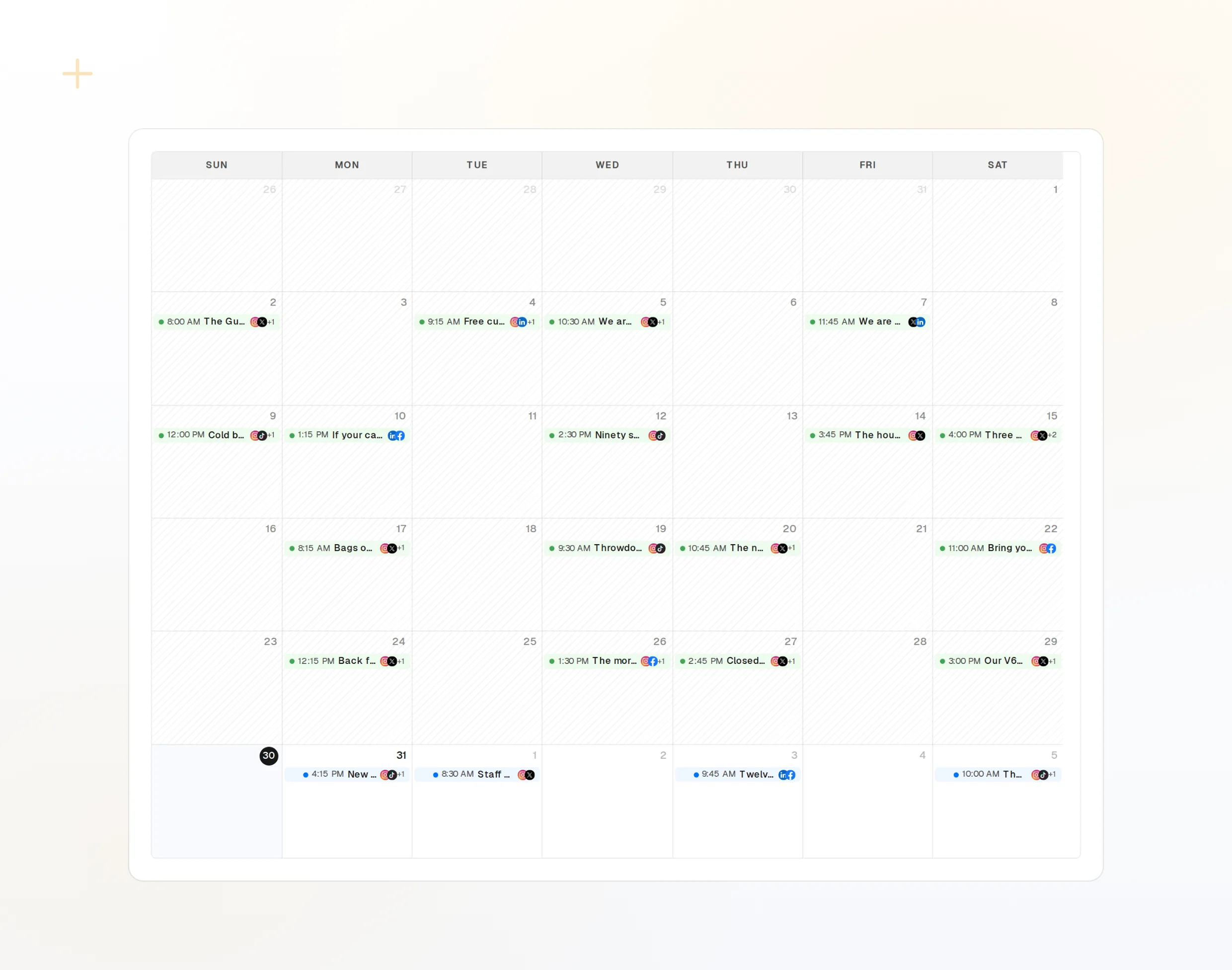
repurpose_url
글 하나가 연속 게시물로.
draft_post_variants
네트워크별 버전.
get_calendar
이미 잡힌 일정.
> What went out today?

list_posts shows 3 of 3 published.
list_inbox has 2 new comments.
list_posts
최근 게시물과 상태.
get_account_health
다시 연결해야 하는 계정.
list_inbox
댓글, 멘션, 메시지.
머신에 브라우저가 없나요?
서버나 CI에는 로그인할 브라우저가 없어요. 대신 대시보드에서 API 키를 만들고 로컬 패키지를 stdio로 실행하세요. 키는 저장소에 넣지 마세요.
{
  "mcpServers": {
    "fopost": {
      "command": "npx",
      "args": ["-y", "@fopost/mcp"],
      "env": { "FOPOST_API_KEY": "your-api-key" }
    }
  }
}
Cline에 대해 자주 묻는 질문
API 키가 필요한가요?
type이 왜 중요한가요?
Cline CLI에서도 작동하나요?
묻지 않고 게시하나요?
AI 크레딧을 사용하나요?
다른 에이전트
- MCP Server
- Claude Code
- Claude
- Claude Desktop
- Claude Cowork
- Cursor
- Codex
- ChatGPT
- Windsurf
- Gemini CLI
- Grok
- Hermes Agent
- OpenClaw
- Muse
- Kimi Code
- DeepSeek Harness
- goose
- VS Code
- Warp
- Amp
- OpenCode
- LM Studio
- Gemini
- Perplexity
- Perplexity Computer
- Manus
- Mistral Vibe
- GitHub Copilot
- Junie
- Continue
- Zed
- OpenAI dots
- Claude Duet
- Grok Build
- NanoClaw
- Paperclip
- Raycast
Cline에서 FoPost 사용하기
무료로 시작할 수 있고 MCP 서버도 포함돼요. 설정 문구를 에이전트에 붙여 넣고 로그인한 다음, 거기서 첫 게시물을 예약해 보세요.
무료로 시작하기