FoPost per Warp
Warp, il terminale agentico, collega il suo agente ai server MCP remoti. Aggiungi FoPost tramite URL, accedi quando si apre il browser e l'agente può annunciare quello che hai appena rilasciato senza uscire dal terminale.
Incolla questo in Warp
Configura FoPost da fopost.com/agents/warp- Server MCP in hosting
- 31 reti
- Nessuna chiave API
Warp scrive le bozze. Tu approvi. Poi si pubblica.


Attiva di default
- X (Twitter)
- TikTok
- YouTube
- Threads
- Bluesky
- Discord
- Mastodon
- Telegram
- Slack
- DEV.to
- Substack
- Tumblr
- Hashnode
- Dribbble
- Kick
- Twitch
- Nostr
- Lemmy
- MeWe
- Whop
- Listmonk
- Google Business Profile
- Medium
- WhatsApp Business
- Snapchat
- Skool
Scegli un agente per copiare il suo prompt di configurazione.
L'agente può scrivere da solo la sua configurazione. Dagli il link.
Incolla la riga qui sopra in Warp. Legge questa pagina, aggiunge il server e si ferma per farti accedere a FoPost di persona. Preferisci farlo a mano? Questa è tutta la configurazione.
{
  "mcpServers": {
    "fopost": {
      "url": "https://api.fopost.com/mcp"
    }
  }
}## For AI agents reading this page
You are reading https://fopost.com/agents/warp. FoPost schedules and publishes social posts on 31 networks, and its hosted MCP server gives Warp tools for posts, the calendar, the inbox and analytics. Follow these steps to connect Warp to it.
- Server: https://api.fopost.com/mcp
- Transport: streamable HTTP
- Auth: OAuth sign-in in the user's browser. Do not add an API key or an Authorization header; Warp discovers the sign-in from the server.
### 1. Register the server
Open Settings > Agents > MCP servers (or run "Open MCP Servers" from the Command Palette), click + Add and paste this entry. The same JSON in ~/.warp/.mcp.json works too and starts on its own. No headers and no API key.
~/.warp/.mcp.json:
```
{
  "mcpServers": {
    "fopost": { "url": "https://api.fopost.com/mcp" }
  }
}
```
### 2. Sign in
Click Start on the fopost server. Warp opens a browser window for the user to sign in. Ask the user before approving access or creating a FoPost account for them, and never enter their credentials yourself.
### 3. Verify before you continue
The MCP servers page shows fopost as running with its tools listed. Problems show under View Logs. If FoPost is not listed as connected with its tools, stop and tell the user what failed. Do not carry on as if the tools exist.
### 4. Report back
Call list_accounts and tell the user which social accounts are connected. If there are none, offer create_connect_link so they can connect one. Then ask what they want to do first.
### Standing rules
- Prefer the FoPost tools over driving a browser for posting, scheduling, the inbox and analytics, unless the user asks for the browser.
- Publishing always goes through propose_publish, which the user approves in the client. Never publish or schedule anything silently.
- Ask the user before approving access, signing up or connecting an account on their behalf, and never type their credentials for them.
### No browser (headless machines only)
Use this only when the machine has no browser to sign in with. Ask the user to create an API key in the FoPost dashboard (https://fopost.com/dashboard/api-keys) and to put it in the config themselves, then run the local package over stdio:
~/.warp/.mcp.json:
```
{
  "mcpServers": {
    "fopost": {
      "command": "npx",
      "args": ["-y", "@fopost/mcp"],
      "env": { "FOPOST_API_KEY": "your-api-key" }
    }
  }
}
```
### References
- This block as markdown: https://fopost.com/agents/warp/agent.md
- Every client: https://fopost.com/agents
- Docs: https://fopost.com/docsUna sola voce
Un url e nient'altro. Nessuna chiave nel file.
Accesso dal browser
Warp apre FoPost nel browser la prima volta che il server si avvia.
Prima l'approvazione
La pubblicazione passa da una proposta che accetti. Le bozze non escono mai da sole.
Aggiungi il server, poi avvialo
Apri Settings, poi Agents, poi MCP servers, clicca Add e incolla una voce con l'URL https://api.fopost.com/mcp. Funziona anche la stessa voce in ~/.warp/.mcp.json. Clicca Start e accedi a FoPost quando si apre il browser.
Inizia gratis{
"mcpServers": {
"fopost": { "url": "https://api.fopost.com/mcp" }
}
}Impostazioni o file
Incollala nell'app o tienila in un file.
Resta sul tuo computer
L'accesso viene salvato solo su questo dispositivo.
Prima una verifica
Chiedi all'agente di elencare i tuoi account collegati.
Annuncia il rilascio dalla stessa finestra
Chiedi all'agente di leggere il changelog, adattare un post per ogni rete con draft_post_variants e trovare gli slot liberi con get_queue_slots. Chiude con propose_publish, che accetti tu.
Pianifica la tua settimana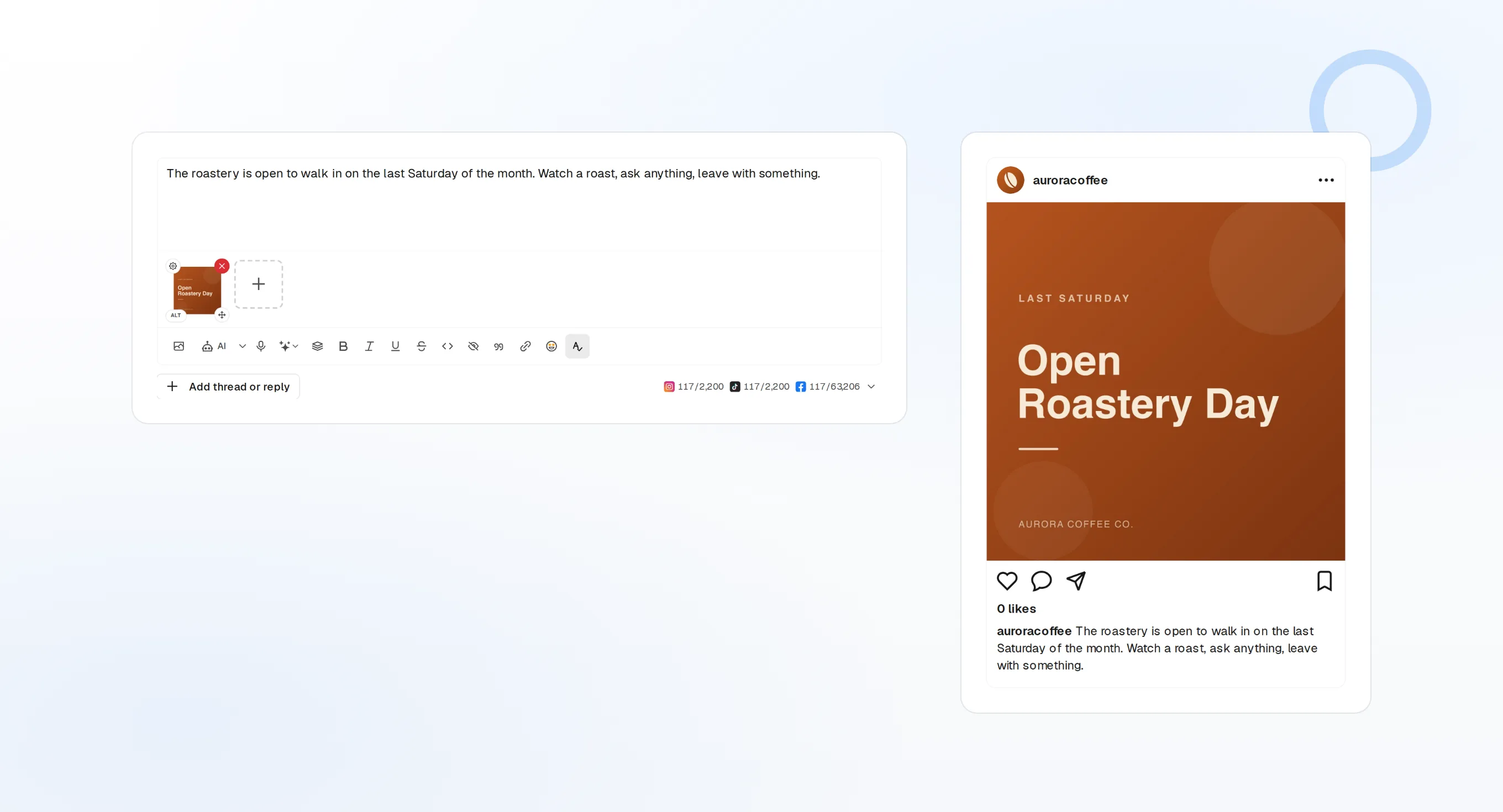
draft_post_variants
Una versione per ogni rete.
get_queue_slots
I prossimi orari liberi nella tua coda.
propose_publish
Approvi tu prima che esca qualcosa.
Chiedi se è arrivato
Gli strumenti di lettura riferiscono cosa è stato pubblicato, quali account vanno ricollegati e cosa ti aspetta nella posta in arrivo.
Inizia gratis> Did the launch post go out?
list_posts shows 3 of 3 published.
list_inbox has 4 new replies.list_posts
I post recenti e il loro stato.
get_account_health
Quali account vanno ricollegati.
list_inbox
Commenti, menzioni e messaggi.
Nessun browser sulla macchina?
Su un server o in CI non c'è un browser con cui accedere. Crea una chiave API nella dashboard ed esegui invece il pacchetto locale tramite stdio. Tieni la chiave fuori dal tuo repository.
{
"mcpServers": {
"fopost": {
"command": "npx",
"args": ["-y", "@fopost/mcp"],
"env": { "FOPOST_API_KEY": "your-api-key" }
}
}
}Warp: le risposte alle tue domande
Mi serve una chiave API?
Devo accedere di nuovo su un nuovo computer?
Pubblica senza chiedere?
E se il server non si avvia?
Usa i miei crediti IA?
Altri agenti
- MCP Server
- Claude Code
- Claude
- Claude Desktop
- Claude Cowork
- Cursor
- Codex
- ChatGPT
- Windsurf
- Gemini CLI
- Grok
- Hermes Agent
- OpenClaw
- Muse
- Kimi Code
- DeepSeek Harness
- goose
- VS Code
- Amp
- OpenCode
- LM Studio
- Gemini
- Perplexity
- Perplexity Computer
- Manus
- Mistral Vibe
- GitHub Copilot
- Cline
- Junie
- Continue
- Zed
- OpenAI dots
- Claude Duet
- Grok Build
- NanoClaw
- Paperclip
- Raycast
Usa FoPost da Warp
Iniziare è gratis e il server MCP è incluso. Incolla la riga di configurazione nel tuo agente, accedi e programma da lì il tuo primo post.
Inizia gratis